In This Article
- What Microsoft Secure Score Actually Measures
- Why Financial Services Executives Should Track Secure Score
- Where Most Organizations Fall Short
- A Practical Roadmap to Improve Your Secure Score
- How M365 Guardian Wraps Around Your Secure Score
- Secure Score in the Context of Regulatory Frameworks
- Measuring Progress: What Good Looks Like
- Frequently Asked Questions
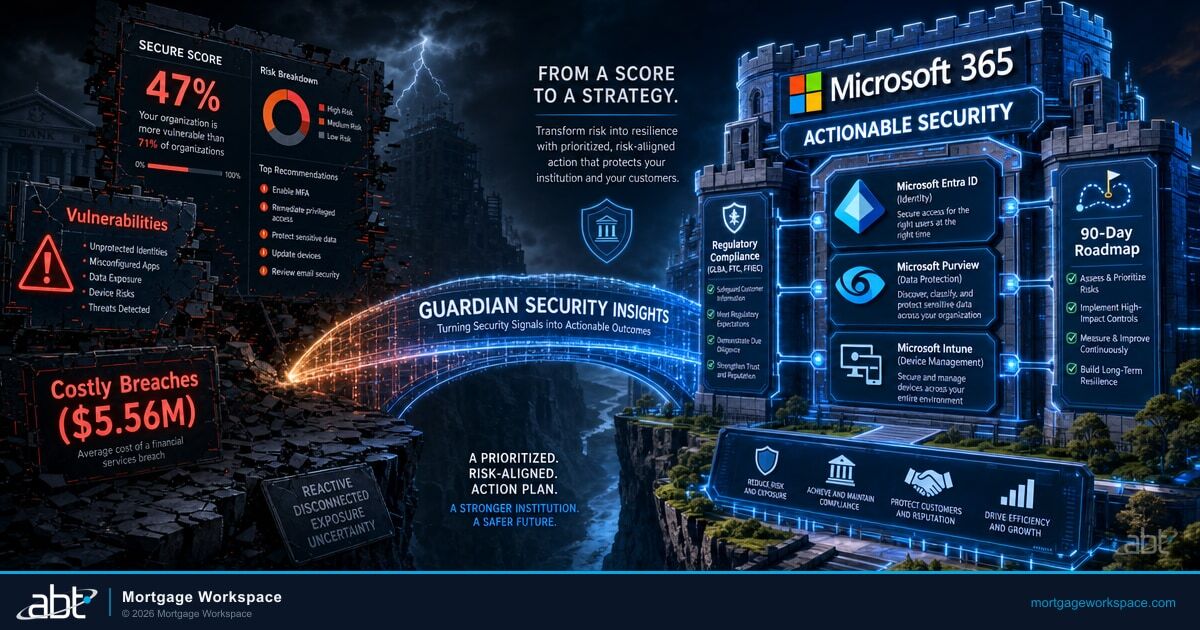
Financial services executives face a growing paradox. IBM's 2025 Cost of a Data Breach Report puts the average financial services breach at $5.56 million, second only to healthcare. Yet most mortgage companies, credit unions, and banks still lack a clear way to measure whether their defenses are keeping pace with the threats consuming those budgets.
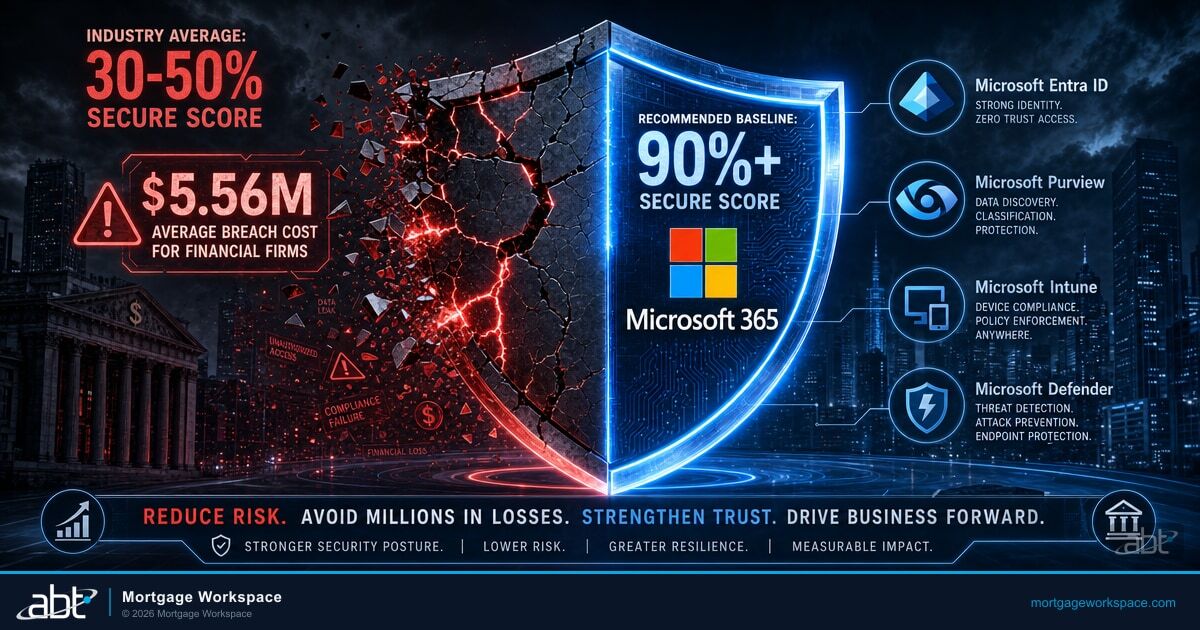
Microsoft Secure Score gives you that measurement. It assigns a percentage grade to your Microsoft 365 tenant based on security configurations, policies, and protections you have in place. Organizations scoring above 80% experience 67% fewer security incidents according to Microsoft. M365 Guardian, the security operating model that ABT runs on top of your Microsoft 365 tenant, pushes financial institutions beyond that threshold to 90%+, where compliance evidence, insurance leverage, and operational resilience all compound. The question is not whether Secure Score matters. The question is what you do once you know the number.
Here is the gap most financial institutions are sitting on right now, and it is wider than most executives realize.
| Security Posture Metric | Industry Average | Recommended Baseline | M365 Guardian Standard |
|---|---|---|---|
| Microsoft Secure Score | 30-50% | 75%+ | 90%+ |
| MFA Enforcement (Microsoft Entra ID) | Partial (admins only) | All users | All users + service accounts |
| Legacy Auth Protocols | Still enabled | Blocked | Blocked + monitored |
| DLP Policies (Microsoft Purview) | None or basic | Financial data covered | NPI + loan data + wire instructions |
| Device Compliance | Unmanaged | Enrolled + baseline | Microsoft Intune + Microsoft Defender for Endpoint |
What Microsoft Secure Score Actually Measures
Secure Score evaluates your Microsoft 365 environment across four categories: Identity, Devices, Apps, and Data. Each category contains dozens of individual controls. Enable multi-factor authentication for all admins in Microsoft Entra ID? Points. Require device compliance through Microsoft Intune? Points. Block legacy authentication protocols? More points.
The total score is a percentage of your maximum achievable score. That maximum varies by organization because it depends on which Microsoft licenses you own. A company running Microsoft 365 Business Premium has different available controls than one running Microsoft 365 E5.
What Secure Score Does Not Measure
Secure Score is specific to your Microsoft 365 tenant configuration. It does not evaluate third-party tools, employee awareness training, physical security, or custom applications outside the Microsoft ecosystem. Treat it as one vital signal in a broader security picture, not the whole picture.
Microsoft updated Secure Score in late 2025 with a risk-based scoring formula in Microsoft Defender for Cloud that prioritizes individual findings by asset risk and criticality. New controls continue to be added quarterly, which means your score can drop even when you have not changed anything. Staying above 90% requires continuous attention, not a one-time hardening sprint.
Why Financial Services Executives Should Track Secure Score
For regulated financial institutions, Secure Score connects directly to four business outcomes that matter at the executive level.
Regulatory Compliance
The FTC Safeguards Rule requires mortgage companies to maintain an information security program with administrative, technical, and physical safeguards. Under the 2024 amendment, non-banking financial institutions must report breaches affecting 500 or more customers to the FTC within 30 days. A strong Secure Score demonstrates that your Microsoft 365 tenant meets the technical safeguard requirements and creates documented evidence for auditors. Microsoft Purview Audit produces the time-stamped trail that auditors and examiners ask for, and Microsoft Purview retention policies hold the supporting communications in a tamper-evident form.
Banks face FFIEC IT Examination Handbook requirements. Credit unions answer to NCUA, which updated its Automated Cybersecurity Examination Tool (ACET) in 2025 to align with NIST Cybersecurity Framework 2.0. In each case, regulators want measurable security controls. Secure Score provides the measurement and Microsoft Purview produces the evidence.
Breach Cost Reduction
IBM's 2025 Cost of a Data Breach Report found that financial firms carry a $5.56 million average breach cost, second only to healthcare at $7.42 million. When U.S.-specific costs are factored in, organizations absorb an average of $10.22 million per incident. Phishing alone accounts for 16% of breaches at $4.8 million each, while supply chain compromises average $4.91 million.
Many of those costs map directly to Secure Score controls. Stale admin accounts that were never disabled. Conditional Access policies that allow legacy authentication. MFA gaps that leave service accounts exposed. Fixing these in Microsoft Entra ID pushes your score up and your risk exposure down, while Microsoft Defender for Office 365 and Microsoft Defender for Endpoint absorb the phishing and endpoint vectors that produce the majority of those $5.56M average costs.
Cyber Insurance Eligibility
Cyber insurance carriers now evaluate Microsoft Secure Score data during underwriting. Carriers want evidence of MFA enforcement, email security controls, and endpoint compliance. Higher scores with documented MFA, Microsoft Purview DLP, and Microsoft Defender controls can support lower premiums, while significant control gaps may trigger coverage exclusions or higher deductibles. Your Secure Score has become a financial document, not just a technical dashboard.
Board-Level Reporting
Board members ask one question about cybersecurity: "Are we protected?" Secure Score gives you a number to answer with. It tracks over time, showing whether security posture is improving or degrading. That trend line tells a story no narrative report can match.
Know where your Secure Score stands today
ABT's Security Grade Assessment maps your tenant controls to the benchmarks that regulators and insurers measure.
Where Most Organizations Fall Short
The average Microsoft 365 tenant scores between 30% and 50% out of the box. Default configurations leave critical protections disabled. Most financial institutions that have not gone through a deliberate hardening process sit in this range.
Three patterns explain the gap.
Default M365 Configuration
- Legacy authentication protocols enabled
- No Conditional Access policies
- External sharing unrestricted
- No Microsoft Purview DLP policies active
- Devices unmanaged by Microsoft Intune
M365 Guardian-Hardened Configuration
- Legacy auth blocked and monitored through Microsoft Entra ID
- Risk-based Conditional Access enforced
- External sharing restricted to approved domains
- Microsoft Purview DLP active across email, Teams, SharePoint
- All devices enrolled with Microsoft Intune compliance baselines and Microsoft Defender for Endpoint
Configuration Drift
IT teams enable security controls during initial deployment, then never revisit them. Microsoft releases new capabilities quarterly. Conditional Access policies that were strong in 2023 may be incomplete in 2026. Secure Score reflects this drift before attackers exploit it.
License Waste
Many organizations pay for Microsoft 365 Business Premium or E5 but only use a fraction of the included security features. Microsoft Intune device compliance, Microsoft Defender for Office 365, and Microsoft Purview Data Loss Prevention are included in the license cost. Not deploying them means paying for protection you never activate.
Siloed Responsibility
When no single person owns the Secure Score, nobody tracks it. IT handles devices. Compliance handles policies. Security handles incidents. The score spans all three domains. Without an owner, improvement stalls.
A Practical Roadmap to Improve Your Secure Score
Improving your score follows a predictable sequence. Start with the highest-impact actions that affect the most users, then work toward the long tail of specialized controls.
MFA, block legacy auth, disable stale accounts (Weeks 1-4)
Microsoft Intune enrollment, Microsoft Defender for Endpoint, compliance baselines (Weeks 5-8)
Microsoft Purview DLP policies, sensitivity labels, external sharing controls (Weeks 9-12)
Continuous score tracking, quarterly control reviews, drift alerts (Ongoing)
Phase 1: Identity Controls (Weeks 1-4)
Identity is where most organizations gain the most points fastest. Start here.
- Enforce MFA for all users in Microsoft Entra ID, including admins, service accounts, and break-glass accounts. This single control blocks 99.2% of account compromise attacks according to Microsoft. Starting in 2025, Microsoft began requiring MFA for all admin accounts across tenants.
- Block legacy authentication protocols that bypass MFA entirely. POP3, IMAP, and SMTP AUTH are the most common attack vectors for credential stuffing.
- Review and disable stale accounts. Any account inactive for 90+ days should be disabled or removed. Stale accounts are free entry points.
- Implement Microsoft Entra ID Conditional Access policies for location-based access, device compliance, and risk-based sign-in evaluation.
Phase 2: Device Compliance (Weeks 5-8)
Devices that access your Microsoft 365 data must meet baseline security standards.
- Enroll devices in Microsoft Intune for compliance management. Define policies requiring encryption, OS updates, and security baselines.
- Deploy Microsoft Defender for Endpoint on all company-managed devices. This extends Secure Score points and provides real-time threat detection that feeds the same telemetry surface examiners ask about when they question incident response readiness.
- Create compliance policies that block access from non-compliant devices. A laptop missing three months of security patches should not access loan data.
Phase 3: Data Protection (Weeks 9-12)
Data protection controls address the regulatory requirements that financial institutions face daily.
- Configure Microsoft Purview Data Loss Prevention (DLP) policies in Microsoft Purview to prevent sensitive data from leaving your environment through email, Teams, or SharePoint. For mortgage shops, that means NPI, loan data, and wire instruction templates each get their own DLP profile rather than a single generic rule.
- Enable Microsoft Purview sensitivity labels so employees can classify documents containing borrower information, financial records, or compliance materials.
- Review external sharing settings in SharePoint and OneDrive. Restrict sharing to approved domains.
Phase 4: App Protection and Monitoring (Ongoing)
The final category covers application-level controls and continuous monitoring.
- Enable Microsoft Defender for Office 365 with Safe Links and Safe Attachments to protect against phishing. This is the single largest moveable line in Secure Score for organizations that handle customer correspondence by email.
- Configure app consent policies to prevent users from granting permissions to malicious third-party applications.
- Set up automated alerts for score changes. A sudden drop signals a configuration change or policy removal that needs investigation.
How M365 Guardian Wraps Around Your Secure Score
M365 Guardian is ABT's security operating model for Microsoft 365 tenants. It is not a separate product you install. It is the continuous cycle of hardening, monitoring, insight delivery, and response that surrounds your tenant. ABT manages your Microsoft 365 tenant under the Direct-Bill CSP relationship, which means the Microsoft Entra ID, Microsoft Defender suite, Microsoft Purview, and Microsoft Intune controls that drive your Secure Score all run inside the operating model rather than living as orphan configurations scattered across an internal IT team's working memory.
For Secure Score, M365 Guardian operates across four functions:
Hardening
Applies the high-impact security configurations that push your score upward. Microsoft Entra ID Conditional Access, Microsoft Intune baselines, email authentication (SPF, DKIM, DMARC), and Microsoft Purview DLP rules. Targets 90%+ Secure Score within a 90-day sprint.
Monitoring
Tracks your score continuously. When Microsoft adds new controls, M365 Guardian evaluates and implements them. When configuration drift occurs, it flags the change before your score drops.
Insights
Translates your Secure Score into executive-level reporting. Category breakdowns, trend lines over weeks and months, risk prioritization showing which actions deliver the most protection per hour invested.
Response
Handles the incidents that even a high Secure Score cannot prevent. Microsoft Defender and Microsoft Entra ID sign-in anomalies, suspicious email bypasses caught by Microsoft Defender for Office 365, and remediation activation when automated defenses are not enough.
The gap between having a Secure Score and acting on it is exactly where most financial institutions lose ground. M365 Guardian closes that gap by turning the number into a continuous operating standard.
Microsoft Secure Score sits on top of a stack of Microsoft 365 security products that have to be configured and operated together to move the number. Microsoft Entra ID supplies the identity layer: MFA enforcement, Conditional Access, sign-in risk evaluation, and Identity Protection. Microsoft Intune enrolls every device that touches firm data and posture-checks it against the financial-services baseline. Microsoft Defender for Office 365 and Microsoft Defender for Endpoint hold the active threat side, from phishing in inbound mail through endpoint detection and response. Microsoft Purview Audit, DLP, retention, and Communication Compliance hold up the records and audit-evidence side that examiners ask for under the FTC Safeguards Rule, FFIEC IT Handbook, and NCUA ACET. ABT layers M365 Guardian, the financial-services-tuned operating model for these Microsoft tools, on top of the tenant. The Tier-1 Direct-Bill CSP designation means ABT manages your Microsoft 365 tenant under Microsoft's top partner tier with delegated administrative access.

Secure Score in the Context of Regulatory Frameworks
Each regulatory body that oversees financial institutions maps to specific Secure Score categories.
| Regulatory Framework | Applies To | Key Secure Score Categories | What Examiners Look For |
|---|---|---|---|
| FTC Safeguards Rule | Mortgage companies | Identity, Data | MFA in Microsoft Entra ID, access controls, encryption, Microsoft Purview DLP, incident response plan |
| FFIEC IT Examination Handbook | Banks | Devices, Apps | Microsoft Defender for Endpoint, application security, Microsoft Intune device management |
| NCUA ACET (NIST 2.0) | Credit unions | Identity, Data | Member data protection, access controls, 72-hour incident notification |
| GLBA Safeguards | All financial institutions | All four categories | Administrative, technical, and physical safeguards documented in Microsoft Purview Audit |
FTC Safeguards Rule (Mortgage Companies): Requires a designated Qualified Individual, risk assessments, access controls, encryption, MFA, and incident response. Secure Score controls for Identity and Data map directly to these requirements. The FTC issued updated compliance guidance in June 2025, reinforcing the technical control expectations.
FFIEC IT Examination Handbook (Banks): Covers information security, business continuity, and IT audit. Secure Score's Device and App categories address device management through Microsoft Intune, endpoint protection through Microsoft Defender for Endpoint, and application security requirements from the handbook.
NCUA Cybersecurity Requirements (Credit Unions): Focuses on member data protection, access controls, and incident response. The NCUA updated its ACET tool in 2025 to align with NIST Cybersecurity Framework 2.0 after the FFIEC CAT was retired. Secure Score's Identity controls (MFA, Conditional Access in Microsoft Entra ID) and Data controls (Microsoft Purview DLP, sensitivity labels) map to NCUA expectations.
GLBA (All Financial Institutions): The Gramm-Leach-Bliley Act applies to everyone. Its Safeguards Rule provisions require administrative, technical, and physical safeguards. A strong Secure Score demonstrates the technical safeguard layer, and Microsoft Purview Audit produces the evidence trail that ties the layer back to written policy.

Measuring Progress: What Good Looks Like
Set clear benchmarks tied to your business reality.
Most financial institutions using default M365 configurations score between 30% and 50%. M365 Guardian targets 90%+ as a continuous operating standard.
- Below 40%: Critical risk. Your tenant is running default configurations. Most security features are disabled. Prioritize immediate hardening.
- 40-60%: Below average. Core controls are partially deployed. Common gaps include inconsistent MFA, no Microsoft Intune device compliance policies, and missing Microsoft Purview DLP rules.
- 60-80%: Progressing. Foundational controls are in place. Focus shifts to advanced protections, monitoring, and closing the remaining gaps.
- 80-90%: Strong foundation. You have deployed the controls that matter most. Focus shifts to advanced protections and closing the final gaps.
- 90%+: M365 Guardian standard. Continuous monitoring prevents drift. Regulatory conversations become evidence-based rather than defensive. Insurance carriers see the documentation they need.
Key Takeaway
The goal is sustained performance above 90%. Not a one-time achievement. A continuous operating standard that M365 Guardian maintains through ongoing monitoring of Microsoft Entra ID, Microsoft Defender, Microsoft Purview, and Microsoft Intune. Microsoft adds new controls quarterly and configuration drift can erode progress. A score that was 92% in January can slip to 84% by March without active management.
Get a Secure Score Readiness Review
ABT runs the M365 Guardian operating model described in this article for 750+ financial institutions. A 30-minute conversation maps your current Microsoft 365 tenant footprint, surfaces the Secure Score gaps your next examiner or insurance carrier is most likely to flag, and outlines what an ABT-managed deployment would cover across Microsoft Entra ID, Microsoft Defender, Microsoft Purview, and Microsoft Intune. No commitment, no quote, no obligation.
Frequently Asked Questions
A score above 90% indicates strong security posture for mortgage companies. Most tenants using default configurations score between 30% and 50%. Financial institutions should target 90% as a minimum and maintain it through continuous monitoring to satisfy FTC Safeguards Rule requirements and demonstrate technical controls in Microsoft Entra ID, Microsoft Defender, and Microsoft Purview to cyber insurance carriers during underwriting.
Cyber insurance carriers now evaluate Secure Score data during underwriting for financial institutions. A score above 90% with documented MFA enforcement in Microsoft Entra ID and Microsoft Purview Data Loss Prevention can lead to lower premiums. Scores below 60% may trigger coverage exclusions or higher deductibles. Carriers specifically look for MFA compliance, Microsoft Defender for Endpoint coverage, and Microsoft Defender for Office 365 email security controls within the score breakdown.
Secure Score addresses the technical safeguard requirements of the FTC Safeguards Rule but does not cover administrative or physical safeguards. It demonstrates MFA enforcement in Microsoft Entra ID, access controls, encryption, and Microsoft Purview data loss prevention configurations. Financial institutions need Secure Score plus documented policies, risk assessments, a designated Qualified Individual, and incident response plans to achieve full compliance.
Most financial institutions can reach 90% within 90 days through a structured hardening sprint. Identity controls like MFA in Microsoft Entra ID and blocking legacy authentication provide the fastest gains in weeks one through four. Microsoft Intune device compliance and Microsoft Purview data protection follow in weeks five through twelve. Maintaining the score requires continuous monitoring because Microsoft adds new controls quarterly and configuration drift can erode progress.
M365 Guardian is ABT's security operating model that wraps around your Microsoft 365 tenant. It uses Secure Score as one of several measurement tools within a continuous cycle of hardening, monitoring, insight delivery, and incident response. M365 Guardian applies the Microsoft Entra ID, Microsoft Defender, Microsoft Purview, and Microsoft Intune configurations that raise your score, monitors for drift that would lower it, and delivers executive reporting that translates the score into business risk language.