In This Article
The mortgage industry loses an estimated 45% of loan applications to fallout before closing. A significant portion of that fallout traces back to slow processing caused by disconnected systems. When your Point of Sale (POS) system and Loan Origination System (LOS) don't share data cleanly, every loan starts with a bottleneck.
POS-to-LOS integration eliminates the manual handoff between borrower-facing applications and back-office processing. Data entered by the borrower flows directly into your LOS without re-keying. Documents uploaded through the POS land in the right loan file automatically. Underwriting starts faster because processing teams aren't waiting for someone to transfer data from one system to another.
This guide explains how the POS-to-LOS connection works, where it breaks down, and how Access Business Technologies builds the integration around three load-bearing parts: MortgageExchange as the canonical data spine, Calyx PointCentral running on Microsoft Azure as the hosted LOS, and M365 Guardian as the governance layer that holds the whole pipeline audit-ready.
What POS and LOS Systems Do in Mortgage Lending
Point of Sale (POS) Systems
The POS is the borrower's front door. Applicants enter personal information, income details, employment history, and property data through a web or mobile interface. They upload pay stubs, bank statements, and tax returns. Products like Blend, SimpleNexus (now ICE), Floify, and Encompass Consumer Connect serve this function.
A well-built POS reduces application abandonment. It guides borrowers through required fields, validates data in real time, and makes document uploads simple. But the POS is only the intake layer. The real processing happens in the LOS.
Loan Origination Systems (LOS)
The LOS handles everything after intake: automated underwriting, compliance checks, disclosure generation, condition tracking, and closing documentation. Encompass, Calyx PointCentral, Byte Software, and LoanSoft are common LOS platforms in mortgage lending.
The LOS is where loans get approved or denied. It runs TRID calculations, generates Loan Estimates, and tracks regulatory timelines. Without clean data from the POS, none of those processes work correctly.
Where POS-to-LOS Data Transfers Break Down
Five problems cause most integration failures.
1. Data Silos
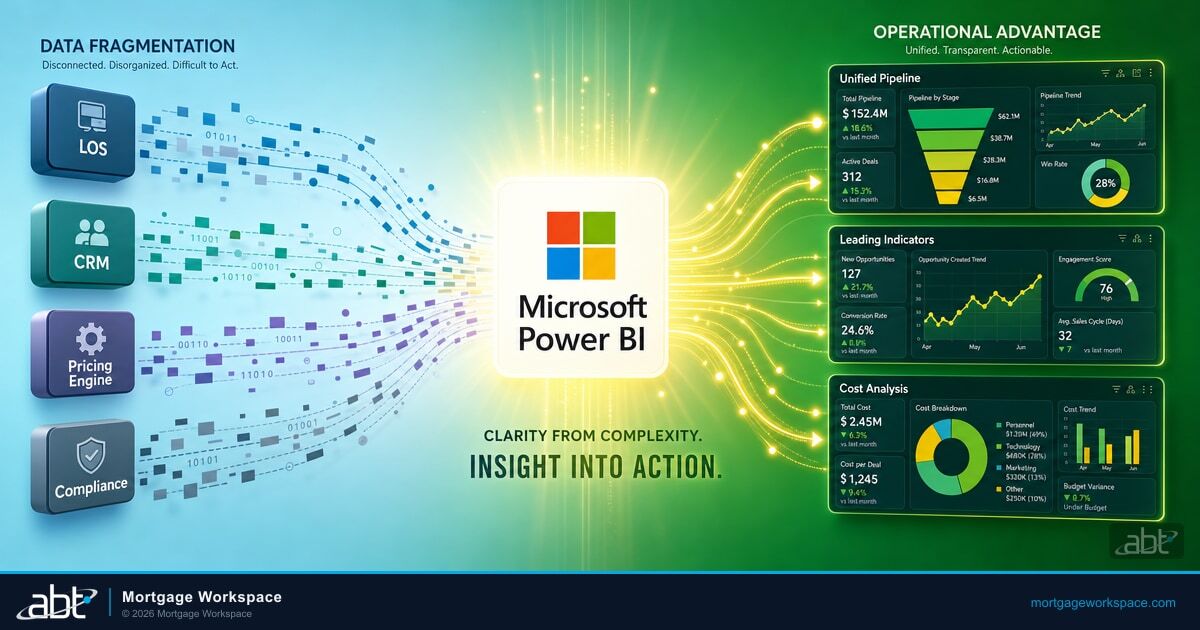
The POS collects borrower data. The LOS stores loan data. Without integration, someone must transfer data between them manually. That person becomes a bottleneck. When they're out sick or handling a rush, transfers queue up and processing stalls.
2. Field Mapping Mismatches
The POS stores a borrower's name in one field. The LOS expects first name, middle name, and last name in separate fields. Employment income might be monthly in the POS and annual in the LOS. Every field format difference is a potential data error waiting to happen. Without a canonical data spine, each integration project re-solves the same mapping problem from scratch.
3. Manual Re-Entry and Duplicate-Data Errors
Without API-based integration, processors type data from POS screens into LOS fields. A study by Equifax found that loan fallout often traces to verification delays and process inefficiency. Manual data transfer compounds both problems, and duplicate-entry errors compound them again when the same loan exists in slightly different states across two systems.
4. Compliance Timing Risks
TRID requires Loan Estimates within three business days of a complete application. If data transfer delays push the LOS processing start past that window, you face a compliance violation. The GLBA requires consistent data handling across systems. Inconsistencies between POS and LOS records create audit findings.
5. Borrower Frustration
When the POS asks for a document and the processor asks for the same document again because it didn't transfer, the borrower loses confidence. Repeat requests are the number one complaint borrowers report during the mortgage process.
What POS-to-LOS Integration Fixes
- Automated data transfer: Borrower information moves from POS to LOS through APIs without human intervention. No re-keying. No copy-paste.
- Document passthrough: Files uploaded through the POS attach to the correct loan in the LOS automatically. Processors see documents immediately instead of waiting for email attachments.
- Faster time-to-underwriting: Processing starts the moment the application hits the LOS. No waiting for someone to transfer data. Lenders with integrated systems report moving loans to underwriting same-day instead of next-day or later.
- Reduced error rates: Automated transfers eliminate transcription errors. Data format conversions happen in the integration layer, not in a processor's head.
- Consistent compliance records: Both systems reflect the same data. Auditors reviewing loan files see matching records across POS and LOS without discrepancies.
MortgageExchange: The Canonical POS-to-LOS Data Spine
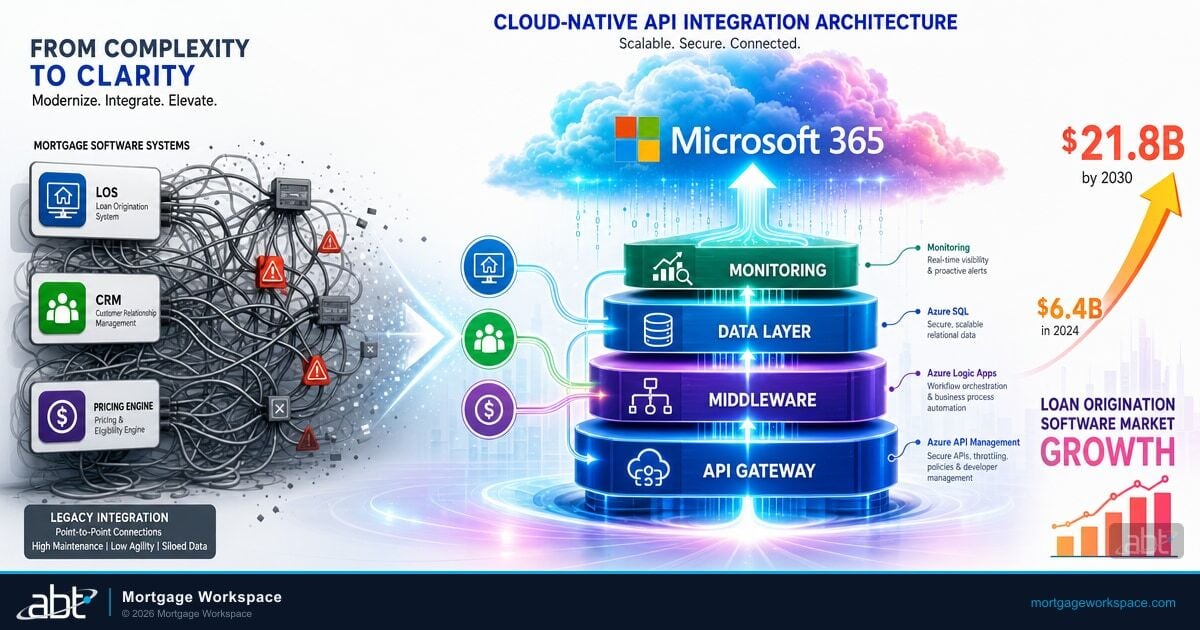
The recurring failure mode in mortgage IT is not the absence of integration. It is the proliferation of one-off integrations. A lender stitches the POS to the LOS, then bolts on a verification vendor, then a pricing engine, then a doc prep service, then a servicing transfer file. Each connection is its own field map, its own retry logic, its own monitoring. The result is a brittle web of point-to-point links that breaks every time a vendor changes an API. MortgageExchange is the canonical answer to that pattern. Built and operated by Access Business Technologies, MortgageExchange acts as the data spine that sits between the borrower-facing POS, the LOS, the core banking system, and every downstream vendor in the loan lifecycle. Every field is mapped once, every transformation is documented once, and every API change gets handled in one place rather than across a dozen brittle scripts. Manual re-keying and duplicate-data errors stop being a daily problem because the same canonical record flows to every system that needs it. This connects closely to Why Mortgage Tech Should Start with Infrastructure, Not Software.
Calyx PointCentral on Azure with M365 Guardian Governance
The other half of the equation is where the LOS itself runs. Lenders that operate Calyx PointCentral on local servers carry the entire infrastructure burden, including backups, patching, disaster recovery, and the audit evidence that ties them all together. ABT hosts Calyx PointCentral on Microsoft Azure for the lenders that prefer to consolidate that burden, giving the lender a dedicated PointCentral environment with the disk performance, geographic redundancy, and recovery posture that examiners expect from a production lending system. On top of that hosted LOS, ABT manages the Microsoft 365 tenant under the M365 Guardian operating model, which is the configuration and monitoring layer that holds Microsoft Entra ID Conditional Access, Microsoft Defender for Office 365, Microsoft Purview retention, and Microsoft Sentinel SIEM in a documented, audit-ready state. Together, MortgageExchange moves the data, Calyx PointCentral on Azure runs the loan, and M365 Guardian governs the surrounding Microsoft footprint so the lender experiences one integrated production pipeline rather than three vendor relationships stitched together by hope. Our guide to How Mortgage POS Interfaces Speed Up Pre-Qualification in 2026 goes deeper on this.
Strategies for Reliable POS-to-LOS Data Transfers
Choose Systems with Native API Support
The easiest integrations use POS and LOS platforms built to work together. Encompass Consumer Connect integrates natively with Encompass LOS. Blend offers API connections to multiple LOS platforms. Calyx PointCentral exposes the integration surface MortgageExchange uses to keep borrower data, loan data, and document handoffs synchronized. If your current systems lack API support, that limitation will cost more over time than switching to systems that have it.
Standardize Data Formats Before Integration
Work with your team to define standard formats for every shared field. Income frequency, date formats, phone number structures, and address formats all need documented standards. Build these rules into your integration layer so data converts automatically. MortgageExchange's value compounds here because the canonical schema is defined once and reused for every downstream connection.
Build Error Handling Into the Integration
APIs fail. Networks drop. Servers restart. Your integration needs retry logic for failed transfers, error logging for troubleshooting, and alerts when transfers stop working. A silent integration failure is worse than a manual process because nobody knows the data didn't transfer until a loan stalls.
Validate Data at the Boundary
Before data enters the LOS, the integration should validate required fields, check data types, and flag obvious errors. Catching a missing Social Security Number at the integration layer is faster than discovering it during underwriting.
Test Under Production Volume
An integration that works with 10 test loans may break at 200 concurrent applications. Load test your integration at peak volume before going live. Rate limits on both the POS and LOS APIs determine your throughput ceiling.
Building the POS-to-LOS Integration
Step 1: Audit Your Current Process
Map exactly how data moves from POS to LOS today. Count the manual steps. Measure the time between application submission and LOS processing start. This baseline tells you what the integration needs to improve.
Step 2: Select Your Integration Approach
Native POS-LOS integration is fastest if your vendors support it. A canonical data-spine pattern like MortgageExchange is the right answer when the lender's stack already has multiple downstream consumers. Middleware platforms like Azure Logic Apps handle bespoke connections when a canonical spine is not in place. ABT evaluates the existing stack and recommends the right pattern based on volume, downstream dependencies, and the lender's regulatory posture.
Step 3: Build and Map
Configure the API connections. Build the field mapping. Set up data transformations for format differences. Create the document transfer pipeline for uploaded files.
Step 4: Test Against Real Scenarios
Run loans through every product type you originate. Test conventional, FHA, VA, and jumbo applications. Test co-borrower scenarios. Test applications with missing data. Every edge case you catch in testing is a production problem you avoid. See also our breakdown of From Chaos to Clarity.
Step 5: Monitor After Launch
Track transfer success rates, error rates, and time-to-processing daily for the first month. Weekly after that. Set up alerts for transfer failures. Review error logs to catch patterns before they affect loan volume.
Fix the POS-to-LOS Handoff with ABT
Access Business Technologies operates MortgageExchange, hosts Calyx PointCentral on Azure, and manages Microsoft 365 under the M365 Guardian operating model for 750+ financial institutions. A 30-minute conversation maps your current POS-to-LOS data flow, identifies the duplicate-data errors costing you closings, and outlines what an ABT-operated pipeline would cover. No commitment, no quote, no obligation.
Frequently Asked Questions
Not in most cases. Modern POS and LOS platforms expose REST APIs that middleware or a canonical data spine like MortgageExchange can connect. If your current systems have API access, integration is possible without replacing either platform. If your POS or LOS lacks API support, that is a signal to evaluate newer platforms that include it as a standard feature.
POS-to-LOS integration reduces TRID compliance risk by eliminating transfer delays. The TRID rule requires Loan Estimates within three business days of receiving a complete application. Automated data transfer ensures the LOS has complete application data within minutes of submission, giving compliance teams the full three-day window instead of losing time to manual data entry.
Most lenders see measurable ROI within three to six months after deployment. The primary savings come from reduced processing labor, lower error correction costs, and faster time-to-close. Lenders processing over 100 loans per month typically recover integration costs within the first quarter through reduced per-loan processing time alone.
Yes. A properly built integration handles all loan types by mapping product-specific fields in the integration layer. FHA loans require fields like case number and upfront MIP. VA loans need Certificate of Eligibility data. The integration maps these product-specific fields alongside standard fields so every loan type transfers correctly from POS to LOS without manual intervention.
All POS-to-LOS data transfers must use encrypted HTTPS connections. OAuth 2.0 or equivalent token-based authentication controls API access. The Gramm-Leach-Bliley Act requires financial institutions to protect borrower nonpublic personal information during transfer and storage. SOC 2 Type II attestation of integration platforms provides additional assurance, and state regulations such as NYDFS 23 NYCRR 500 may impose additional encryption and access control requirements. The M365 Guardian operating model layers Microsoft Purview retention and Microsoft Sentinel audit evidence over the transfer pipeline so the firm has the documentation an examiner asks for.