In This Article
- The Remote Mortgage Risk Landscape
- Why Remote Mortgage Teams Face Elevated Risk
- Encryption: The Foundation of Document Protection
- MFA: The Control That Blocks Most Account Attacks
- Cloud Storage: Secure Access From Anywhere
- Anatomy of a Mortgage Wire Fraud Attack
- Training: Your Team Is Your First Line of Defense
- Partnering With a Managed Service Provider
- Frequently Asked Questions
- Protect Your Remote Team's Documents Today

Remote work rewired the mortgage industry. Loan officers take applications from home offices, processors review tax returns over consumer Wi-Fi, and underwriters ship files across four time zones before a closing packet is complete. The convenience is real. So is the exposure.
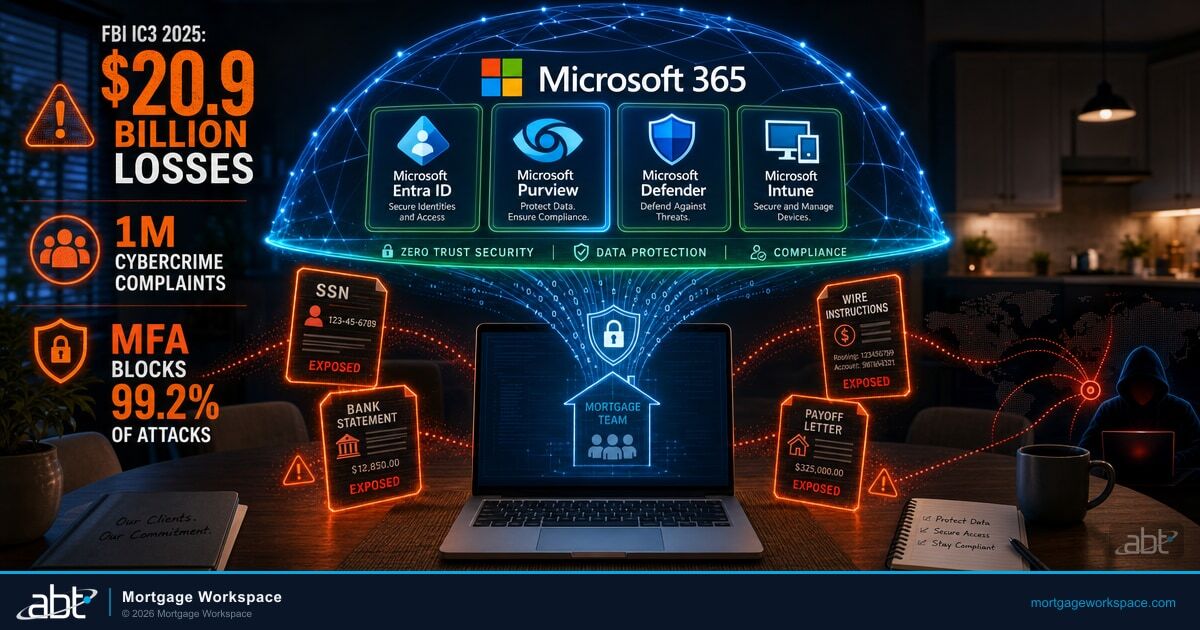
The documents moving through a mortgage workflow are the documents attackers want most: Social Security numbers, bank statements, pay stubs, wire instructions, and signed disclosures that unlock hundreds of thousands of dollars per file. When those documents leave a hardened office network and land on a kitchen-table laptop, the perimeter your security program was designed to protect no longer exists.
This article walks through the controls remote mortgage teams need to keep borrower data protected, the configuration gaps that quietly undermine those controls, and the operating model that turns Microsoft 365 Business Premium into a defensible, auditable platform for a distributed lending operation.
When Copilot reads a document, the credentials inside it become the real attack surface.
A remote mortgage team drops a server-config document in SharePoint. Copilot summarizes it in a Teams chat and the embedded connection string shows up to every participant. The Short shows the scenario in 20 seconds, then the article walks through the credential-scanning and DLP controls that catch it before Copilot gets to it.
Watch the 60-second versionThe Remote Mortgage Risk Landscape
Mortgage lending is a regulated industry operating inside a targeted industry. The FBI's 2025 Internet Crime Report (released April 2026) shows the cybercrime landscape entered new territory: more than one million complaints in a single year, $20.9 billion in losses, and BEC volume up 16% even as defenders grew more aggressive. Loan officers are high-value targets because their inboxes touch every borrower, every title company, and every funding wire in a file.
The structural problem is that remote mortgage teams handle more sensitive documents per hour than almost any other regulated profession. A single origination produces dozens of artifacts across email, LOS, cloud storage, and eSignature platforms. Multiply that by the number of loan officers on a pipeline and you have a document surface that spans personal laptops, home routers, and cloud tenants that must be configured correctly on day one and stay configured every day after.
Why This Matters for Mortgage Companies
The FTC Safeguards Rule applies to mortgage companies as non-bank financial institutions. The 2023 amendments (16 CFR Part 314.4) require documented risk assessments, multi-factor authentication, encryption of customer information in transit and at rest, access controls, and continuous monitoring for unauthorized access. Remote work does not grant an exemption from any of these requirements, and examiners will not accept "we enabled it in the admin console" as evidence that a control is operating. For an in-depth look at how Microsoft 365 controls map to current federal expectations, see our review of CFPB compliance and your Microsoft 365 environment.
Why Remote Mortgage Teams Face Elevated Risk
In the office, your network firewall, physical access controls, and managed devices create overlapping layers of protection. At home those layers disappear. Loan officers work from kitchen tables. Processors connect through consumer-grade Wi-Fi. Underwriters share documents over personal email because the VPN is slow and closing is in ninety minutes.
Three factors make remote mortgage teams particularly vulnerable, and each one requires a deliberate control response rather than a generic "work securely from home" policy.
- Expanded endpoints. Every home office is a new entry point. Personal devices, shared family computers, and unmanaged tablets all touch sensitive data. Without endpoint management through Microsoft Intune, each device is a blind spot the security team cannot inspect, patch, or wipe when a credential is compromised. Verizon's 2025 Data Breach Investigations Report attributes 60% of breaches to the human element, and a hardened endpoint is the difference between a clicked link and a compromised tenant.
- Phishing targeting wire transfers. Business email compromise schemes designed to redirect wire instructions remain the single most financially damaging attack in mortgage lending. Remote workers lack the ability to walk down the hall and verify a suspicious request face to face, and the attacker is counting on that friction.
- Shadow IT. When corporate tools are inconvenient, employees find workarounds. Personal Dropbox accounts. WhatsApp messages containing loan numbers. Personal Gmail attachments with tax returns. Each workaround creates an unmonitored data path the compliance team cannot audit and the security team cannot protect.
- Mixed trust boundaries. A remote team often mixes employees, contract processors, and third-party closers inside shared SharePoint libraries. Without tight Conditional Access and sensitivity labeling, an over-permissioned contractor can walk out of an engagement with a folder full of borrower PII.
None of these risks are hypothetical. Every one of them shows up in incident reports across the lending industry every quarter, and every one of them has a concrete control in Microsoft 365 Business Premium that closes it if the configuration is correct and continuously verified. For the configuration baseline that closes the door on the most common compromise paths, our walkthrough of Conditional Access policies for mortgage companies in 2026 covers the policy mix every remote lender should have in place.

Encryption: The Foundation of Document Protection
Encryption transforms sensitive files into unreadable data for anyone without the correct key. It works in two modes, and mortgage companies need both operating without gaps.
In-transit encryption. Documents moving between your loan officers and your LOS, between your processors and title companies, or between any two points on the internet need TLS 1.2 or higher. This prevents interception during transmission and is the baseline expectation for any system handling customer information under the Safeguards Rule.
At-rest encryption. Documents stored in SharePoint, OneDrive, or any cloud repository must be encrypted where they sit. If a device is lost, a storage account is breached, or a backup is stolen, encrypted files remain unreadable without the key material, which should be held and rotated by your tenant, not by a third party.
Microsoft 365 Business Premium includes both. SharePoint and OneDrive encrypt data at rest by default. Exchange Online email travels over TLS. The gap is rarely the technology. The gap is configuration: a legacy protocol that slipped through a policy exception, a third-party connector that downgrades TLS, a shared mailbox missing a sensitivity label, or an external sharing policy that was relaxed for a single closing and never tightened back up.
Document Guardian Closes the Configuration Gap
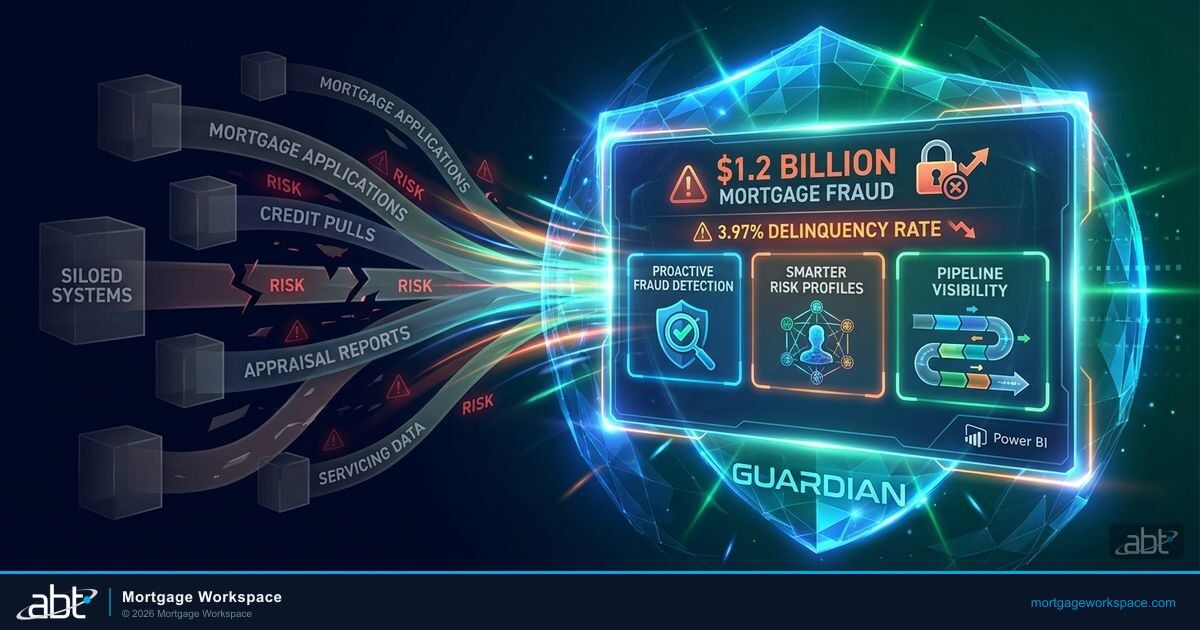
Document Guardian is the ABT operating service that verifies encryption, sensitivity labeling, and sharing policy enforcement across every user and every device in your Microsoft 365 tenant. It does not replace Microsoft Purview; it uses Purview, Defender for Cloud Apps, and Entra ID as the underlying engines and reconciles them against the policy baseline your compliance team actually signed off on. When drift happens, and in a remote lending environment drift happens constantly, Document Guardian surfaces it before an examiner does.
ABT's Guardian hardening process verifies encryption configuration as part of the 90-day tenant hardening sprint. Sensitivity labels are published to the right audiences. Service accounts are covered by modern authentication. External sharing is restricted to defined domains. No assumptions. Verified enforcement.
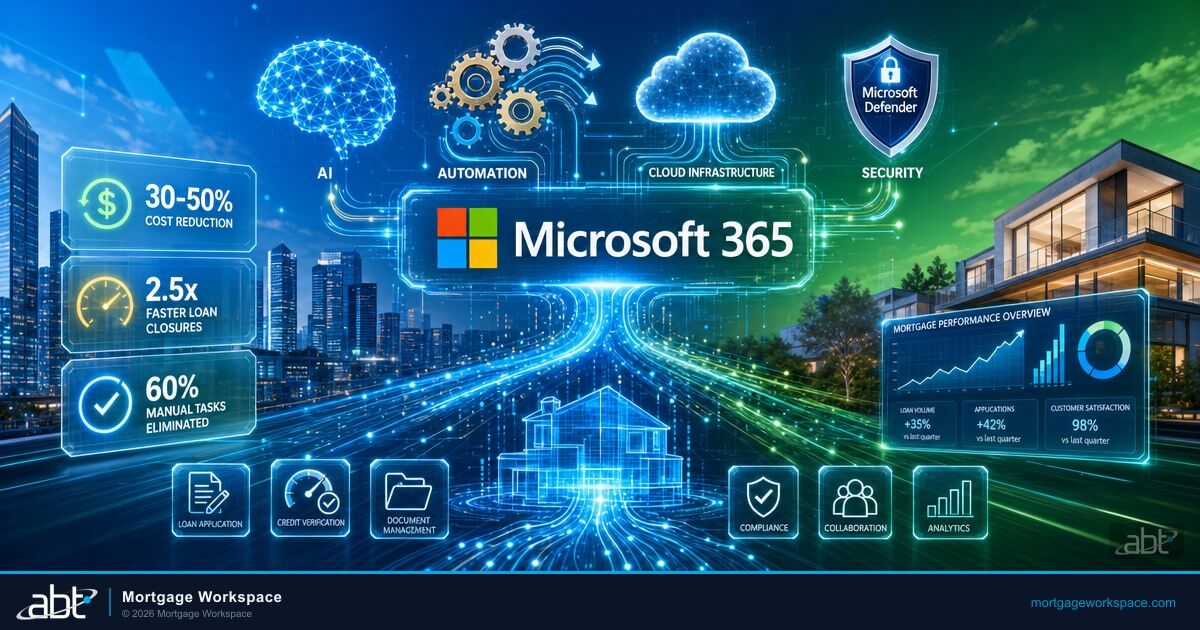
Microsoft 365 Business Premium gives a remote mortgage team four enforcement engines that work together when they are configured correctly: Microsoft Purview for sensitivity labels and DLP, Microsoft Entra ID for Conditional Access and identity protection, Microsoft Defender for Cloud Apps for shadow-IT discovery and OAuth governance, and Microsoft Intune for device compliance and selective wipe. Microsoft's Digital Defense Report 2025 found that 28% of breaches it investigated were initiated through phishing or social engineering, and the same report flagged device-code phishing as a rising vector that bypasses the Conditional Access policies most tenants think they have. ABT's Guardian Security Insights service reads these four engines in your tenant nightly and reports whether they are operating, drifting, or quietly excluded from a single user that an attacker will eventually find.
MFA: The Control That Blocks Most Account Attacks
Microsoft's Entra ID team reports that multi-factor authentication blocks more than 99.2% of common account compromise attacks. For remote mortgage teams, MFA is not optional. It is the single most effective control you can deploy, and it is the first control an examiner will ask you to prove is working.
But "MFA enabled" is not the same as "MFA working." The distinction matters because attackers have gotten very good at finding the small population of accounts where the policy exists on paper but does not enforce in practice. Incident responders consistently find that a meaningful share of business email compromise victims had MFA enabled at the policy level when the attack landed; the policy was bypassed because of an exclusion, an unenrolled user, or an adversary-in-the-middle phishing kit that captured the live session token.
MFA enabled is not MFA working. The accounts that get compromised are almost always the ones where the policy exists on paper but something in the configuration quietly excepts them from enforcement.
Three patterns recur across lending incidents:
- An employee has the MFA policy applied but never downloaded the authenticator app. Their account is protected by a password alone and the sign-in logs have been quietly surfacing that fact for months.
- A service account was excluded from Conditional Access policies because a LOS integration needed legacy authentication. That single exclusion becomes the front door into the tenant.
- A contractor was given a temporary MFA exemption six months ago for a title-company onboarding issue. The exemption was never removed and nobody reviews the exclusion list.
A fourth pattern is now common enough to deserve its own line in your runbook: the attacker did not try to bypass MFA at all. They used an AiTM phishing page (Evilginx-class kits are the canonical example) to relay the user's real prompt, capture the resulting session cookie, and replay it from their own machine. The login looked normal. The MFA prompt was answered by the actual user. The sign-in showed up as compliant. Phishing-resistant MFA (FIDO2 hardware keys or certificate-based authentication) closes that path; SMS, voice, and even authenticator-app push do not.
Guardian Security Insights identifies these gaps every night. It flags users who appear protected but have not completed MFA registration, detects Conditional Access exclusions that expose privileged accounts, and cross-references sign-in logs against the policy baseline so the security team sees the drift before the attacker does. This is the layer Microsoft's native reporting does not surface unless someone is looking, and in a remote mortgage team nobody has time to look every day.
For a deeper walkthrough of how continuous monitoring closes these gaps, see our companion piece on Guardian Security Insights and mortgage cybersecurity compliance.
Cloud Storage: Secure Access From Anywhere
Mortgage documents belong in managed cloud storage, not on laptop hard drives, USB sticks, or personal cloud accounts. Microsoft SharePoint and OneDrive provide the control plane a remote team needs, and when they are configured correctly they give your compliance team the evidence trail every audit eventually demands.
- Centralized access control. Role-based permissions ensure loan officers see their pipeline, processors see their files, and underwriters see what they are underwriting. Nobody accesses what they do not need, and the access log proves it.
- Audit trails. Every document access, edit, and share is logged. When a regulator asks who accessed a specific borrower's file and when, you answer in minutes, not weeks.
- Version history. Accidental changes or deletions can be reversed. No document is permanently lost and no closing is derailed by a mis-click.
- External sharing controls. DLP policies through Microsoft Purview restrict who can share documents externally and what types of data can leave your environment. A processor cannot email a folder of tax returns to a personal Gmail account without the policy stopping them.
- Sensitivity labels. Borrower PII, wire instructions, and closing packages can carry labels that travel with the file. Even if a document is downloaded, the label still enforces encryption and access rules.
The FTC Safeguards Rule requires mortgage companies to know where customer information is stored and who has access to it. Cloud storage configured correctly answers that question in real time. Document Guardian works alongside these controls by monitoring document access patterns and flagging policy violations, giving compliance teams the evidence they need for annual audits and state examinations.
For platform-level context on how these controls connect to the rest of your stack, review our overview of why mortgage companies need Microsoft 365's advanced security features.
Anatomy of a Mortgage Wire Fraud Attack
Understanding how wire fraud actually unfolds is the fastest way to see why every control in this article matters. Attacks rarely look like the dramatic scenarios in security awareness training. They look like a slow, patient sequence of small access events that each seem unremarkable in isolation.
Day 0: a loan officer opens a phishing email disguised as a title company portal login. Day 1: the credential is captured and tested against Microsoft 365. MFA is "enabled" for the tenant but this account never finished enrollment, so a password is sufficient. Day 2: the attacker logs in, creates a hidden inbox rule forwarding any email with "wire" or "closing" in the subject to an external address. Day 3 to 6: the attacker reads the pipeline and learns which borrower is closing next.
Day 7: forty-five minutes before closing, the attacker emails the borrower from a lookalike domain with "updated wiring instructions from the title company." The borrower, on a home internet connection, working from a mobile device, and trusting a loan officer they have been corresponding with for six weeks, wires $430,000 to the attacker's account. The funds move through three correspondent banks in ninety minutes. By the time the loan officer realizes what happened, recovery odds are effectively zero.

Every link in that chain has a control that breaks it. MFA enrollment completed blocks the initial login. Conditional Access flagged as an anomalous sign-in location breaks the reconnaissance. A Defender for Office 365 inbox-rule alert breaks the forwarding. DLP on outbound email with wire instructions breaks the final spoof. The point is not that any single control is perfect; the point is that a correctly configured tenant gives the attacker five distinct failure points to survive, and most attackers do not survive all five. Our walkthrough of email security for mortgage lenders covers the inbound and outbound mail-flow controls that close the wire-fraud chain at multiple points.
See where your tenant stops a wire-fraud chain and where it does not
A 30-minute Document Guardian readiness review walks through your MFA enrollment, Conditional Access exclusions, inbox-rule alerting, and DLP posture against a lending-specific threat model.
Training: Your Team Is Your First Line of Defense
KnowBe4's 2025 Phishing By Industry Benchmarking Report shows finance and banking organizations start with a 29.8% phish-prone rate at baseline, the lowest of any industry, and that figure falls to roughly 4.1% after twelve months of continuous training and simulation. The 91% improvement is the best result across all industries; banks, credit unions, and mortgage lenders outperform every other sector once a program is genuinely in place. The catch is that the program has to be continuous and mortgage-specific. Annual generic security training does not move the rate.
Generic cybersecurity training covers password hygiene and suspicious links. Mortgage-specific training covers the scenarios your loan officers and processors actually see:
- Wire fraud verification. Always confirm wire instructions by phone using a number from your original documentation. Never use a number from the email requesting the change, and never accept a wire change received within an hour of closing without a verbal callback.
- Secure document upload. Use your lender's secure portal for tax returns, pay stubs, and bank statements. Never send these via regular email, even if the borrower asks you to, and never store them on a personal device.
- Public Wi-Fi risks. Never access loan files, borrower data, or financial accounts on public Wi-Fi. Use your cellular connection or a company-managed VPN, and assume that a coffee-shop network is hostile.
- Personal device boundaries. If your company does not manage the device through Intune, borrower data should not touch it. A personal iPad is not a compliant closing device.
- Lookalike domain awareness. Train the team to inspect the actual sender address, not the display name. Attackers register domains that differ from yours by a single character and a display name that reads exactly like your title-company partner.
ABT provides security awareness resources as part of the Guardian operating model. Training is not a one-time event. It runs alongside continuous monitoring to reinforce the behaviors your security policies depend on, and the phishing simulation results feed directly into the risk-assessment documentation the Safeguards Rule requires. For a look at how training connects to the broader compliance monitoring lifecycle, see our walkthrough of why continual monitoring is the key to staying ahead in today's cyber warfare.
Partnering With a Managed Service Provider
Remote mortgage teams create a security surface that internal IT teams struggle to cover alone. A cloud-first MSP extends your capabilities without expanding your headcount, and for a regulated lender the right MSP is the difference between a Microsoft 365 tenant that is merely licensed and one that is actually defensible.
ABT serves more than 750 financial institutions as a Tier-1 Microsoft Cloud Solution Provider. That means direct Microsoft licensing, Premier Support access, and a technology stack that runs entirely on Microsoft. No third-party MSP platforms. No additional attack surface from agent-based RMMs that have themselves become attacker targets in recent years.
What this looks like in practice across a remote mortgage operation:
- Continuous monitoring. Guardian Security Insights pulls data from your tenant nightly. Stale accounts, MFA gaps, unmanaged devices, DLP violations, and risky sign-ins surface automatically and route to the right owner before the weekly standup.
- Incident response. When something goes wrong, ABT's team responds directly inside your Microsoft environment. No hand-offs between vendors, no ticket bouncing between a help desk and a security partner, and no gaps in the forensic timeline because two tools disagree about what happened.
- Compliance documentation. Every nightly scan creates timestamped evidence. Auditors see 365 days of documented security posture, not a snapshot from last Tuesday, and the examination binder writes itself.
- Licensing alignment. Business Premium with Entra ID P2 and the right Defender add-ons delivers a posture that approaches E5 at a lower cost point, and ABT's licensing team builds that mix so you pay for what you use and use what you pay for.
For the operational perspective on how secure integrations tie back to your LOS and partner platforms, see our deep dive on interface security best practices for mortgage application platforms.
The Five Controls That Protect a Remote Mortgage Team
- MFA enforcement, verified. Not enabled. Enforced, with zero tolerated Conditional Access exclusions for human users and scheduled review of every service-account exception. Phishing-resistant methods (FIDO2 keys, certificate-based authentication) for privileged roles wherever feasible.
- Encryption in transit and at rest, verified. TLS 1.2 or higher everywhere, sensitivity labels applied to borrower PII, and external sharing restricted to named partner domains.
- Endpoint management through Intune. Every device that touches borrower data is enrolled, compliant, and wipeable. Personal devices are either enrolled or blocked.
- DLP policies through Purview. Outbound email and cloud sharing containing SSNs, account numbers, and wire instructions are blocked or labeled, and the alerts route to a human who acts on them.
- Continuous monitoring and attestation. Nightly verification via Guardian Security Insights, documented drift, and a timestamped audit trail that covers 365 days rather than a point-in-time snapshot.
Frequently Asked Questions
Remote mortgage teams face three primary document security risks: unmanaged personal devices accessing sensitive borrower data without endpoint protection, business email compromise schemes targeting wire transfer instructions, and shadow IT where employees use personal cloud storage or messaging apps to share loan documents outside corporate security controls. Each risk creates an unmonitored data path that bypasses your security policies. The FBI's 2025 Internet Crime Report documented BEC losses of $3 billion in 2025 alone, and most of those attacks ended at a remote-worker mailbox.
The FTC Safeguards Rule applies to all customer information handling regardless of where employees work. Mortgage companies must implement MFA for any system accessing customer data, encrypt information at rest and in transit, maintain access controls limiting data exposure, and monitor for unauthorized access. Remote work does not create an exemption from any requirement. Companies must extend their security program to cover every endpoint and every location where employees access borrower information.
Microsoft 365 Business Premium includes encryption at rest and in transit, multi-factor authentication through Conditional Access policies, device management through Intune, Data Loss Prevention policies through Purview, and audit logging for all document access and sharing. These capabilities protect mortgage documents for remote teams when properly configured. ABT's Guardian hardening process verifies that each control is not only enabled but actively enforced across all users and devices.
Mortgage-specific security training should cover wire fraud verification procedures requiring phone confirmation of all wire instructions, secure document upload protocols using the lender's portal instead of email, public Wi-Fi avoidance when handling borrower data, personal device boundaries preventing sensitive data on unmanaged equipment, and phishing recognition with examples specific to mortgage workflows such as fake closing instructions and impersonated title company communications.
MFA fails for the same handful of reasons across most lending incidents. The user has the policy applied but never finished registration, so the account is still password-only. A service account or contractor was excluded from Conditional Access for a long-forgotten reason and the exclusion was never reviewed. Or the attacker used an adversary-in-the-middle phishing kit (Evilginx-class kits are the canonical example) to relay a real prompt and steal the resulting session token. The first two are configuration drift the security team can fix; the third is why phishing-resistant MFA (FIDO2 hardware keys or certificate-based authentication) belongs on every privileged role.
ABT's Guardian hardening process is built around a 90-day sprint covering the controls a Safeguards Rule examiner expects to see in production: MFA enrollment for every user, Conditional Access policy mix for human and service identities, Intune device compliance for every endpoint touching borrower data, Purview DLP and sensitivity labels for outbound mail and shared content, and Defender for Office 365 anti-phishing tuned to lending-specific BEC patterns. After the 90 days, Guardian Security Insights runs nightly to surface drift before an examiner does.
Protect Your Remote Team's Documents Today
Remote mortgage work is permanent. The 2025 FBI data makes the risk clear: cybercrime losses crossed $20 billion for the first time, BEC volume keeps climbing, and wire fraud remains the attack with the highest payout per successful incident. The companies that harden their remote teams now avoid the incidents that make headlines later, and they build the documented evidence the Safeguards Rule will ask them to produce.
ABT's Guardian operating model, anchored by Document Guardian for document-level security and Guardian Security Insights for continuous compliance monitoring, covers encryption verification, MFA enforcement, endpoint management, DLP enforcement, and continuous monitoring across your entire Microsoft 365 environment. It runs on the Microsoft stack you already license and the team that configures it has been doing this for more than 750 financial institutions.
Lock down your remote mortgage team's documents in 90 days
Start with a Document Guardian readiness review. Our team will walk your tenant against a lending-specific threat model, show you where a wire-fraud chain would break today and where it would not, and build the 90-day hardening plan your compliance team can sign off on.