In This Article
- Why Connect Encompass and Microsoft Dynamics
- MortgageExchange: The Integration Spine
- Microsoft 365 Copilot, MortgageWorkSpace, and M365 Guardian: The Native Workspace
- Prerequisites for a Successful Integration
- Integration Architecture and Data Flow
- Step-by-Step Implementation
- Troubleshooting Common Integration Issues
- Frequently Asked Questions
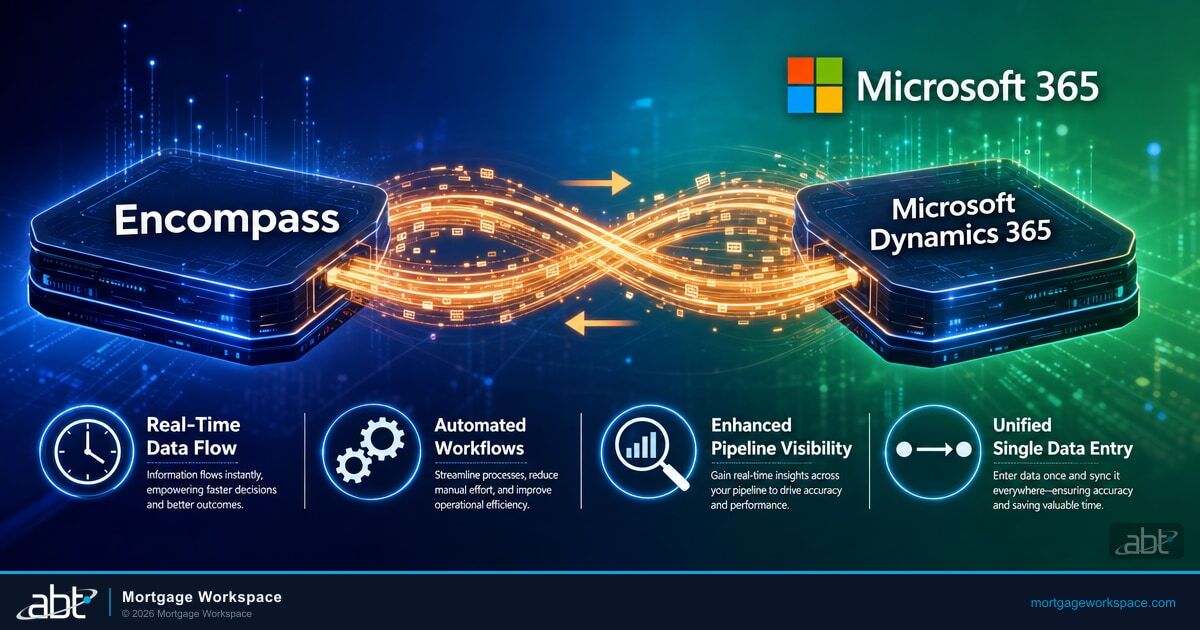
Connecting Encompass with Microsoft Dynamics 365 is one of the highest-impact integrations a mortgage operation can make. Encompass handles loan origination, compliance, and processing. Microsoft Dynamics manages your sales pipeline, borrower relationships, and team workflows. When they run separately, loan officers toggle between systems, re-key data, and miss updates. When they connect, loan status changes flow to your CRM in real time. Follow-ups trigger automatically. Data entry happens once.
This guide covers what the integration looks like, how to set it up, and how to avoid the problems that derail most CRM-to-LOS projects.
Why Connect Encompass with Microsoft Dynamics
Most mortgage companies run Encompass for loan production and a CRM for sales management. The problem starts when those systems don't share data.
A loan officer closes a milestone in Encompass. The sales manager doesn't see it in Dynamics until someone updates a spreadsheet. A processor flags a missing document. The originator finds out hours later through email. These gaps cost time on every loan.
Integration solves specific problems:
- Real-time loan status in your CRM: When a loan moves from processing to underwriting in Encompass, Dynamics reflects that change without manual updates.
- Automated lead routing: New loan applications in Encompass create or update Dynamics contacts with the right assignment rules applied.
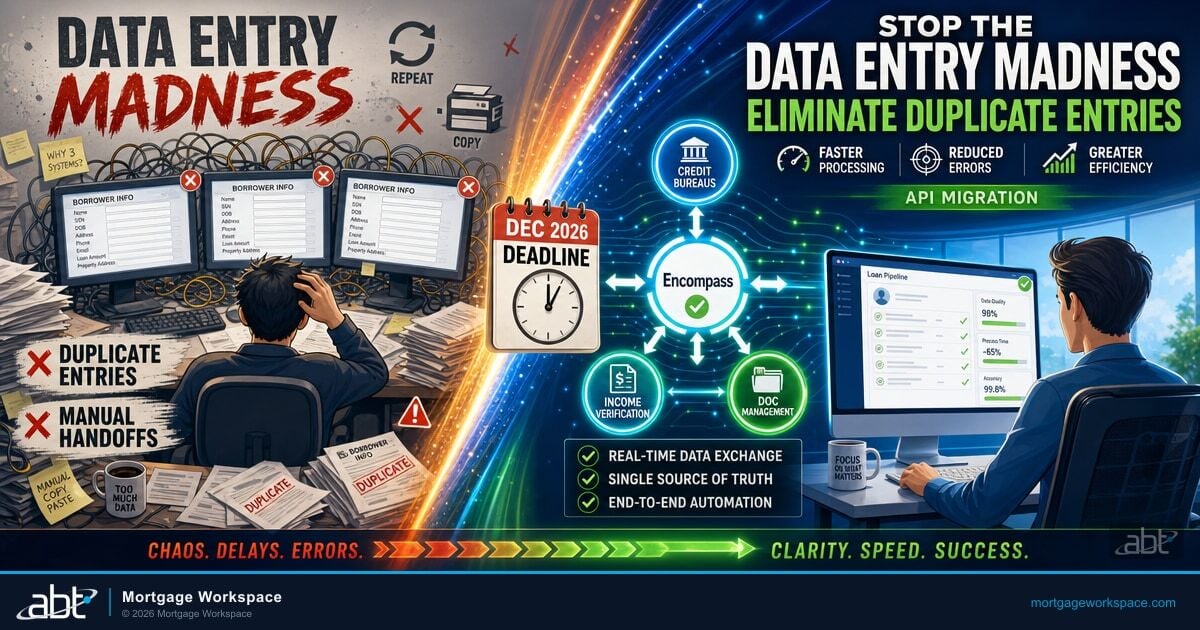
- Single data entry: Borrower information entered in Encompass syncs to Dynamics. No re-keying. No conflicting records.
- Pipeline visibility: Sales managers see real loan progress alongside CRM metrics in one dashboard.
MortgageExchange: The Integration Spine Between Encompass and Microsoft Dynamics 365
The technical integration is straightforward in concept. The operational integration is where mortgage shops get stuck. Custom point-to-point connectors written for one shop break when Encompass releases an API change, when Dynamics rolls a schema update, or when a new field needs to flow between systems. The integration engineer who wrote the connector moves on. The runbook lives in a tribal-knowledge document. Six months later, sync fails silently and nobody owns the fix. Our guide to Exploring API Integrations for Encompass goes deeper on this.
MortgageExchange is the integration spine ABT runs between Encompass and Microsoft Dynamics 365 for mortgage operations that need this connection to keep working through version changes, field-mapping updates, and personnel turnover. Instead of a one-off custom Azure Function or a KingswaySoft license your team has to operate, MortgageExchange is a managed interface layer that ABT operates as the partner of record. The field mapping, the OAuth refresh, the retry logic, the deduplication rules, and the milestone-event handling are all configured once with your operation, then maintained by ABT alongside the rest of your Microsoft 365 footprint. When Encompass releases a breaking API change, the fix lands in MortgageExchange. When Dynamics adds a new field your team wants synced, the change lands in MortgageExchange. You do not own the connector. You own the integrated workflow.
Microsoft 365 Copilot, MortgageWorkSpace, and M365 Guardian: The Native Workspace
The Encompass-to-Dynamics connection is one piece of the larger mortgage workflow. The other piece is where loan officers, processors, and underwriters actually spend their day, which is inside Microsoft 365. Email lives in Outlook. Borrower documents live in SharePoint and OneDrive. Team conversations live in Teams. AI assistance lives in Microsoft 365 Copilot. The integrated CRM-to-LOS data is only useful when the people who act on it can see it inside the tools they already use.
MortgageWorkSpace is ABT's Microsoft 365 deployment pattern for mortgage operations. Loan officers get a Microsoft 365 workspace that surfaces Encompass loan status, Dynamics opportunity records, and borrower communications in one place. Microsoft 365 Copilot grounds its summaries on that connected data, so a loan officer asking Copilot for the status of a pipeline file gets an answer that reflects the live state of both Encompass and Dynamics, not the state of a forgotten spreadsheet. M365 Guardian is ABT's operating model on top of that workspace, applying the Microsoft Entra ID, Microsoft Defender, Microsoft Purview, and Microsoft Intune controls that protect borrower NPI under GLBA, RESPA, and the CFPB safeguards rule. ABT manages the Microsoft 365 tenant, hosts the integration spine, and operates the security and compliance overlay as a single converged offering.
Prerequisites for a Successful Integration
Rushing into integration without preparation causes most project failures. Confirm these items before writing any code or configuring middleware.
- Admin access to both systems: You need Encompass admin credentials with API permissions and Dynamics 365 system administrator rights.
- Defined field mapping: Decide which Encompass fields map to which Dynamics fields before starting. Loan number, borrower name, loan amount, milestone status, and assigned loan officer are the minimum.
- API credentials: Generate an Encompass Developer Connect API key and configure OAuth 2.0 authentication. Set up a Dynamics application registration in Microsoft Entra ID for API access.
- Test environment: Build and validate the integration in a sandbox before touching production data. Both Encompass and Dynamics offer test environments.
- Middleware selection: Choose your integration approach. A managed integration spine like MortgageExchange removes the build-vs-buy question entirely. Otherwise, Azure Logic Apps works natively with Dynamics, KingswaySoft provides pre-built Encompass connectors, and custom Azure Functions handle complex transformation logic.
Integration Architecture and Data Flow
The integration connects two REST API endpoints through middleware. Here is how data moves.
Encompass to Dynamics (Loan Data Push)
Encompass webhook fires when a loan milestone changes. The middleware receives the event, transforms the data into Dynamics format, and updates the corresponding Dynamics record. This covers loan status updates, document completion events, and closing milestones.
Dynamics to Encompass (Lead and Contact Sync)
When a new lead enters Dynamics through your website, marketing campaigns, or manual entry, the middleware creates or updates the corresponding Encompass contact. This prevents duplicate records and keeps both systems aligned from first touch to closing. For ABT's fuller take, see Always Audit-Ready.
Bidirectional Sync Rules
Decide which system is the source of truth for each data field. Encompass owns loan data. Dynamics owns sales activity and lead scoring. Trying to sync the same field both directions without clear ownership causes data conflicts.
Step-by-Step Implementation
Step 1: Configure Encompass API Access
Log into Encompass as an administrator. Navigate to the developer portal and create an API client. Generate your Client ID and Client Secret. Create a dedicated API user with permissions limited to the data fields your integration needs. Test authentication with a simple loan query before building anything else. We cover How to Supercharge Your Client Relationships by Integrating Encompass wi in a companion piece.
Step 2: Register Dynamics API Application
In Microsoft Entra ID, register a new application for the integration. Grant it Dynamics 365 API permissions. Generate a client secret. Note the tenant ID, client ID, and secret for your middleware configuration.
Step 3: Build the Field Mapping
Create a document that maps every Encompass field to its Dynamics equivalent. Account for data type differences. Encompass stores loan amounts as decimals. Dynamics may use currency fields with different precision. Date formats, phone number formats, and address structures all need explicit mapping rules.
Step 4: Configure the Integration Spine
Set up your chosen integration platform. With MortgageExchange, the field mapping, OAuth refresh, and retry logic are configured by ABT once with your operation and then maintained as part of the managed offering. With Azure Logic Apps, create a flow triggered by Encompass webhooks. With KingswaySoft, configure the Encompass connector with your API credentials. With custom code, deploy an Azure Function that listens for webhook events and calls the Dynamics API.
Step 5: Test with Sample Data
Run 10 to 20 test loans through the integration. Verify that every mapped field transfers correctly. Check that milestone updates appear in Dynamics within seconds of the Encompass change. Test error conditions: what happens when Dynamics is temporarily unavailable? Does the middleware retry?
Step 6: Deploy to Production
After successful testing, enable the integration on your production instances. Monitor the first 48 hours closely. Check sync logs for errors. Verify that real loan data appears correctly in Dynamics. Train your team on what changes in their workflow.
Troubleshooting Common Integration Issues
- Field mapping mismatches: The most common issue. Verify data types match between systems. A text field in Encompass mapped to a number field in Dynamics will fail silently.
- Authentication token expiration: OAuth tokens expire. Your middleware must refresh tokens automatically. If syncs stop working after hours of success, expired tokens are the likely cause.
- Rate limiting: Both Encompass and Dynamics APIs enforce rate limits. High-volume operations need queuing and retry logic. Batch updates during off-peak hours when possible.
- Duplicate records: Without a clear matching rule (usually loan number or borrower email), the integration may create duplicate Dynamics records. Define your deduplication logic before going live.
Key Takeaway
Integration projects fail when teams treat them as IT tasks instead of business process redesign. The technology is straightforward. The hard part is mapping your actual workflows, defining clear data ownership rules, and testing against real loan scenarios. A managed integration spine like MortgageExchange, paired with the MortgageWorkSpace surface and the M365 Guardian operating model, replaces a one-off connector with a workflow ABT keeps running across version changes, field updates, and personnel turnover.
Connect Encompass and Microsoft Dynamics the Managed Way
ABT operates MortgageExchange as the integration spine between Encompass and Microsoft Dynamics 365 for mortgage operations that need this connection to keep working. We manage the Microsoft 365 tenant where your loan officers spend their day, host the integration spine that keeps Encompass and Dynamics in sync, and operate the M365 Guardian overlay that protects borrower data. A 30-minute conversation maps your current Encompass and Dynamics footprint, identifies where the integration breaks today, and outlines what an ABT-managed deployment would cover. No commitment, no quote, no obligation.
Frequently Asked Questions
The most operationally sustainable option is a managed integration spine like MortgageExchange, where the partner runs the connector, handles version changes, and keeps the OAuth refresh and retry logic working as part of the managed offering. For build-it-yourself approaches, Azure Logic Apps offers native Dynamics 365 connectors and handles webhook triggers from Encompass without custom code. KingswaySoft provides pre-built Encompass connectors for SSIS-based data flows. Custom Azure Functions give full control for complex transformation logic. The build-it-yourself choices put long-term operations on your team. The managed-spine choice puts it on the partner.
Data transfers between Encompass and Dynamics use encrypted HTTPS connections with OAuth 2.0 authentication. Both systems enforce role-based access controls on borrower records. The integration inherits Encompass's compliance engine rules, so only authorized users see protected data in Dynamics. Audit logs track every data transfer for regulatory review under GLBA and state privacy laws. When the integration runs inside an ABT-managed Microsoft 365 tenant under the M365 Guardian operating model, the Microsoft Entra ID Conditional Access, Microsoft Purview audit, and Microsoft Defender controls add a second layer of evidence that examiners look for during a CFPB or state regulator review.
Yes. Encompass webhooks push loan milestone events to the integration layer within seconds. The middleware transforms and forwards that data to Dynamics through its API. Real-time sync requires properly configured webhook subscriptions in Encompass and an integration layer with retry logic for handling temporary API failures on either side. MortgageExchange is configured to retry on transient Dynamics failures, refresh OAuth tokens before they expire, and surface persistent sync failures to ABT's operations team before they show up as missed milestones in your CRM.
A standard build-it-yourself integration takes four to eight weeks from planning to production deployment. Simple field mapping with pre-built connectors lands on the shorter end. Complex transformations, custom business logic, and multi-environment testing push toward eight weeks. The field mapping and testing phases consume the most time. Rushing either phase leads to production data issues. A managed integration spine like MortgageExchange shortens the calendar because the connector, the OAuth flow, and the retry logic are already running. The work that remains is field mapping for your specific Encompass and Dynamics configurations and validation against your loan scenarios.
Microsoft 365 Copilot grounds its responses on data the user can see inside Microsoft 365. When Encompass loan status and Dynamics opportunity records both flow into the user's Microsoft 365 workspace through the integration spine, Copilot can summarize a borrower file, surface a stalled milestone, draft a follow-up email to a referral partner, or pull together a pipeline review without the loan officer toggling between Encompass, Dynamics, Outlook, and Teams. ABT's MortgageWorkSpace deployment pattern is built so the connected CRM and LOS data is reachable inside the Microsoft 365 surfaces where Copilot already operates.