In This Article
- Why Mortgage Operations Need a Copilot Strategy in 2026
- What Copilot Actually Does Inside Microsoft 365
- Agentic AI: The Next Wave for Mortgage Operations
- The ROI Case for Mortgage Companies
- Data Governance: The Non-Negotiable for Mortgage Copilot Deployment
- Where Copilot Delivers the Most Value in Mortgage Workflows
- What Copilot Cannot Do in a Mortgage Environment
- Deployment Roadmap for Mortgage Companies
- Frequently Asked Questions
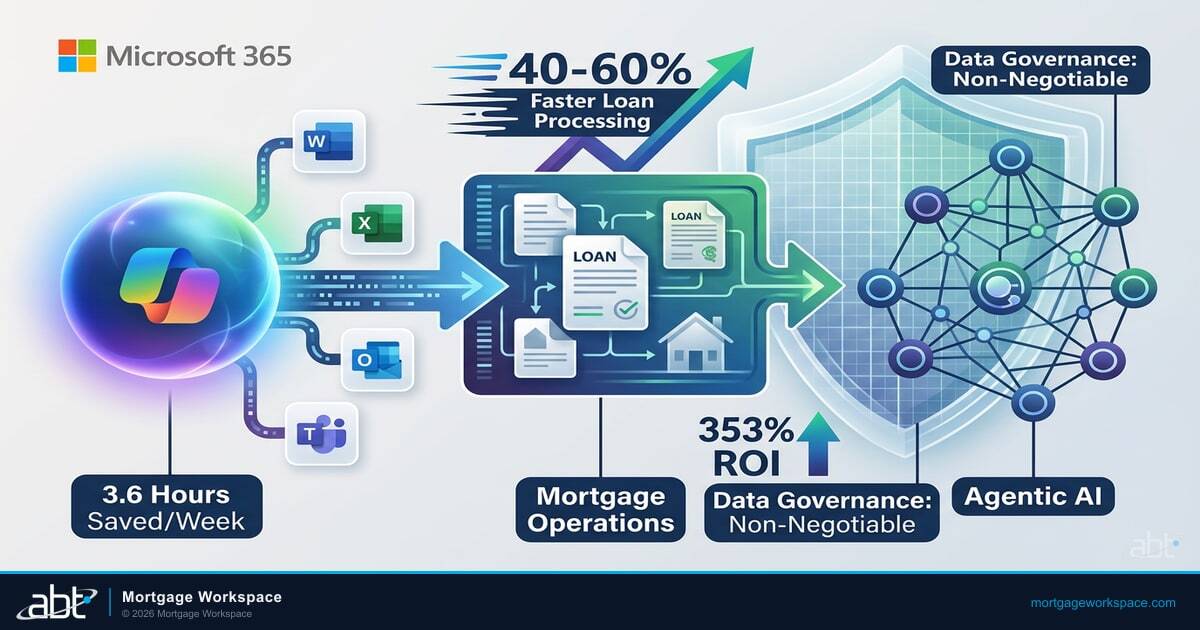
Microsoft Copilot for Microsoft 365 now has 15 million paid seats across its commercial customer base, with 160% year-over-year seat growth and some deployments exceeding 35,000 users. Forrester's Total Economic Impact study calculated 353% ROI for small and medium businesses. Vodafone reported employees saving 3 hours per week. Lloyds Banking Group measured 46 minutes saved per employee per day.
Those numbers come from general enterprise deployments. Mortgage companies face a different question: does Copilot deliver value in an industry where compliance documentation, regulatory communication, and borrower data handling dominate daily workflows? The answer is yes, but only when deployment accounts for the data governance requirements that make mortgage operations different from a software company or consulting firm.
This guide was originally published in July 2024 and has been updated for March 2026 to reflect Microsoft's restructured Copilot pricing, the launch of agentic AI agents through Copilot Studio and Agent 365, a confirmed DLP bypass vulnerability (CW1226324), and the reality that 40% of organizations delayed their Copilot rollout by three or more months over data exposure concerns (Gartner, 2025). What follows is the deployment strategy that addresses those concerns head-on.
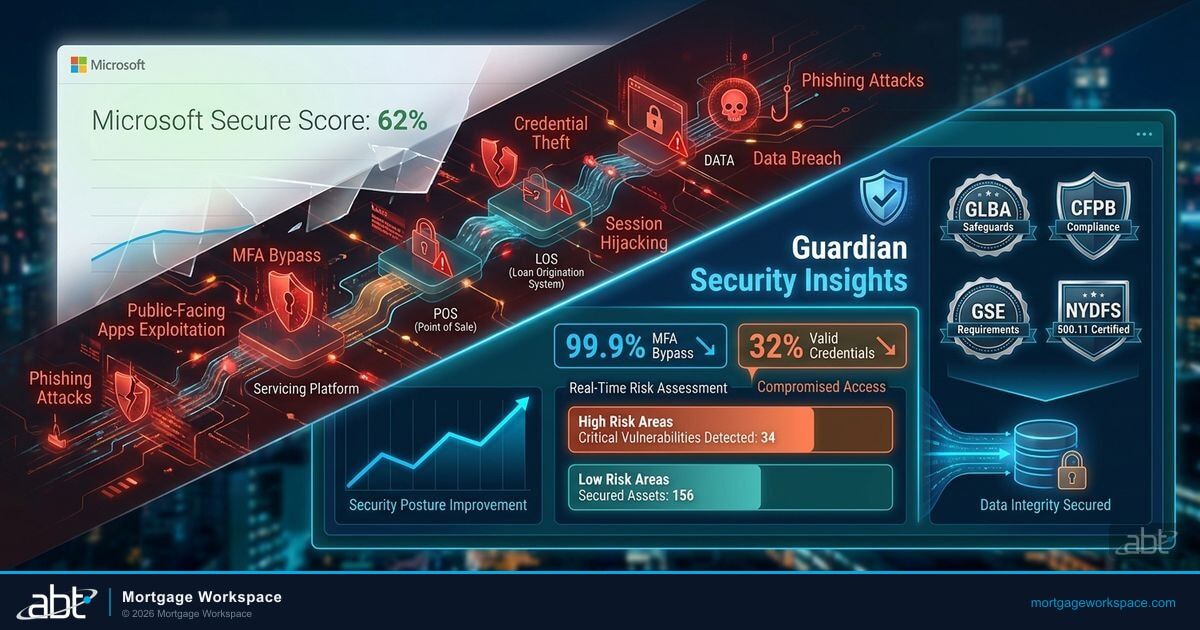
A DLP bypass bug (CW1226324) from January 21 to February 3, 2026, allowed Copilot to process and summarize confidential emails in Sent Items and Drafts while ignoring sensitivity labels and DLP policies. For mortgage companies handling borrower SSNs, income documentation, and loan file data, this was not a theoretical risk. Microsoft patched it, but the incident confirmed what governance-first deployers already knew: Copilot reads everything your users can access, and your security controls must be airtight before you flip the switch.
Why Mortgage Operations Need a Copilot Strategy in 2026
The Copilot landscape shifted significantly since this article was first published. Microsoft dropped Copilot Business pricing, launched Copilot Studio agents purpose-built for finance workflows, and introduced Agent 365 (generally available May 2026 at $15 per user per month) as an orchestration platform for governing AI agents at scale. Meanwhile, Copilot Cowork entered research preview in March 2026, handling long-running tasks like assembling financials and scheduling across Microsoft 365 apps.
For mortgage operations specifically, three changes matter most. First, agentic AI agents now handle document classification, compliance checking, and loan file review autonomously. Second, Microsoft Purview expanded its DLP capabilities to cover Copilot Chat and agent interactions (full rollout expected June 2026). Third, M365 base license prices increase in July 2026 across every tier, making the cost calculus different for companies still deciding whether to add Copilot.
What Copilot Actually Does Inside Microsoft 365
Copilot is an AI assistant embedded directly into the Microsoft 365 applications your team already uses. It sits inside Word, Excel, PowerPoint, Outlook, Teams, and OneNote. It reads your organizational data through Microsoft Graph and generates outputs based on what it finds.
For mortgage operations, this translates into specific capabilities across four areas that touch every loan file.
Email Summarization and Drafting
Loan officers and processors handle dozens of email threads per loan file. Copilot in Outlook summarizes long threads into key action items and drafts responses that pull from the conversation context. A processor dealing with 30 active files can catch up on a thread in seconds instead of reading through 15 messages to find the latest status update. Forrester measured that Copilot users save an average of 3.6 hours per week across email and document tasks. In a mortgage operation where processing speed directly affects lock expirations and warehouse line costs, those hours convert to dollars.
Meeting Intelligence in Teams
Mortgage teams run daily standups, pipeline reviews, and compliance meetings. Copilot in Teams records, transcribes, and summarizes meetings automatically. It identifies action items and assigns them to specific participants. After a pipeline review, the branch manager gets a summary with every commitment captured. This eliminates the "I thought you were handling that" problem that costs mortgage companies closed loans and compliance gaps. Teams meeting summaries are the most-used Copilot feature across all industries, with 72% daily usage among Copilot-enabled users.
Document Generation in Word
Compliance teams produce procedure manuals, policy documents, audit response letters, and training materials. Copilot in Word drafts these documents from prompts or existing content. It pulls data from your SharePoint document library to ensure consistency. A compliance manager writing a response to a regulatory inquiry can start with a draft that incorporates language from previous responses, saving hours of manual reference.
Data Analysis in Excel
Operations leaders manage spreadsheets tracking pipeline data, compensation calculations, and production reports. Copilot in Excel analyzes datasets, creates pivot tables, generates formulas, and explains trends in plain language. Ask it "What's the pull-through rate trend for the Denver branch over the last 6 months?" and it creates the chart. This puts data analysis in the hands of branch managers and operations directors who understand the business but don't consider themselves Excel experts.
Agentic AI: The Next Wave for Mortgage Operations
Copilot was the starting point. Agentic AI is what comes next.
The difference is autonomy. Copilot responds when you ask it a question. An AI agent acts on its own within defined boundaries. It reads a loan file, identifies missing documentation, sends condition requests to the borrower, and updates the LOS status without a processor touching the keyboard.
Microsoft launched Copilot Studio agents for finance workflows in its 2025 release wave 2, and followed up with Agent 365 (generally available May 2026 at $15 per user per month) as the orchestration platform for deploying and governing agents across the enterprise. Copilot Cowork, which entered research preview in March 2026, extends this further by handling long-running multi-step tasks that span applications. For mortgage operations teams, these tools make it possible to build custom agents directly within their Microsoft 365 environment. These agents connect to your existing data through Microsoft Graph and execute multi-step workflows that previously required human coordination.
Your institution deploys a Copilot Studio agent for document classification without configuring Sensitivity Labels, and a loan officer asks the agent to summarize all pending applications.
The agent surfaces NPI from denied applications in the summary, creating a fair lending documentation risk and potential ECOA violation. The January 2026 CW1226324 DLP bypass proved this is not hypothetical.
Document Classification and Extraction
Agentic intelligent document processing classifies incoming documents automatically. The system recognizes whether a pay stub is outdated, a tax return is illegible, or an employment verification letter fails lender criteria. For mortgage companies processing hundreds of loan files monthly, that means fewer manual touches per file and fewer errors in stacking orders. One AI-powered platform now creates underwriter-ready loan files in under 10 minutes, eliminating 70% of routine borrower-creditor interactions.
Automated Compliance Checking
Mortgage-trained language models now incorporate current CFPB and investor guidelines. When a new GSE bulletin drops, the agent adapts its compliance checks without waiting for a human to update a checklist. Lenders using agentic compliance tools report compliance exceptions dropping into the single-digit-percent range. Post-close audits that once sampled 10% of loans now review 100% automatically, cutting repurchase exposure and audit prep effort roughly in half. To understand what this means for Freddie Mac compliance specifically, see our Freddie Mac AI Mandate Compliance Checklist.
Intelligent Loan File Review
AI agents pre-screen loan applications in seconds, routing low-risk conforming loans to fast-track processing and flagging complex exception cases for experienced underwriters. The speed matters: in competitive purchase markets, the ability to provide a preliminary risk assessment within minutes changes pull-through rates.
| Capability | Copilot (Assisted) | Agentic AI (Autonomous) | Mortgage Impact |
|---|---|---|---|
| Email drafting | Drafts on request | Sends condition requests automatically | 2-5 min saved per email |
| Document review | Summarizes when asked | Classifies and routes automatically | 70% fewer manual touches |
| Compliance checking | Answers compliance questions | Reviews 100% of loans against current guidelines | Single-digit exception rates |
| Meeting follow-up | Summarizes meetings | Creates tasks and tracks completion | Zero dropped commitments |
The ROI Case for Mortgage Companies
Forrester's 2024 TEI study provides the foundation, but mortgage-specific ROI depends on three factors that general enterprise numbers don't capture.
Labor Efficiency Gains
The study found that organizations save between 197,424 and 1,060,800 hours per year depending on user count (3,000 to 10,000 users). For a 100-person mortgage company, the proportional savings range is roughly 6,500 to 10,600 hours per year. At an average fully loaded cost of $40/hour for mortgage operations staff, that represents $260,000 to $424,000 in annual labor efficiency.
These aren't theoretical projections. The savings come from specific, measurable tasks: summarizing emails, drafting documents, preparing meeting notes, and analyzing spreadsheets. Tasks that mortgage employees do every day, multiple times per day.
Faster Onboarding
Mortgage companies face chronic turnover in processing and loan officer roles. The Forrester study found Copilot reduces new-hire onboarding time by up to 30%. A processor who typically takes 90 days to reach full productivity can reach it in 63 days. That 27-day acceleration means the new hire starts contributing revenue-generating work almost a month sooner.
In an industry where training involves learning complex LOS workflows, regulatory requirements, and company-specific procedures, Copilot accelerates the learning curve by making institutional knowledge searchable and accessible. New hires ask Copilot questions about internal processes and get answers drawn from your documented procedures. For more on connecting Microsoft tools to your mortgage workflow, see The Blueprint for a Fully Connected Microsoft Mortgage Workflow.
Direct Cost Savings
Forrester calculated labor cost savings ranging from $2.5 million to $13.4 million for organizations with 3,000 to 10,000 users. Scaled to a 200-person mortgage company, the range is approximately $166,000 to $268,000 annually. Combined with productivity gains from faster document creation and reduced meeting overhead, the total economic impact typically exceeds the Copilot licensing cost within the first year.
Updated Copilot Pricing (March 2026)
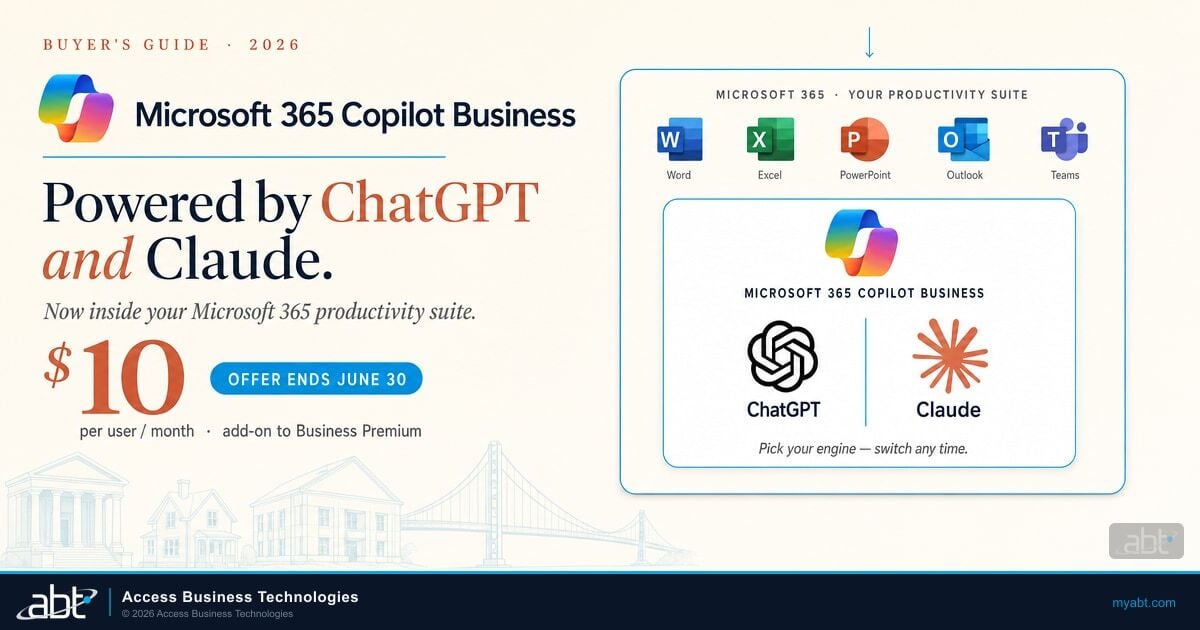
When this article was first published, Microsoft Copilot for Microsoft 365 cost $30 per user per month across the board. Microsoft restructured pricing significantly since then. Copilot Business dropped to around $21 per user per month with annual commitment, and as of March 1, 2026, a new month-to-month billing option became available at a 20% premium over annual rates for organizations with 1 to 300 seats. Microsoft also launched Agent 365 at $15 per user per month (generally available May 2026) as the orchestration layer for deploying and governing AI agents.
Only 3.3% of the 450 million eligible M365 commercial seats have converted to paid Copilot subscriptions. For mortgage companies watching from the sidelines, the question is no longer whether Copilot works. It's whether your governance is ready for it.

The cost picture is changing again in July 2026. Microsoft announced price increases across every M365 tier: Office 365 E3 rises from $23 to $26 per user per month (+13%), M365 E3 from $36 to $39 (+8.3%), and M365 E5 from $57 to $60 (+5.3%). For a 100-person mortgage company on M365 E3, that means an additional $3,600 per year in base licensing before Copilot is even added. Companies still evaluating Copilot should factor these base increases into their total cost analysis.
Data Governance: The Non-Negotiable for Mortgage Copilot Deployment
Here is where mortgage companies cannot treat Copilot like a general enterprise tool. Copilot reads everything your users have access to in Microsoft 365. If a loan officer has access to a SharePoint site containing borrower financial documents, Copilot can surface that data in responses. If permissions are too broad, Copilot amplifies the exposure.
This is not a Copilot problem. It is a permissions problem that Copilot makes visible. Research from Microsoft's partner community indicates that 15% or more of critical files in typical deployments are over-accessible, and Gartner found that 40% of organizations delayed their Copilot rollout by three or more months specifically because of data exposure concerns. Before deploying Copilot in a mortgage environment, we recommend three governance steps be in place.
SharePoint Permission Audit
Review every SharePoint site, document library, and folder for overshared content. Common findings in mortgage companies include: company-wide access to HR folders containing compensation data, historical loan files accessible to all authenticated users, and compliance documents shared with the entire organization when they should be restricted to the compliance team. Fix these permissions before Copilot deployment, not after. Microsoft's SharePoint Advanced Management includes tools for scanning "Everyone except external users" sharing and broken inheritance, but budget 40+ hours for a thorough audit across a typical mortgage company's SharePoint environment.
Sensitivity Labels Through Purview
Microsoft Purview sensitivity labels classify and protect documents containing sensitive information. In a mortgage operation, labels should categorize: borrower PII (Social Security numbers, income data), financial records, compliance documentation, and internal-only business communications. Copilot respects sensitivity labels and displays them in responses. If a document is labeled "Highly Confidential," Copilot will cite it but will not summarize or process it for users without the appropriate access level and EXTRACT permissions.
The January 2026 CW1226324 incident proved why these labels matter. During the bug window, Copilot processed confidential emails from Sent Items and Drafts while ignoring sensitivity labels and DLP policies. Microsoft patched the issue, but the incident demonstrated that labels are your last line of defense when platform-level controls fail. Microsoft is expanding DLP coverage for web searches in Copilot Chat and agent interactions, with full rollout expected by June 2026.
Conditional Access for Copilot Sessions
Every Copilot interaction involves data access. Conditional Access policies should require MFA, device compliance, and approved location for Copilot-enabled sessions. This ensures that the AI assistant operates within the same security boundary as every other Microsoft 365 service. An employee using Copilot from an unmanaged personal device on public Wi-Fi should be blocked, just as they would be blocked from accessing SharePoint directly.
For a deep dive on Conditional Access configuration for mortgage environments, see our Conditional Access Policies for Mortgage Companies guide.
All sites, libraries, and folders reviewed for overshared content. "Everyone except external users" sharing eliminated.
Borrower PII, financial records, and compliance docs classified. Auto-labeling rules configured for sensitive info types.
MFA, device compliance, and location restrictions enforced for all Copilot-enabled sessions.
Documented guidelines for regulated data handling, prohibited use cases, and human review requirements.

Where Copilot Delivers the Most Value in Mortgage Workflows
Not every mortgage workflow benefits equally from Copilot. The highest-value applications follow a pattern: repetitive communication, documentation, and analysis tasks where the human adds judgment but not the initial draft.
Loan Processing Communication
Processors send dozens of condition requests, status updates, and document requests daily. Copilot drafts these communications based on the loan file context, the processor reviews and sends. Time saved per email: 2-5 minutes. Across 30+ emails per day per processor, the savings compound to over an hour daily.
Compliance Documentation
Annual policy reviews, procedure updates, audit preparation, and regulatory response letters consume compliance team bandwidth. Copilot drafts these documents from existing templates and policy libraries. The compliance officer reviews, edits, and approves instead of starting from a blank page. For a compliance team handling FTC Safeguards Rule, GLBA, and state regulatory requirements, this can reduce documentation cycles from weeks to days. See how CFPB compliance maps to your Microsoft 365 configuration in our CFPB Compliance and Your Microsoft 365 Environment guide.
Pipeline Review Preparation
Branch managers spend 30-60 minutes preparing for pipeline review meetings: pulling reports, identifying problem loans, preparing talking points. Copilot in Excel and PowerPoint automates the data pull and creates the presentation. The manager spends that time deciding what to do about the problems instead of identifying them.
Training Material Development
Mortgage companies constantly train on new regulations, LOS updates, and internal procedures. Copilot in Word and PowerPoint creates training materials from procedure documents, meeting recordings, and policy manuals. This speeds the creation process and ensures training materials stay current with actual procedures.
What Copilot Cannot Do in a Mortgage Environment
Setting clear boundaries prevents disappointment and compliance risk.
Copilot does not replace underwriting judgment. It can summarize loan file data and highlight conditions, but credit decisions, risk assessment, and guideline interpretation require human expertise. Do not use Copilot outputs as the basis for lending decisions. For more on AI's role and limitations in underwriting, see How Microsoft AI is Revolutionizing Mortgage Underwriting.
Copilot does not generate compliant disclosures. TRID disclosures, fee sheets, and regulatory notices must come from your LOS or approved disclosure generation systems. Copilot's output is not validated against regulatory requirements.
Copilot does not guarantee accuracy. Every Copilot output must be reviewed by the human who uses it. AI-generated content can contain errors, hallucinations, or contextual misunderstandings. In a regulated environment, unchecked AI output creates liability.
Copilot does not exempt you from audit trails. If Copilot drafts a communication that goes to a borrower, the content is your responsibility. Audit trail requirements under GLBA and the FTC Safeguards Rule still apply. Document what Copilot generates and what humans approve.
Deployment Roadmap for Mortgage Companies
Roll out Copilot in phases that match your governance readiness.
Permission audit, sensitivity labels, Conditional Access, acceptable use policy
10-15 users in ops, compliance, and management. Measure time savings weekly.
Processors, closers, loan officers. Role-specific prompts. Refine labels.
Copilot Studio agents for doc classification, compliance, and condition tracking
Phase 1: Governance Foundation (Weeks 1-4)
- Complete SharePoint permission audit across all sites
- Deploy Purview sensitivity labels for borrower data and compliance documents
- Configure Conditional Access policies for Copilot-enabled sessions
- Document your Copilot acceptable use policy for regulated data
Phase 2: Pilot Group (Weeks 5-8)
- Enable Copilot for 10-15 users in operations, compliance, and management
- Focus on email summarization, meeting notes, and document drafting
- Collect weekly feedback on time savings and accuracy
- Monitor Purview audit logs for any data access anomalies
Phase 3: Expand to Production Teams (Weeks 9-12)
- Enable Copilot for processors, closers, and loan officers
- Deploy role-specific prompt templates for common mortgage workflows
- Measure processing time improvements and communication efficiency
- Refine sensitivity labels based on pilot findings
Phase 4: Agentic AI Integration (Weeks 13-16)
- Build custom Copilot Studio agents for document classification and condition tracking
- Deploy compliance-checking agents trained on current CFPB and GSE guidelines
- Integrate agent outputs with your LOS for automated status updates
- Establish agent governance policies: what agents can decide vs. what requires human review
Phase 5: Full Deployment and Optimization (Ongoing)
- Enable Copilot organization-wide
- Integrate Copilot usage metrics into operational KPI dashboards
- Review and tighten governance policies quarterly
- Expand agentic workflows based on measured ROI from Phase 4
Your Governance Foundation Determines Your Copilot ROI
Gartner found that 40% of organizations delayed their Copilot rollout by three or more months because their data governance was not ready. ABT has deployed Copilot governance frameworks across hundreds of mortgage companies, credit unions, and banks. Find out where your tenant stands before AI starts reading your data.
Frequently Asked Questions
Copilot operates within your Microsoft 365 security boundary and respects existing permissions, sensitivity labels, and Conditional Access policies. However, it surfaces any data a user already has access to, which can amplify overshared permissions. Mortgage companies should complete a SharePoint permission audit and deploy Purview sensitivity labels before enabling Copilot to ensure borrower data stays within authorized access levels.
Forrester's Total Economic Impact study found 353% ROI for small and medium businesses. For a 100-person mortgage company, projected annual labor efficiency savings range from $260,000 to $424,000 based on measured time savings of 3.6 hours per user per week across email summarization, document drafting, meeting notes, and data analysis tasks.
We recommend three governance steps before mortgage Copilot deployment: a SharePoint permission audit to fix overshared content, Microsoft Purview sensitivity labels classifying borrower PII and compliance documents, and Conditional Access policies requiring MFA and device compliance for Copilot sessions. The January 2026 CW1226324 DLP bypass incident confirmed that these controls are essential before deployment.
No. Copilot can summarize loan file data and highlight conditions but must not be used as the basis for credit decisions, risk assessments, or guideline interpretations. Lending decisions require human judgment and regulatory compliance that AI-generated outputs cannot guarantee. Copilot should not generate TRID disclosures or regulatory notices, which must come from approved LOS systems.
Copilot responds when a user asks it a question. Agentic AI agents act autonomously within defined boundaries, executing multi-step workflows without human prompting. In mortgage operations, agents classify incoming documents, check compliance against current GSE guidelines, send condition requests, and update LOS status automatically. Microsoft's Agent 365 platform, generally available May 2026, provides the orchestration layer for governing these agents.
Microsoft Copilot for Microsoft 365 is priced at approximately $21 per user per month with annual commitment. A month-to-month billing option launched March 2026 at a 20% premium. Agent 365, the new orchestration platform for AI agents, costs $15 per user per month starting May 2026. Base M365 license prices increase in July 2026 across all tiers, adding $3 to $4 per user per month depending on plan.