In This Article
- What a Microsoft Mortgage Workflow Actually Looks Like
- MortgageWorkSpace: ABT's Productized Microsoft Mortgage Platform
- The Six Microsoft Tools That Power Mortgage Operations
- Stage 1: Application and Lead Capture
- Stage 2: Processing and Document Management
- Stage 3: Underwriting and Risk Decisioning
- Stage 4: Closing and Post-Closing Automation
- MortgageExchange: The LOS-to-Core Bridge Microsoft Does Not Ship
- M365 Guardian: The Security and Governance Layer Mortgage Data Requires
- Building Your Mortgage Pipeline Dashboard in Power BI
- How Copilot and Agentic AI Change Mortgage Workflows in 2026
- Frequently Asked Questions
Microsoft's Power Platform crossed 56 million monthly active users in early 2026, with Copilot Studio growing more than 60 percent quarter over quarter. The Dynamics 365 ERP MCP Server entered public preview, giving AI agents a governed protocol into financial data. Copilot Agent Mode in Excel went generally available on January 27, 2026. Multi-agent orchestration shipped in February 2026. These are not roadmap items. They are tools mortgage companies can deploy today.
What This Article Covers
- The architecture of a connected Microsoft mortgage workflow, stage by stage, from lead capture through post-closing servicing.
- How MortgageWorkSpace, ABT's productized Microsoft 365 platform for mortgage operations, packages this architecture into a managed service rather than a build-it-yourself project.
- How MortgageExchange closes the one integration gap Microsoft does not ship: the bidirectional bridge between your loan origination system and your core banking platform.
- How the M365 Guardian operating model layers Conditional Access, Defender, Purview, Sentinel, and Intune controls on top so borrower NPI and loan data stay inside the audit perimeter the FTC Safeguards Rule and GLBA expect.
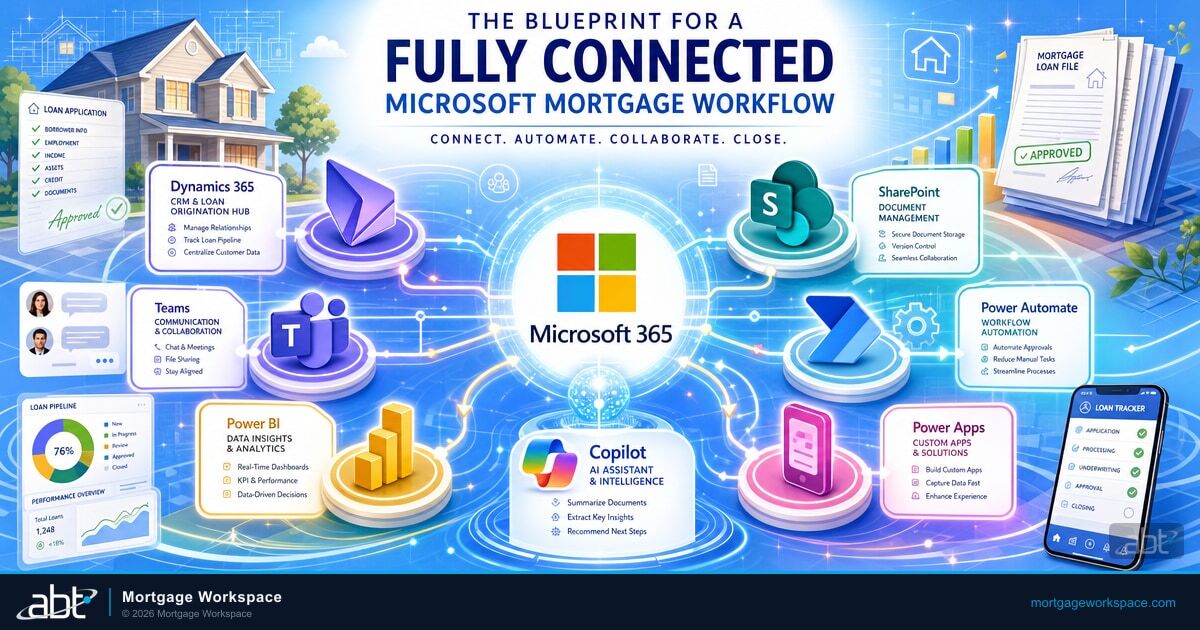
A connected Microsoft mortgage workflow links Dynamics 365, SharePoint, Teams, Power Automate, Power BI, and Power Apps into a single system where borrower data flows once and shows up everywhere. The architecture is well-documented. The hard part is not the architecture. The hard part is the seven months of configuration, the LOS-to-core integration nobody at Microsoft will build for you, and the security and compliance work that has to land before your next FTC Safeguards Rule examination.
Access Business Technologies manages Microsoft 365 tenants for more than 750 financial institutions, including community banks, credit unions, and independent mortgage banks. ABT is the largest Tier-1 Microsoft Cloud Solution Provider in the mortgage industry. The four ABT capabilities that turn the architecture in this article into a working mortgage operation are MortgageWorkSpace, MortgageExchange, M365 Guardian, and the underlying Microsoft 365 tenant management itself.
What a Microsoft Mortgage Workflow Actually Looks Like
A Microsoft mortgage workflow is not a single product. It is an integration architecture that connects Dynamics 365, SharePoint, Teams, Power Automate, Power BI, and Power Apps into a unified system built around how mortgage companies actually operate. The goal is to eliminate the swivel-chair problem where a loan officer enters a borrower name in one application, a processor re-enters it in a second, and an underwriter looks for it in a third.
The workflow does not replace your loan origination system. Encompass, Byte, LoanSoft, and Mortgage Cadence stay in place. The Microsoft workflow wraps around the LOS, handling collaboration, document management, communication, analytics, and the security and compliance work the LOS was never designed to do at scale.
For a community bank or credit union with a mortgage division, that wrap-around layer is the difference between operating mortgage out of a generic productivity stack and operating it out of a purpose-built lending platform. For an independent mortgage bank, it is the difference between paying for tools that almost work together and running a single integrated operation.
MortgageWorkSpace: ABT's Productized Microsoft Mortgage Platform
MortgageWorkSpace is ABT's productized Microsoft 365 platform for mortgage operations. It is the architecture described in this article packaged as a managed service. A mortgage company that licenses MortgageWorkSpace gets a Microsoft 365 tenant configured for mortgage work, integrated to the LOS, layered with mortgage-specific Teams and SharePoint structure, secured by the M365 Guardian operating model, and supported by ABT engineers who have done this for hundreds of lending shops.
What sits inside a MortgageWorkSpace deployment:
| Component | What it is | What mortgage operations get |
|---|---|---|
| Microsoft 365 tenant management | ABT manages the Microsoft 365 tenant under Granular Delegated Administrative Privileges (GDAP), Microsoft's least-privilege model for partner access. ABT is a Tier-1 Direct-Bill Cloud Solution Provider, the top tier of the Microsoft CSP program. | Exchange Online, SharePoint Online, OneDrive, Teams, Entra ID, Intune, Defender, Purview, and Sentinel applied and maintained against a mortgage-specific baseline rather than a generic SMB template. |
| Mortgage-specific Teams and SharePoint structure | Channels per loan or per loan officer. Document libraries with mortgage metadata columns (loan type, property type, condition status, lock expiration). Retention policies that match the seven-year floor under most state mortgage broker rules. | Loan officers and processors operate inside a workspace built around their actual workflow, not a blank Teams tenant they have to figure out themselves. |
| MortgageExchange LOS-to-core integration | ABT's custom interface product, described in detail below. Connects Encompass, Byte, LoanSoft, or Mortgage Cadence to the credit union or community bank core (Fiserv DNA, Symitar Episys, Jack Henry SilverLake, Corelation KeyStone). | Funded loan data flows from LOS to core without manual re-entry. Borrower demographics flow back. The integration most mortgage companies pay six figures to build is part of the platform. |
| M365 Guardian operating model | ABT's security and governance overlay on top of Microsoft Defender, Purview, Sentinel, Entra ID, and Intune. Calibrated to FTC Safeguards Rule and GLBA expectations for mortgage operations. | Borrower NPI and loan data stay inside an audit perimeter ABT documents for your next examination. Conditional Access, DLP, audit retention, and SIEM are configured and monitored by ABT engineers, not left to your in-house team to figure out. |
| Mortgage BI | The Power BI semantic model and dashboard set ABT publishes for mortgage operations. Pre-built pipeline, turn-time, pull-through, and compliance scorecards. Refreshed against live Dynamics 365 and LOS data. | Pipeline reporting, branch and loan officer productivity, and compliance dashboards available the day you go live, not three months into a custom build. |
MortgageWorkSpace is what most mortgage companies actually want when they ask for a connected Microsoft workflow. They do not want a six-month consulting engagement to wire up six Microsoft products themselves. They want the integrated platform, managed by people who understand both Microsoft and mortgage, with the LOS-to-core piece and the security and compliance piece already solved.
The Six Microsoft Tools That Power Mortgage Operations
Inside a MortgageWorkSpace deployment, six Microsoft products do the work. Understanding what each one contributes is the prerequisite to designing a workflow that uses them well.
Serves as the CRM backbone. Tracks every borrower relationship, every loan in progress, every referral source, and every follow-up task. Configured with mortgage-specific entities for loan applications, property records, and compliance milestones. The system of record for borrower contact data and pipeline status.
Handles document management. Every loan file gets a folder with a predefined structure: application documents, income verification, property records, disclosures, and closing packages. Version control and audit trails come built in, which matters when examiners ask for document history under SEA Rule 17a-4 or state mortgage broker recordkeeping rules.
Provides the collaboration layer. A channel per loan or per loan officer. Pin borrower files, share processor notes, and keep communication in one searchable location instead of scattered across email inboxes. Teams chat is searchable evidence under the same retention policies that bind email and SharePoint.
Builds the connections between everything. When a new lead arrives in Dynamics 365, Power Automate creates the SharePoint folder, posts the Teams notification, assigns the processor, and triggers the welcome email. The manual handoffs that drop loans go away.
Transforms raw pipeline data into visual dashboards. Track turn times by stage, loan officer productivity, pull-through rates, and compliance deadlines. Dashboards refresh automatically from live Dynamics 365 data. The ABT Mortgage BI dashboard set ships pre-built so day-one reporting is real, not a sketch.
Fills the gaps. A mobile-friendly borrower intake form. A condition checklist for processors. A quick status lookup for branch managers. Power Apps lets a configured platform extend without hiring a developer for every tweak.
Stage 1: Application and Lead Capture
The workflow starts before the borrower submits a single document.
Lead capture. Dynamics 365 ingests leads from your website forms, referral partners, and Zillow or LendingTree integrations. Each lead gets scored against criteria you define: pre-qualification status, property value range, loan type, and source channel.
Automated assignment. Power Automate routes leads to the right loan officer based on territory, product specialty, or round-robin distribution. The loan officer gets a Teams notification with the lead details and a one-click button to claim it.
Application collection. A Power Apps portal gives borrowers a branded interface to upload documents, complete the 1003, and track their application status. Every submission flows directly into Dynamics 365 and SharePoint. No re-entry. No lost emails.
What Copilot adds. Microsoft 365 Copilot summarizes incoming application data, flags missing fields, and drafts the initial borrower communication based on the application type. Most loan officers report 15 to 20 minutes per application saved on data review and email drafting, time they redirect into borrower conversations that actually move the loan forward. The Microsoft 365 Copilot Buyer's Guide for Mortgage Lenders walks through the SKU and pricing decisions in detail.
Stage 2: Processing and Document Management
This is where most mortgage workflows break down. Documents arrive in different formats, from different sources, at unpredictable times. Processors spend more time chasing paperwork than reviewing it.
Document tracking. SharePoint document libraries use metadata columns to track document type, received date, review status, and expiration dates. A Power Automate flow monitors each loan folder and compares received documents against the required checklist in Dynamics 365. Missing documents trigger automated reminders to the borrower.
Task management. When required documents arrive, Dynamics 365 moves the loan to ready-for-review status and assigns processing tasks based on your team's capacity. Processors see their queue in a Dynamics 365 dashboard sorted by priority and deadline.
Communication trail. Every borrower interaction happens in Teams or through tracked Dynamics 365 emails. When an examiner asks who told the borrower about the rate lock extension, you pull up the conversation in three clicks instead of digging through email inboxes for three hours. Microsoft Purview Audit logs preserve the time-stamped trail. See Email Security for Mortgage Lenders for the wire-fraud-and-BEC controls that belong on the same email surface.
Verification automation. Power Automate triggers verification requests to third-party services (Verification of Employment, Verification of Deposit, credit supplements) when specific conditions are met in Dynamics 365. Results flow back automatically and attach to the SharePoint loan folder.
Stage 3: Underwriting and Risk Decisioning
The underwriter needs everything in one place, organized clearly, with no time wasted assembling the file.
File handoff. When the processor marks a file ready for underwriting in Dynamics 365, Power Automate assigns it to the next available underwriter based on product type and workload. The underwriter receives a Teams notification with a direct link to the complete file in SharePoint and the loan record in Dynamics 365.
Condition management. Underwriting conditions get tracked as entities in Dynamics 365. Each condition has a status (open, submitted, reviewed, cleared), a responsible party, and a deadline. Power Automate notifies processors when conditions are set and tracks time-to-clear for each condition type.
Decision documentation. The underwriter's decision, rationale, and any exceptions get recorded in Dynamics 365 with a full audit trail. This documentation satisfies GLBA and FTC Safeguards Rule requirements and creates the paper trail compliance officers need during regulatory exams.
Pipeline visibility. Power BI dashboards show underwriting turn times by product type, underwriter, and condition category. Managers spot bottlenecks before they cause rate lock extensions or borrower complaints.
Stage 4: Closing and Post-Closing Automation
Clear-to-close is not the finish line. It is the start of the most coordination-intensive phase of the loan.
Closing coordination. Power Automate triggers closing document preparation, title company notifications, and settlement agent scheduling when the loan moves to cleared-to-close in Dynamics 365. A Power Apps checklist tracks every closing requirement with status indicators visible to all parties.
Borrower communication. Automated email sequences keep the borrower informed about closing logistics, required documents, and what to expect at the table. Templates pull borrower data from Dynamics 365, so every communication is personalized without manual effort.
Post-closing workflow. After closing, Power Automate triggers the servicing transfer, generates the welcome package, sends satisfaction surveys, and creates follow-up tasks for the loan officer to maintain the relationship for future refinance opportunities.
Compliance archival. SharePoint retention policies automatically archive the complete loan file according to your document retention schedule. Files remain searchable and accessible for examiner requests but do not clutter active storage.
MortgageExchange: The LOS-to-Core Bridge Microsoft Does Not Ship
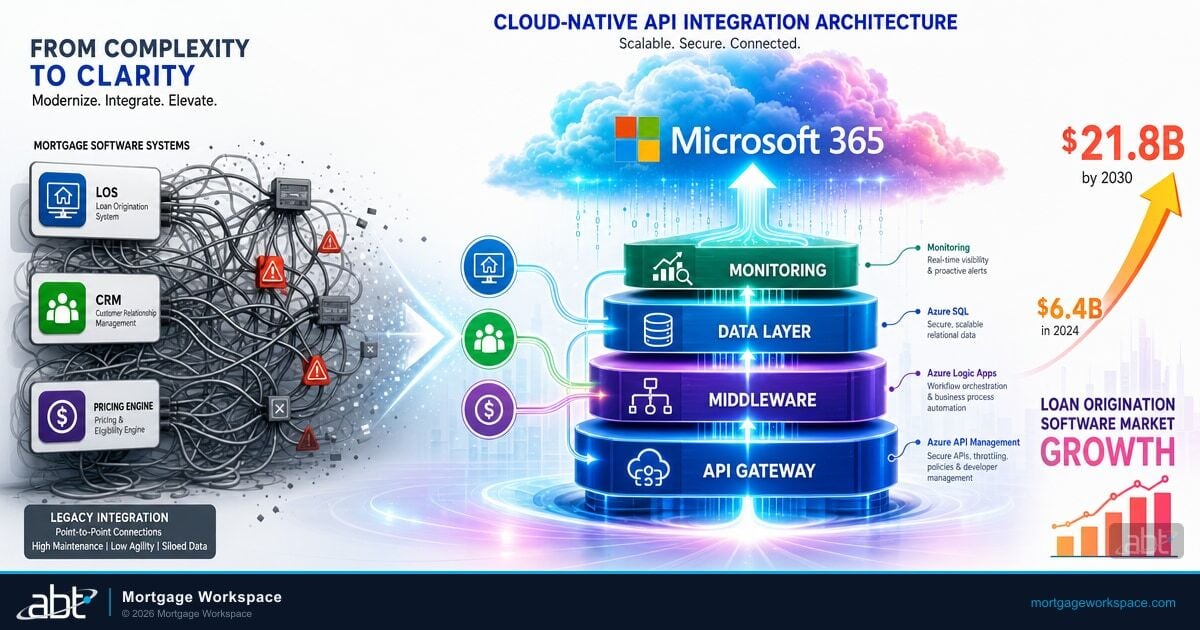
There is one integration gap Microsoft does not solve, and it is the one most mortgage operations stumble on. Your loan origination system holds the loan in progress. Your core banking system holds the borrower as a depositor or member, the funded loan as an asset on the balance sheet, and the servicing record. Without a bridge between the two, mortgage operations and retail banking operations are still two separate systems your staff reconciles by hand.
MortgageExchange is ABT's custom interface product that connects the loan origination system to the core banking platform. It is the largest interface ABT builds and the integration most mortgage companies pay six figures to write themselves. Inside a MortgageWorkSpace deployment, MortgageExchange is part of the platform.
| LOS side | Core banking side | What MortgageExchange does |
|---|---|---|
| ICE Mortgage Technology Encompass | Fiserv DNA, Symitar Episys, Jack Henry SilverLake, Corelation KeyStone | Pushes funded-loan data to the core as a new loan record, creates the borrower-as-member or depositor link, and flows servicing data back to the LOS for refinance and cross-sell opportunities. |
| Byte Software ByteSoftware | Fiserv DNA, Symitar Episys, FIS Horizon | Maps loan codes between Byte and the core, syncs payment history once the loan is on the books, and feeds delinquency and prepayment signals back into Dynamics 365 for the loan officer. |
| LoanSoft, Mortgage Cadence | Multiple cores supported | Bidirectional sync of borrower demographics, loan product attributes, funding status, and servicing data, with mortgage-specific field mapping the generic LOS-to-core connectors do not handle. |
The reason this matters: without MortgageExchange (or an equivalent custom build), the loan officer working in Dynamics 365 cannot see whether the borrower is already a depositor at the same institution. The retail banker cannot see whether the depositor is taking a mortgage with the same institution. The cross-sell conversation never happens. The data ABT customers report most often as the eye-opener after a MortgageWorkSpace deployment is how many mortgage borrowers were already members or depositors and how many cross-sell opportunities were sitting in plain sight, invisible to both sides. The Mortgage Software Integration with Cloud Technology guide walks through the architecture for the LOS-side of the integration.
M365 Guardian: The Security and Governance Layer Mortgage Data Requires
Mortgage data is regulated data. The FTC Safeguards Rule (revised 2023) requires written information security programs, access controls, encryption, monitoring, and incident response for any nonbank entity that maintains customer information. The Gramm-Leach-Bliley Act applies the same expectation to banks and credit unions. State mortgage broker rules add their own retention and notification expectations. A workflow that handles borrower NPI without these controls is a finding waiting to happen.
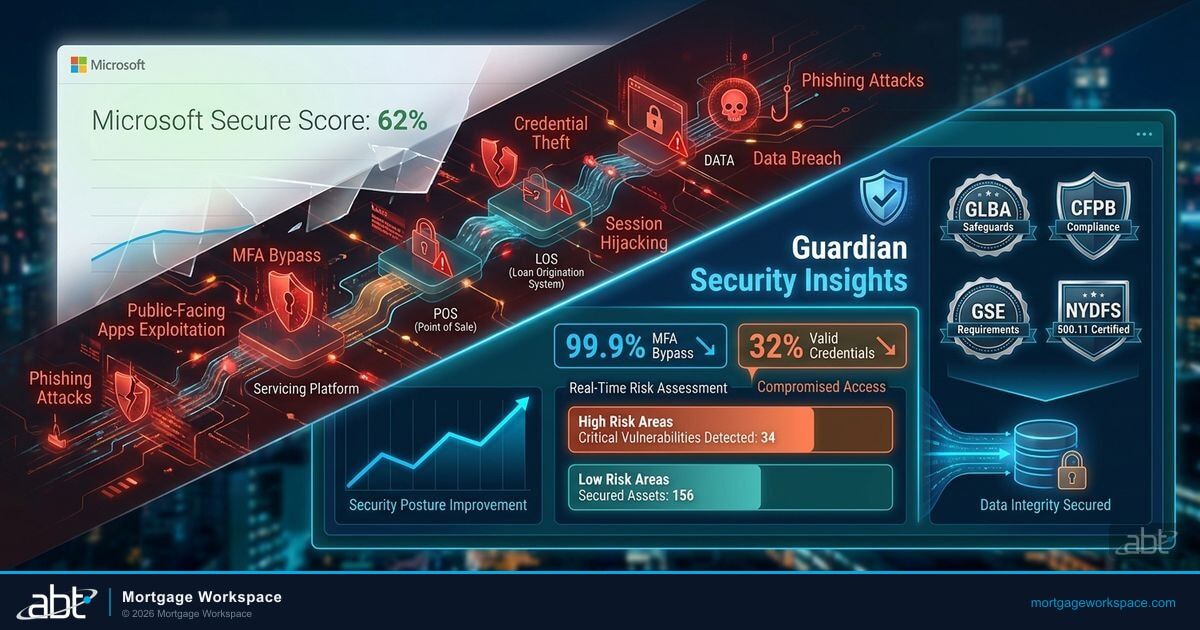
M365 Guardian is ABT's security and governance operating model on top of Microsoft 365. It is the configuration, monitoring, and documentation work that turns the Microsoft security stack from a collection of products into a working compliance posture. Inside a MortgageWorkSpace deployment, Guardian is the layer that keeps borrower data inside the audit perimeter examiners look for.
The Guardian layer applies Microsoft Entra ID Conditional Access for MFA enforcement across loan officers, processors, and underwriters, with location-aware filters for branch offices and step-up authentication for high-risk sign-ins. Microsoft Intune enrolls every device that touches borrower data and posture-checks against a mortgage-specific compliance baseline (BitLocker, Defender Antivirus, patch level). Microsoft Defender for Office 365 handles the email-borne phishing and impersonation attempts that target wire instructions and closing funds. Microsoft Purview DLP, retention, and Audit Premium keep the books-and-records side honest and produce the time-stamped evidence FTC Safeguards Rule and state mortgage broker examiners ask for. Microsoft Sentinel aggregates the signals into a single SIEM that supports incident detection, the 30-day notification analysis under amended Regulation S-P where it applies, and the FTC Safeguards Rule incident response requirement.
The point is not that Microsoft sells these products. They are licensed in any reasonably configured Microsoft 365 tenant. The point is that someone has to configure them against a mortgage-specific baseline, monitor them every day, document them for examiners, and respond when Sentinel surfaces an anomaly. That someone is ABT inside a MortgageWorkSpace deployment. For the broader Guardian story on how this layer goes beyond Microsoft Secure Score, see Beyond Microsoft Secure Score: Building a Mortgage Operations Security Program.
Building Your Mortgage Pipeline Dashboard in Power BI
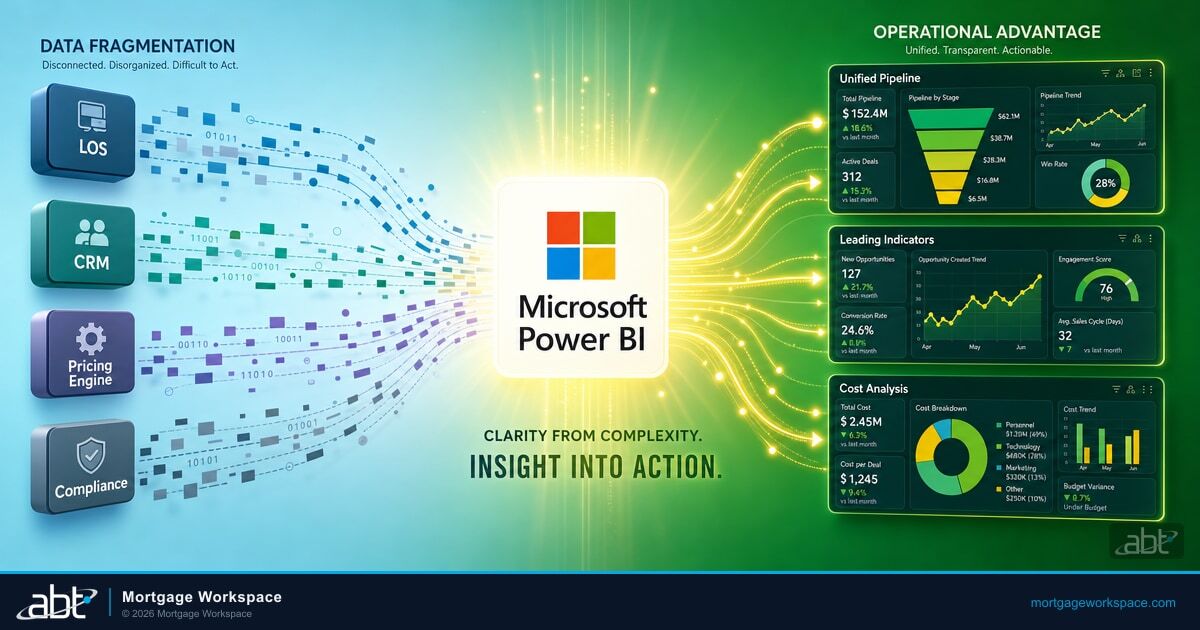
The dashboard is where the entire workflow becomes visible. Microsoft Power BI connects to Dynamics 365 through a native connector and refreshes on the schedule you set: hourly, daily, or real-time for critical metrics.
Pipeline view. See every active loan by stage, loan officer, product type, and expected closing date. Color-coded indicators flag loans approaching rate lock expiration or compliance deadlines.
Turn time analysis. Track average days in each stage by loan officer, product type, and branch. Identify which stages slow down and whether the bottleneck is people, process, or technology.
Pull-through rates. Measure what percentage of applications become funded loans. Break it down by source channel to see which referral partnerships and marketing campaigns actually produce revenue.
Compliance scorecard. Track document completion rates, condition clearance times, and disclosure timing. A red, yellow, green scorecard gives compliance officers immediate visibility into potential audit findings before the examiner arrives.
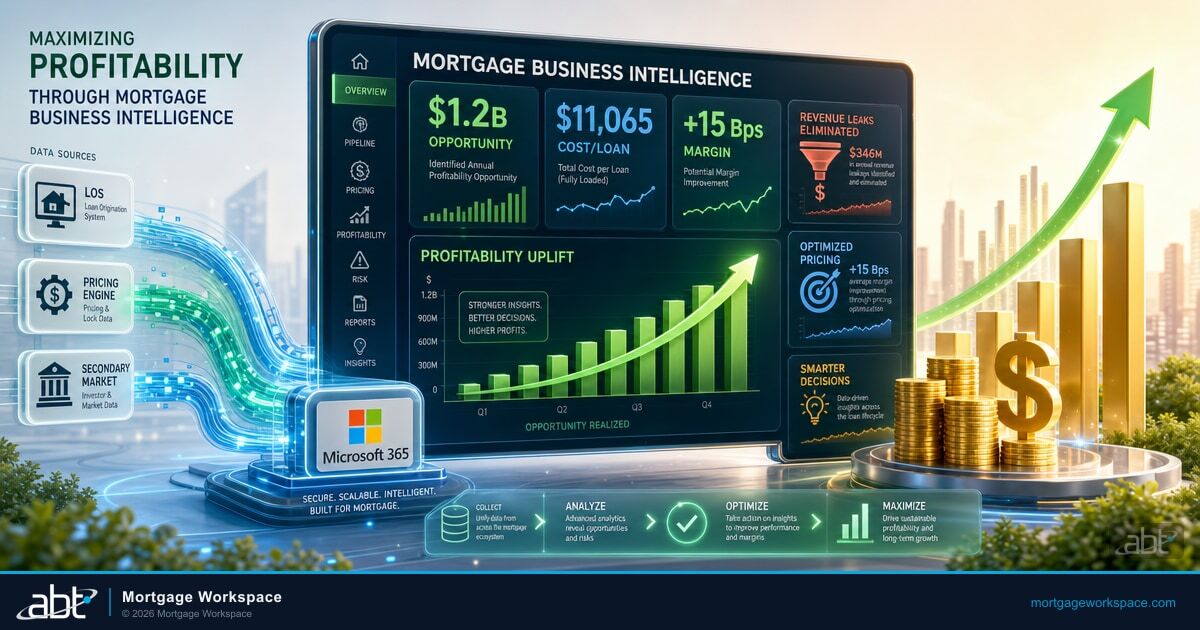
ABT publishes a Power BI semantic model and dashboard pack as part of MortgageWorkSpace called Mortgage BI. The dashboard set ships pre-built against the Dynamics 365 mortgage schema and the MortgageExchange data flow, so a mortgage company gets working reporting on day one rather than spending the first quarter of the deployment writing measures and visuals from scratch. The Business Intelligence for Mortgage Companies practical implementation guide covers the data-model decisions in depth, and Maximizing Profitability Through Mortgage Business Intelligence explains how the resulting dashboards change branch and loan-officer accountability conversations.
How Copilot and Agentic AI Change Mortgage Workflows in 2026
Microsoft 365 Copilot is no longer a preview. The Power Platform crossed 56 million monthly active users in early 2026, with Copilot Studio showing more than 60 percent quarter-over-quarter growth. The Dynamics 365 ERP MCP Server gives AI agents a standardized, governed protocol into financial data. Multi-agent orchestration shipped in the February 2026 update.
The productivity unlock is real today. The security and governance posture has to land before the AI features get loose with borrower data. Both belong in the same deployment.
For mortgage operations, four capabilities matter most right now:
Email and communication drafting. Microsoft 365 Copilot generates borrower emails, processor instructions, and underwriter summaries based on loan data in Dynamics 365. The loan officer reviews and sends instead of writing from scratch. Lending teams that have rolled this out report 90-plus-percent weekly utilization once loan officers see the time it gives back.
Data analysis in Excel. Copilot Agent Mode in Excel builds loan comparison worksheets, amortization schedules, and payment analysis through natural language prompts. No formulas required. This went generally available January 27, 2026.
Process automation through Copilot Studio. Build AI agents that handle routine borrower questions, route service requests, and trigger Power Automate workflows based on natural language input. The multi-agent orchestration update lets multiple AI agents collaborate on tasks like loan file review and condition tracking.
Agentic ERP access. The Dynamics 365 ERP MCP Server gives AI agents governed access to CRM and ERP data. Instead of pulling reports manually, an agent can query pipeline status, flag overdue conditions, and generate compliance snapshots on demand. The governance is what makes this safe for mortgage data. Without the M365 Guardian layer applying Purview sensitivity labels, DLP policies, and Conditional Access scoping, an agent with broad ERP access is an audit finding wearing a friendly face.
Key Takeaway
A connected Microsoft mortgage workflow is the productivity unlock most lending shops are reaching for. The architecture is well-known. The hard parts are the LOS-to-core integration, the security and governance baseline that has to hold up under FTC Safeguards Rule and GLBA examination, and the day-to-day management of a Microsoft 365 tenant configured for mortgage rather than generic SMB use. ABT packages all three as MortgageWorkSpace, with MortgageExchange handling the LOS-to-core piece and M365 Guardian handling the security and compliance piece, on top of a Microsoft 365 tenant ABT manages as a Tier-1 Direct-Bill Cloud Solution Provider.
Build Your Connected Microsoft Mortgage Workflow With ABT
Configuring six Microsoft platforms to work as one integrated lending operation requires expertise in the Microsoft stack and in mortgage operations. ABT manages Microsoft 365 tenants for more than 750 financial institutions and packages the connected mortgage workflow as MortgageWorkSpace. A 30-minute conversation maps your current LOS, core, and Microsoft 365 footprint and outlines what a MortgageWorkSpace deployment would cover for your shop. No commitment, no quote, no obligation.
Frequently Asked Questions
A phased implementation typically takes three to six months when a mortgage company builds it themselves. Start with Dynamics 365 CRM configuration and SharePoint document libraries in the first month, add Power Automate workflows and Teams integration in months two and three, and build Power BI dashboards and Power Apps portals in the final phase. Inside an ABT MortgageWorkSpace deployment, most of that timeline is compressed because the Dynamics 365 mortgage schema, SharePoint structure, Power BI dashboards, and Power Automate flows are part of the platform rather than custom-built for each customer. The remaining time is configuration to your LOS, your core, your branch structure, and your compliance program.
Yes. The Microsoft Power Platform provides custom connectors and API integration tools that link Dynamics 365 with ICE Mortgage Technology Encompass, Byte Software, LoanSoft, and Mortgage Cadence. Microsoft handles the connector layer. The harder integration, which Microsoft does not solve, is the LOS-to-core bridge that closes the loop between mortgage operations and the institution's core banking system. ABT solves that gap with MortgageExchange, ABT's custom interface product that connects the LOS to Fiserv DNA, Symitar Episys, Jack Henry SilverLake, Corelation KeyStone, and similar cores. Inside a MortgageWorkSpace deployment, MortgageExchange is part of the platform.
Most mid-sized mortgage companies already hold Microsoft 365 Business Premium or E3 licenses that include SharePoint, Teams, and Power Automate. Dynamics 365 Sales Professional starts at $65 per user per month. Power BI Pro adds $10 per user per month. The variable cost is the configuration, integration, and security and governance work. A self-build engagement typically ranges $25,000 to $75,000 depending on complexity, team size, and LOS-to-core scope. An ABT MortgageWorkSpace deployment converts most of that custom work into a managed-service subscription with the LOS-to-core bridge and the security and compliance layer included rather than billed separately.
The Dynamics 365 ERP MCP Server provides a standardized protocol for AI agents to access CRM and ERP data through a governed channel. For mortgage operations, an AI agent can query pipeline status, flag overdue underwriting conditions, and generate compliance snapshots without manual data pulls. The server enforces enterprise security and governance, but only against the controls the Microsoft 365 tenant has already applied. Without the M365 Guardian operating model layering Conditional Access scoping, Microsoft Purview sensitivity labels, and Sentinel monitoring on top, an agent with broad ERP access is a compliance gap. The MCP Server is the productivity capability. Guardian is what keeps it safe for borrower data.
The Microsoft stack includes Microsoft Entra ID for identity, Conditional Access for policy enforcement, Microsoft Intune for device compliance, Microsoft Defender for email and endpoint detection, Microsoft Purview for data loss prevention and audit retention, and Microsoft Sentinel as the SIEM of record. SharePoint provides document-level permissions and audit trails. Dynamics 365 records every data change with user attribution and timestamps. The products are present in any reasonably licensed Microsoft 365 tenant. What turns them into a working compliance posture for mortgage data is configuration against a mortgage-specific baseline, day-to-day monitoring, and documentation an examiner can read. Inside a MortgageWorkSpace deployment, ABT applies that configuration and monitoring as the M365 Guardian operating model and produces the evidence FTC Safeguards Rule and GLBA examiners ask for.
Microsoft does not ship a connector between the loan origination system and the core banking system. Microsoft connects Dynamics 365 to Microsoft 365. The bridge from the LOS to Fiserv DNA, Symitar Episys, Jack Henry SilverLake, Corelation KeyStone, or FIS Horizon is custom work nobody at Microsoft will do for a mortgage shop. Most mortgage companies either skip it (and live with the swivel-chair reconciliation between mortgage operations and retail banking) or pay six figures to write it. MortgageExchange is ABT's productized version of that bridge, built and maintained against the most common LOS and core combinations in community banks, credit unions, and independent mortgage banks. Inside a MortgageWorkSpace deployment, MortgageExchange is part of the platform rather than a separate engagement.