In Q1 2025, CFPB enforcement actions against mortgage lenders generated over $5 million in penalties for compliance failures tied to manual reporting processes. Meanwhile, states like California and New York are tightening automated decision-making rules with new disclosure and audit requirements. For mortgage teams still running compliance checks by hand, the regulatory window is closing fast.
Power Automate is Microsoft's workflow automation platform. It connects directly to SharePoint, Outlook, Excel, Teams, and over 1,000 other services through pre-built connectors. For mortgage lenders, that means compliance tasks that once took hours of manual review can run automatically in the background.
This guide breaks down how Power Automate works for mortgage compliance, what it automates, and why lenders serving 750+ financial institutions trust it as part of their Microsoft 365 stack.
In This Article
What Is Power Automate and How Does It Work for Mortgage Compliance?
Power Automate uses triggers and actions. A trigger is an event, like a new loan application arriving in your LOS. An action is what happens next: pulling borrower data, checking it against compliance rules, logging the result, and notifying your team. This connects closely to Data-Driven Learning Dashboards for Mortgage Education and Compliance Us.
You don't need to write code. The drag-and-drop interface lets compliance officers build workflows themselves. Microsoft ships hundreds of templates, including ones designed for document verification, approval routing, and regulatory reporting. Our guide to Navigating Compliance Challenges in Mortgage Management goes deeper on this.
The platform connects natively to the rest of Microsoft 365. SharePoint stores your documents. Outlook handles notifications. Excel and Power BI track compliance metrics. Dataverse holds structured loan data. Everything stays inside your Microsoft tenant, where Purview DLP policies already protect it.
Five Mortgage Compliance Workflows Power Automate Handles
Here are the workflows mortgage teams automate most often:
- Document verification: Cross-checks borrower uploads against TRID, HMDA, and state-specific requirements. Flags missing or expired documents within minutes.
- AML and KYC screening: Pulls borrower data through anti-money laundering checks automatically. Logs every result for audit trails.
- Regulatory deadline tracking: Sends automatic reminders when disclosure deadlines approach. Escalates missed deadlines to compliance officers.
- Data validation: Compares loan data fields against HMDA reporting requirements in real time. Catches the data-entry errors that led to 65 HMDA violations flagged by the FDIC in 2024.
- Compliance breach alerts: Monitors for policy violations across your tenant. Routes alerts to the right team member based on severity and loan type.
Speed Up Your Loan Lifecycle with Automated Compliance
Manual compliance checks create bottlenecks. A loan officer submits an application. A compliance analyst reviews it. They find a missing document. They email the borrower. They wait. The cycle repeats.
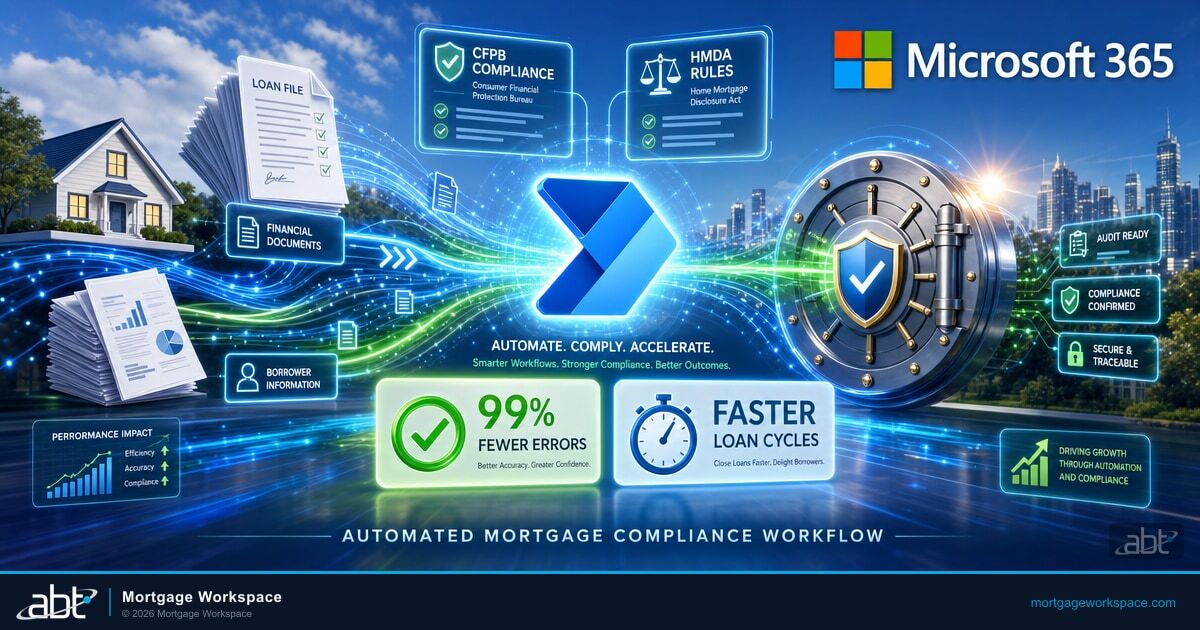
Power Automate compresses this. When a new application hits your LOS, the flow triggers automatically. It checks uploaded documents against your compliance criteria. If something is missing, the borrower gets a notification within minutes. Your team only touches the file when human judgment is actually needed.
Mortgage teams using automated compliance workflows report approval cycles that are days shorter. The 2025 mortgage compliance landscape, with the CFPB's reduced enforcement role pushing oversight to state regulators, makes speed critical. Slower processing means more time exposed to shifting requirements.
Cut Compliance Errors by 99% Through Automation
For every 10,000 data entries, humans produce 100 to 400 errors. Automated systems produce 1 to 4. That gap matters when a single HMDA reporting error can trigger a regulatory investigation.
Power Automate applies rules consistently. Every application gets the same checks, in the same order, every time. There are no tired Fridays, no overlooked fields, no inconsistent interpretations of TRID timing requirements.
The Homebuyers Privacy Protection Act, signed September 2025 and effective March 2026, adds new restrictions on how lenders use consumer credit data. Automated workflows adapt to rule changes through configuration updates, not retraining entire teams.
Seamless LOS and CRM Integration for Mortgage Compliance
Mortgage teams work across multiple systems daily:
- Loan origination systems (Encompass, Calyx, Byte)
- Document management platforms
- CRM tools for borrower communication
- Compliance databases and reporting systems
Power Automate connects these systems so data flows without manual re-entry. When a new application arrives, the flow pulls borrower information into your compliance system, verifies it against current rules, and logs every step. If your LOS sends a webhook or writes to a SharePoint list, Power Automate can pick it up.
This integration eliminates duplicate data entry, which is where most compliance errors originate. One source of truth. One audit trail. No more reconciling spreadsheets across three systems.
Audit-Ready Documentation on Autopilot
Regulators want proof of every step in the mortgage approval process. Power Automate logs each action automatically: who submitted what, when it was verified, which rules were applied, and what the outcome was.
Every flow run creates a timestamped record in your Microsoft 365 environment. When auditors arrive, you pull the report. No scrambling through email threads. No reconstructing timelines from memory.
Power Automate's desktop flows (RPA) extend this further:
- Data entry automation: Populates compliance systems from multiple sources without manual typing
- Form completion: Fills complex mortgage forms using validated data from your LOS
- Regulatory monitoring: Scrapes state regulator websites for rule changes and routes updates to your compliance team
Scaling Automated Mortgage Compliance with Mortgage Workspace
Minor compliance errors carry major consequences. The FTC Safeguards Rule, GLBA requirements, and state-level privacy laws like the California CCPA amendments (which now mandate annual cybersecurity audits) create a web of obligations that manual processes can't keep pace with. See also our breakdown of DLP and the Role of Technology in Modern Mortgage Compliance.
Power Automate handles the volume. But configuring flows for mortgage-specific regulations, connecting them to your existing LOS, and maintaining them as rules change requires hands-on expertise.
Mortgage Workspace, the mortgage division of Access Business Technologies, deploys Power Automate as part of the Guardian operating model. Guardian wraps around your Microsoft 365 tenant to harden, monitor, and maintain compliance across your entire IT environment. Power Automate workflows are one layer in that stack, configured specifically for mortgage regulations.
Talk to a mortgage IT specialist about automating your compliance workflows with Power Automate and Guardian.
Ready to Let Power Automate Carry the Compliance Load?
Manual compliance steps are where mortgage teams lose hours and miss deadlines. MortgageWorkspace builds Power Automate workflows that enforce the checks for you, so compliance happens by default instead of by reminder.
Power Automate applies the same compliance rules to every loan application automatically. It validates borrower documents against TRID, HMDA, and state requirements in real time, catching data-entry errors that manual reviews miss. Automated systems produce fewer than 4 errors per 10,000 entries compared to 100 to 400 for manual processes, reducing regulatory risk across your pipeline.
Power Automate connects to loan origination systems through APIs, webhooks, and SharePoint triggers. When a new application enters Encompass or Calyx, the flow pulls data into your compliance system, runs verification checks, and logs every step. This eliminates duplicate data entry between your LOS, CRM, and compliance databases, creating a single audit trail.
Power Automate handles document verification, AML and KYC screening, HMDA data validation, regulatory deadline tracking, and compliance breach alerts. Desktop flows extend automation to form completion, data entry across systems, and regulatory monitoring. Each workflow creates timestamped audit logs that satisfy examiner requirements without manual documentation.
The Homebuyers Privacy Protection Act, signed September 2025 and effective March 2026, restricts how credit reporting agencies sell consumer data from mortgage inquiries. Lenders must update their marketing and lead-generation workflows to comply. Power Automate flows can be reconfigured to enforce these new restrictions automatically, without retraining staff on each rule change.