In This Article
- Why Spreadsheet Tracking No Longer Works
- What Learning Dashboards Reveal That Spreadsheets Cannot
- Mortgage BI on the MortgageExchange Data Layer
- Microsoft Purview Audit and M365 Guardian as the Compliance Evidence Layer
- How to Build a Mortgage Compliance Learning Dashboard
- Common Dashboard Mistakes to Avoid
- Frequently Asked Questions
A mortgage company that tracks NMLS continuing education, GLBA privacy training, FTC Safeguards Rule awareness, BSA/AML procedures, and state-level continuing education through spreadsheets is one examiner cycle away from a finding. The companies that pass clean compliance audits have the same operating pattern: a single business intelligence layer that pulls training records, assessment scores, and certification status from every system in the company and renders it as a live dashboard that the compliance officer can hand to an examiner without spending three weeks pulling screenshots. For mortgage companies operating on Access Business Technologies, that BI layer is Mortgage BI on top of the MortgageExchange data layer, with Microsoft Purview Audit and M365 Guardian holding up the evidence side.
Why ABT Runs This For Mortgage Companies
- Mortgage BI dashboards tuned to NMLS and state continuing education rather than generic Power BI templates. Loan officer continuing education, branch manager licensing, processor certifications, and underwriter recertification each have their own retention window and renewal cadence.
- MortgageExchange is already the data layer tying the LOS to the core banking system. Adding a learning and training dashboard on top of that data layer is the cleanest way to combine LOS production data with LMS completion data in a single compliance view.
- Microsoft Purview Audit and M365 Guardian provide the evidence side. Purview Audit produces the time-stamped record of every dashboard access, training assignment, and certification change. M365 Guardian is the ABT operating model that keeps the Purview, Defender, and Entra ID controls configured the same way across every mortgage company tenant in our footprint.
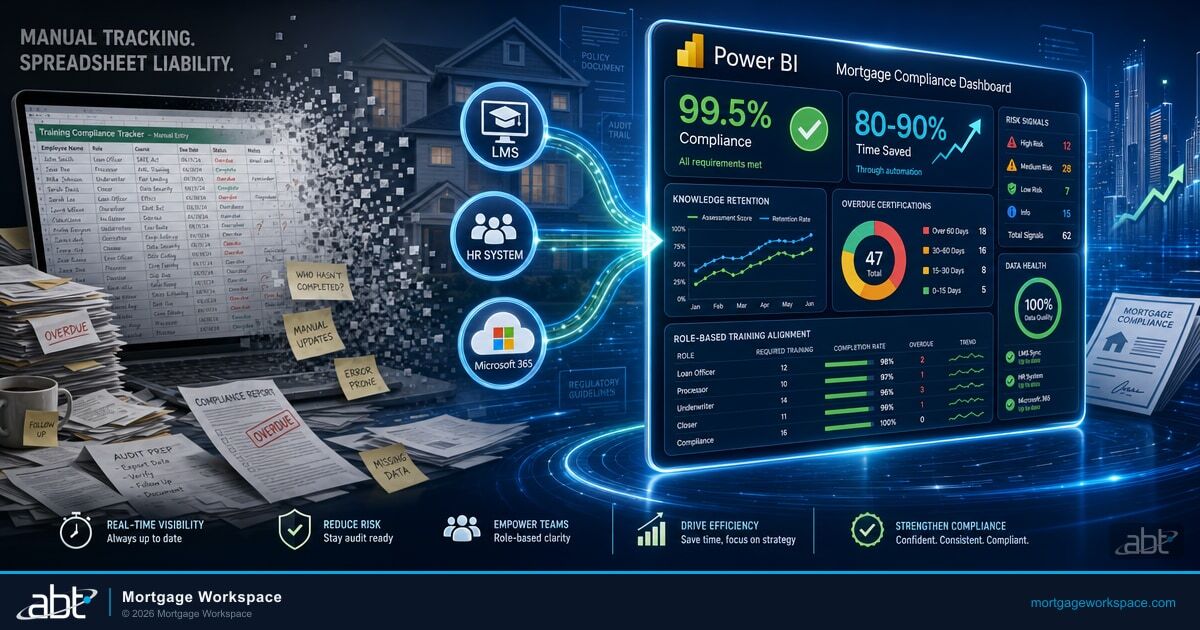
A 2025 DMAIC study implementing a Power BI training compliance dashboard achieved a 99.5% compliance rate and reduced manual tracking time by 80-90%. The dashboard connected directly to the Learning Management System, refreshed daily, and triggered automated alerts five days before training due dates through Power Automate. That is the productivity unlock. The audit-readiness improvement is the byproduct.
This article explains why most mortgage companies still track training in spreadsheets, what a learning dashboard reveals that spreadsheets cannot, how Mortgage BI on the MortgageExchange data layer combines LOS production data with LMS completion data, how Microsoft Purview Audit and M365 Guardian close the evidence loop, and what a clean deployment looks like.
Why Spreadsheet Tracking No Longer Works
The regulatory environment for mortgage training has shifted from periodic to continuous. Three changes make spreadsheet-based tracking a liability.
Regulatory complexity keeps increasing. Mortgage companies must train staff on GLBA privacy requirements, FTC Safeguards Rule technical controls, CFPB fair lending rules, HMDA data collection, BSA/AML procedures, NMLS continuing education hours by state, and state-level mandates that vary by jurisdiction. Tracking all of this in a spreadsheet means someone updates dozens of cells across multiple tabs every week and hopes nothing falls through.
Audit expectations have changed. Examiners do not just want proof that training was completed. They want evidence that knowledge was retained, that role-based content actually mapped to job function, and that the certification record is tamper-evident. A completion certificate shows someone sat through a course. It does not show they understood the material or can apply it under examiner questioning.
Distributed teams create visibility gaps. Remote loan officers, branch processors, and home-based underwriters all need different training tracks. A static spreadsheet cannot show real-time status across locations, departments, and individual roles without constant manual updating. Mortgage Workspace customers running distributed branch footprints know this pattern.
What Learning Dashboards Reveal That Spreadsheets Cannot
Knowledge Retention, Not Just Completion
A dashboard maps test performance against completion logs. If 100% of employees finished cybersecurity training but 40% failed the assessment twice, that is a risk signal, not a success metric. Spreadsheets track completion. Dashboards track understanding.
Department-Level Risk Concentration
A loan operations team with 12 overdue BSA/AML certifications shows up on the dashboard the day the certifications expire, not at the next quarterly review. Follow-ups become targeted instead of scattered across the whole organization.
Role-Based Training Alignment
A processor does not need the same content as an underwriter. A compliance officer needs different modules than a loan officer. NMLS continuing education applies to licensed mortgage loan originators by state-specific hour count. Dashboards assign and monitor learning tracks by job title, state, and department. Training becomes relevant to each role, and audit evidence is centralized. See also our breakdown of DLP and the Role of Technology in Modern Mortgage Compliance.
Behavioral Patterns That Signal Problems
Track re-engagement, skipped modules, and repeated failures. If a branch completes training faster than average but scores worse on assessments, the dashboard catches it. These behavioral patterns reveal whether people are learning or just clicking through to clear a completion record.
Mortgage BI on the MortgageExchange Data Layer
Mortgage Workspace customers already operate on an Access Business Technologies-built data layer: MortgageExchange. MortgageExchange is the custom interface product that ABT engineers between the loan origination system (Encompass, Calyx, Mortgage Cadence, BytePro) and the core banking system at the lender's institution. It is the largest interface product in the ABT lineup, and for the 750+ financial institutions ABT operates Microsoft 365 tenants for, MortgageExchange is the canonical place where LOS data, production data, and originator data already live in a structured, queryable form.
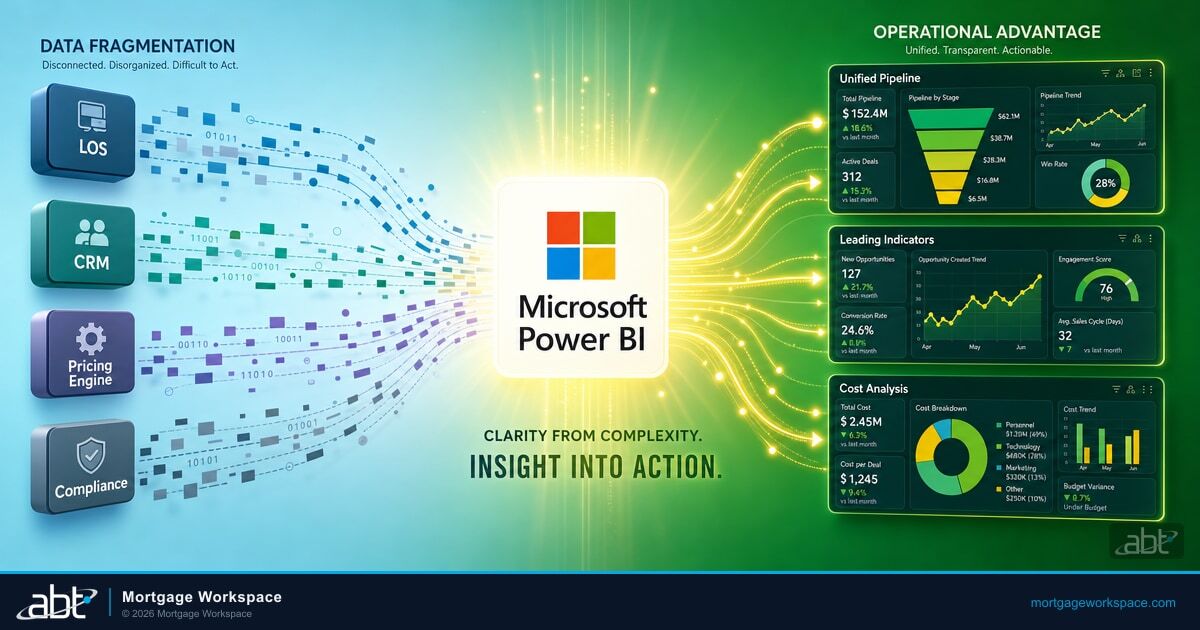
Mortgage BI is the business intelligence layer that sits on top of that data layer. For a mortgage compliance learning dashboard, Mortgage BI is the right tool because it can join LMS completion records to MortgageExchange production data in a single dashboard. A compliance officer can see, in one view, that a loan officer completed the NMLS-mandated 8-hour continuing education AND closed three loans last month AND had no fair-lending escalations. The dashboard shows training status alongside production activity, so the compliance team can spot the loan officer who is closing volume on a lapsed NMLS license before an examiner does. Generic Power BI templates do not have access to MortgageExchange's data structure. Mortgage BI does, because ABT built both.
Mortgage BI tracks NMLS continuing education by state and by individual originator, GLBA and FTC Safeguards Rule training completion across the full employee roster, BSA/AML procedure certification with state-specific renewal cadence, role-based recertification for processors and underwriters, and the assessment-score-to-completion ratio that reveals whether training was actually absorbed. The dashboard refreshes daily against the MortgageExchange data layer and against the company's LMS, HR system, and Microsoft 365 environment. Compliance officers, L&D managers, and branch executives each get a role-specific view of the same underlying data.
Microsoft Purview Audit and M365 Guardian as the Compliance Evidence Layer
A dashboard is a productivity tool. The compliance evidence layer underneath it is what an examiner actually grades. Microsoft Purview Audit and M365 Guardian close that loop for mortgage companies on the ABT operating model. We cover Mortgage Compliance Made Simple in a companion piece.
Microsoft Purview Audit produces the time-stamped audit trail across Exchange Online, SharePoint Online, OneDrive, Teams, and Microsoft Entra ID for every dashboard access, every training record change, every certification assignment, and every Mortgage BI report export. Purview Audit Premium extends retention to one year, with the option to extend to ten using the retention add-on, which matches the practical retention floor most mortgage company examiners expect for compliance training records. Retention policies bind tamper-evident retention to the SharePoint sites where training certificates live and to the Teams channels where compliance teams coordinate audit prep. When an examiner asks for a 24-month lookback on who accessed the NMLS compliance dashboard, Purview Audit produces the answer in minutes, not weeks.
M365 Guardian is the ABT operating model on top of Microsoft 365. Guardian is how ABT applies, monitors, and documents the Purview, Defender, Intune, Entra ID, and Sentinel configuration consistently across every mortgage company tenant in our footprint. For a mortgage compliance learning dashboard deployment, the Guardian layer means the company's Purview Audit retention is configured the same way across every branch tenant, the Conditional Access policies that gate dashboard access enforce MFA consistently, the Intune device compliance policies block dashboard access from unenrolled devices, and the 24/7 security operations center watches the Sentinel signals for anomalous compliance-data access patterns. The dashboard delivers the productivity unlock. M365 Guardian delivers the audit-ready evidence layer that holds it up.
How to Build a Mortgage Compliance Learning Dashboard
Step 1: Define Your Metrics
Start with the metrics your regulators and auditors actually ask for.
- Training completion rates by department, role, branch, and individual
- Assessment scores mapped against completion to show knowledge retention
- NMLS continuing education hours by state, with renewal-window flagging
- Overdue certifications with days past due and escalation status
- Department-level compliance percentage for each regulatory training category
- Re-training frequency for employees who failed assessments
Step 2: Connect Your Data Sources
Mortgage BI joins clean, connected data from the systems mortgage companies already run.
- MortgageExchange data layer (LOS production data, originator records, branch structure)
- LMS platform (course assignments, completions, scores)
- HR system (employee roles, departments, locations, hire dates, NMLS license records)
- Microsoft 365 (email engagement, Teams activity for training channels)
- Compliance tracking system (regulatory deadlines, certification requirements)
ABT engineers the data connectors and the table relationships during deployment. The compliance officer does not write Power Query M code.
Step 3: Build Role-Specific Views
Three dashboard views serve three audiences.
Executive view: Overall compliance percentage, departments at risk, trending compliance rate over time, upcoming audit dates. KPI cards and high-level trend lines.
L&D manager view: Training behavior patterns, module completion rates, assessment performance by topic, re-engagement metrics. Detailed bar charts and drill-through tables.
Compliance officer view: Audit-ready evidence, individual certification status, overdue items with escalation paths, regulatory requirement mapping. Sortable tables, filtering, export to PDF for examiner handoff.
Step 4: Add Automation
Power Automate triggers the alerts that prevent compliance gaps.
- Email reminders five days before training deadlines
- Escalation notifications to managers when team members are overdue
- Weekly summary reports to department heads
- Instant alerts when compliance percentage drops below a threshold
- NMLS renewal-window flagging at 90, 60, and 30 days before expiration
Step 5: Secure and Govern
Compliance data requires strict access controls. Row-level security ensures managers see only their team's data. Conditional Access policies in Microsoft Entra ID require MFA and a compliant device to open the dashboard. Microsoft Purview Audit logs every dashboard access. The M365 Guardian operating model keeps these controls consistent across every tenant in the company's footprint. Our guide to Navigating Compliance Challenges in Mortgage Management goes deeper on this.
Common Dashboard Mistakes to Avoid
Showing too much data. Compliance leads do not need login times or device types. They need red flags: overdue training, failed assessments, and risk exposure. Strip out anything that does not drive a decision.
Using static data. A dashboard built last quarter with no live data connection defeats the purpose. Sync with live systems. Refresh daily at minimum.
One dashboard for everyone. Executives, L&D teams, and compliance officers need different information. A single view means none of them get what they need. Build role-specific views.
Ignoring behavioral signals. Completion is not comprehension. Track assessment scores alongside completion rates. Flag branches that complete fast but score poorly.
Building on a generic Power BI template instead of the MortgageExchange data layer. Generic templates do not know what a loan officer is, what an OSJ is, or how NMLS continuing education hours roll up by state. Mortgage BI does, because it is built on top of the data layer ABT already operates for the company.
The dashboard is the productivity unlock. Purview Audit and M365 Guardian are the evidence layer that holds it up.
Get a Mortgage BI Learning Dashboard Assessment
Mortgage Workspace, powered by Access Business Technologies, builds Mortgage BI learning and compliance dashboards on top of the MortgageExchange data layer for mortgage companies operating across multiple branches and originator licensing states. A 30-minute conversation maps your current LMS, HR, and LOS data sources, surfaces the NMLS and Safeguards Rule gaps your next examiner is most likely to find, and outlines what an ABT-managed deployment would cover under M365 Guardian. No commitment, no quote, no obligation.
Key Takeaway
Spreadsheet tracking of NMLS, GLBA, FTC Safeguards Rule, and BSA/AML training is one examiner cycle away from a finding. Mortgage BI on top of the MortgageExchange data layer joins LMS completion data to LOS production data in a single live dashboard. Microsoft Purview Audit and M365 Guardian provide the tamper-evident evidence layer that holds the dashboard up under examiner questioning. The result is an 80-90% reduction in manual compliance tracking time and a clean audit trail without slowing down how the business actually works.
Frequently Asked Questions
Yes. Mortgage BI integrates with popular Learning Management System platforms through APIs and data connectors, as well as Microsoft 365 applications, HR systems, and the MortgageExchange data layer that already ties the loan origination system to the core banking system at the lender. This allows mortgage companies to centralize training, compliance, and production data into a single dashboard without switching tools or maintaining manual export processes between systems.
Dashboards should refresh daily at minimum. Real-time refresh is ideal for organizations with active training programs. Static or manually refreshed dashboards increase the risk of decisions based on outdated information. Mortgage BI supports scheduled refresh against the MortgageExchange data layer, the LMS, and Microsoft 365, with the frequency depending on data source connectivity and licensing tier. Microsoft Purview Audit logs every refresh and every dashboard access for the audit trail.
Focus on training completion rates by department and role, NMLS continuing education hours by state with renewal-window flagging, assessment performance mapped against completion logs, overdue certifications with days past due, department-level compliance percentages for each regulatory category (GLBA, FTC Safeguards Rule, BSA/AML, fair lending, HMDA), and re-training frequency for employees who failed assessments. Mortgage BI joins these training metrics to LOS production data from the MortgageExchange data layer so the compliance officer can see closing volume alongside licensing status.
Microsoft Purview Audit produces the time-stamped audit trail across Exchange Online, SharePoint Online, OneDrive, Teams, and Microsoft Entra ID for every dashboard access, every training record change, every certification assignment, and every Mortgage BI report export. Purview Audit Premium extends retention to one year with the option to extend to ten using the retention add-on. Retention policies bind tamper-evident retention to the SharePoint sites where training certificates live and to the Teams channels where compliance teams coordinate audit prep. When an examiner requests a 24-month lookback on who accessed the NMLS compliance dashboard, Purview Audit produces the answer in minutes, not weeks.
M365 Guardian is the ABT operating model layered on top of Microsoft 365. Guardian is how ABT applies, monitors, and documents the Microsoft Purview, Defender, Intune, Entra ID, and Sentinel configuration consistently across every mortgage company tenant in our footprint. For a Mortgage BI learning dashboard deployment, the Guardian layer means the company's Purview Audit retention is configured the same way across every branch tenant, Conditional Access policies that gate dashboard access enforce MFA consistently, Intune device compliance policies block dashboard access from unenrolled devices, and a 24/7 security operations center watches the Sentinel signals for anomalous compliance-data access patterns.
A 2025 implementation study showed an 80-90% reduction in manual compliance tracking time and a 99.5% training compliance rate after deploying a Power BI dashboard connected to the LMS. For mortgage companies on Mortgage BI built on the MortgageExchange data layer, additional returns include reduced audit preparation time, fewer compliance findings on NMLS continuing education and GLBA training, lower risk of regulatory penalties, and improved visibility into the knowledge gaps that affect loan quality and fair-lending exposure. Microsoft Purview Audit and M365 Guardian provide the evidence layer that makes the productivity gains defensible under examiner questioning.