In This Article
- Why Encompass Interface Design Directly Affects Loan Speed
- Why MortgageExchange Is the Layer That Actually Makes the Home Loan Process Faster
- Custom vs. Default Encompass Interfaces: What Changes for Lenders
- Step-by-Step Encompass Interface Customization Guide
- The SDK-to-API Transition and What It Means for Your Customizations
- Measuring Cycle-Time Impact With Mortgage BI Dashboards
- M365 Guardian Governance for the Encompass Tenant
- High-Impact Interface Connections to Prioritize First
- The ABT Tier-1 CSP Advantage for Encompass-Driven Lenders
- Frequently Asked Questions
A lender that closes 200 loans a month through Encompass cannot afford friction in the interface. Every extra click, every field a processor scrolls past, every manual re-entry between Encompass and the core banking system adds minutes to a file. Those minutes compound across the pipeline and show up as longer cycle times, lost referrals, and pull-through that drifts the wrong way. The lenders that close faster have the same thing in common: a customized Encompass interface tuned to how their team actually works, and an integration layer that moves loan data cleanly between Encompass and the systems on the other side of the close. Access Business Technologies operates Microsoft 365 tenants and Encompass integration interfaces for 750+ financial institutions, and mortgage companies are a core part of that footprint.
Why ABT Pairs Encompass Customization With MortgageExchange + Mortgage BI + M365 Guardian
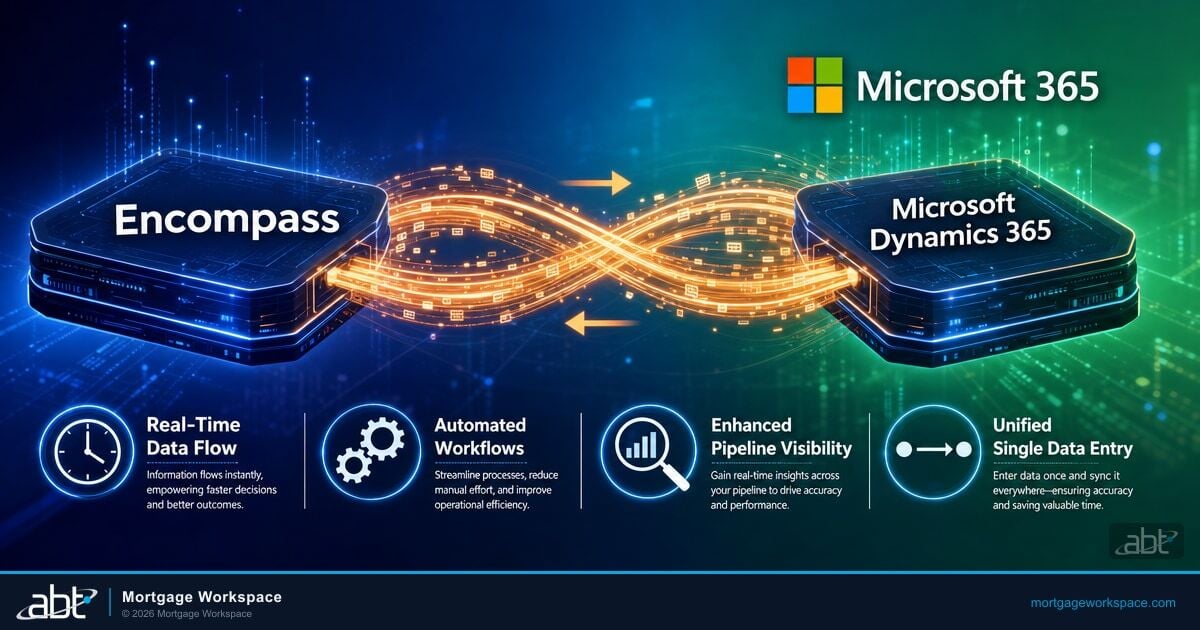
- MortgageExchange is the Encompass-to-core integration layer. Encompass alone is faster when the interface is customized, but the loan still has to move data into the core banking system, the servicing platform, the document repository, and the investor delivery pipe. ABT operates MortgageExchange as the integration bus that carries Encompass data to Fiserv, Jack Henry, Symitar, and the rest of the LOS-to-core stack. Speed without integration is friction deferred, not friction removed.
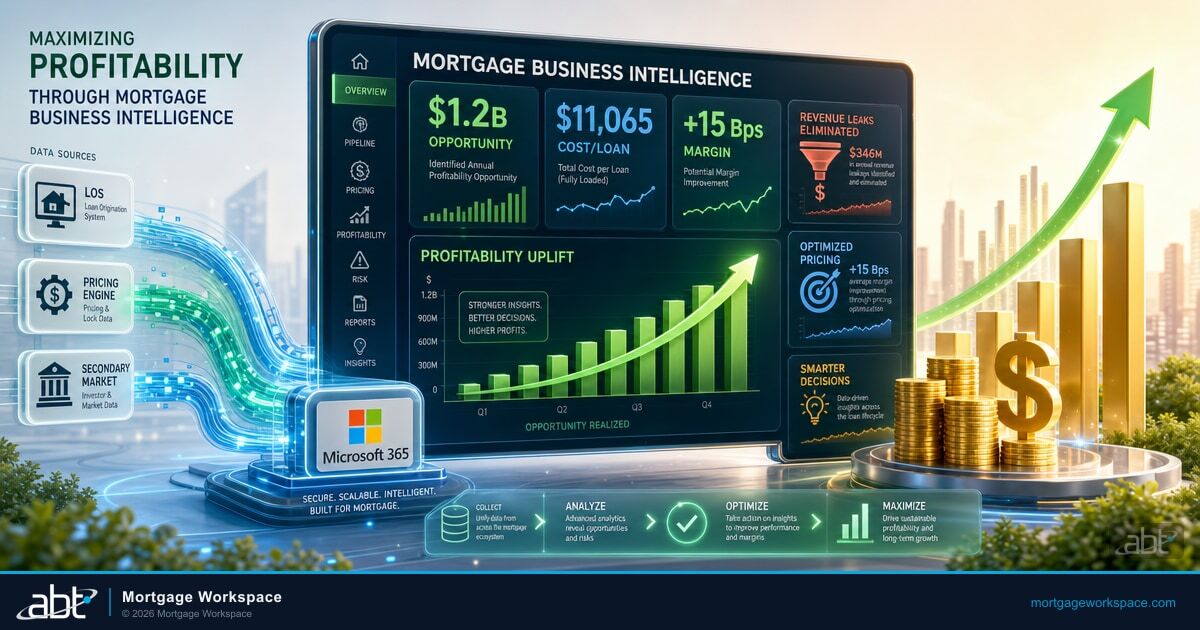
- Mortgage BI dashboards measure cycle-time impact in days, not opinions. A customized interface that "feels faster" is not the same as a customized interface that closes loans in 24 days instead of 31. Mortgage BI pulls cycle-time, pull-through, fallout, and stage-duration data from Encompass and surfaces it in dashboards the operations team can act on weekly, not quarterly.
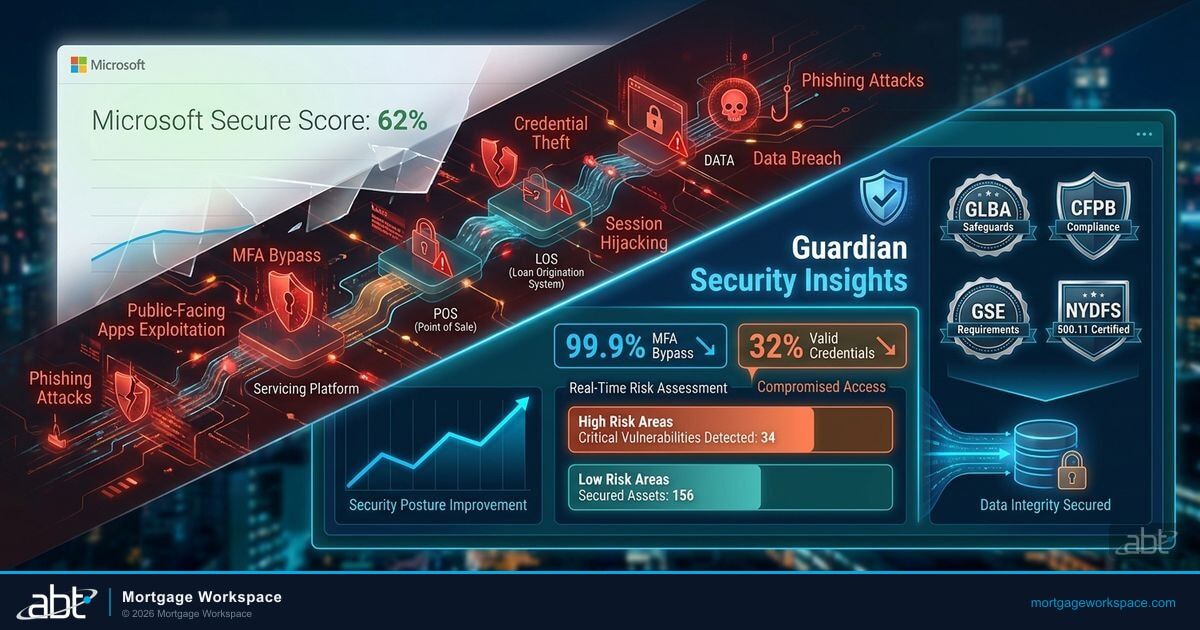
- M365 Guardian governs the Microsoft 365 tenant that holds the loan documents and borrower correspondence. Encompass customization is one tenant decision. The other is the Microsoft Purview retention, Microsoft Defender for Office 365 protection, and Microsoft Entra ID Conditional Access posture that keeps borrower NPI inside the tenant where examiners expect to find it. ABT applies that posture under the Guardian operating model for regulated lenders.
ICE Mortgage Technology extended the Encompass SDK transition deadline to December 31, 2026, giving lenders more time to migrate legacy SDK customizations to modern API-driven workflows. That extension is the right moment to step back and rethink the whole interface. The companies that already made the switch report meaningful reductions in latency and server overhead, and automated data integration through well-designed interfaces is widely credited with reducing underwriting time. This article walks through how to customize the Encompass interface, why MortgageExchange is the layer that makes the home loan process actually faster, how Mortgage BI measures the impact, and how M365 Guardian keeps the whole arrangement examiner-ready.
Why Encompass Interface Design Directly Affects Loan Speed
The Encompass interface is what the loan team touches on every single file. When that interface is cluttered with fields the processor never reads, generic layouts the underwriter has to override on every screen, and manual steps that should have been automated, processing slows down at every stage. The cost of that slowdown is not theoretical. It shows up in cycle time, in pull-through, and in the number of files the same headcount can carry per month.
Three dimensions of interface design shape loan processing speed, and each one is something a customized Encompass deployment can address directly.
- Staff experience: An intuitive interface reduces cognitive load. Loan officers find what they need faster, processors make fewer navigation errors, and underwriters spend less time on each screen because the layout matches the decision they are about to make.
- Workflow efficiency: Custom interfaces remove unnecessary steps from the loan pipeline. When underwriters only see the fields relevant to their conditions, they make those decisions faster. When closers only see the fields relevant to the closing disclosure, the closing disclosure is produced faster.
- Training and turnover cost: A clean, role-appropriate interface means new hires reach full productivity sooner. Less time training equals more time lending. It also lowers the operational cost of staff turnover, which the mortgage industry continues to absorb cycle after cycle.
The mortgage industry processes millions of loans annually, each requiring data from ten to fifteen different sources on average. When you multiply those touchpoints by manual entry requirements in a default Encompass interface, the inefficiency adds up fast. The fix is not just interface customization. It is interface customization with the integration layer behind it doing the data movement Encompass alone cannot do.
Why MortgageExchange Is the Layer That Actually Makes the Home Loan Process Faster
Encompass is the loan origination system. It is not the system the loan lives in after closing. It is not the core banking system the deposit and servicing teams use. It is not the document repository the post-close team retrieves files from when an investor requests a re-verification. A customized Encompass interface speeds up the work loan officers, processors, underwriters, and closers do inside Encompass. The faster home loan process requires speeding up the work that happens outside Encompass too.
That is what MortgageExchange does. MortgageExchange is the integration layer ABT operates that connects Encompass to the core banking system, the servicing platform, the document repository, the imaging system, and the investor delivery pipe. Loan officer keys an address into Encompass at application; the address propagates to the core record. Processor uploads a pay stub into Encompass; the pay stub lands in the document repository the post-close team uses. Underwriter approves the loan in Encompass; the approval timestamps a workflow trigger in the core that lets the closer schedule. Closer disburses; the funded loan record posts to the servicing platform without anyone re-keying it.
| Loan Stage | Encompass Alone | Encompass + MortgageExchange |
|---|---|---|
| Application intake | LO re-keys borrower demographics into core CRM at lead-to-loan handoff. | Borrower record flows from Encompass into the core CRM the moment the application is taken, no re-keying. |
| Document collection | Processor uploads to Encompass; uploads again to the document imaging system; uploads a third time to the post-close repository. | Single upload in Encompass; MortgageExchange replicates to the imaging system and the post-close repository under the same loan number. |
| Underwriting decision | Underwriter approves in Encompass; emails the closer; closer manually schedules in the closing system. | Approval triggers a workflow event in the closing system; closer's queue updates automatically. |
| Closing and funding | Funded loan record is re-keyed into the servicing platform; servicing team reconciles the initial payment manually. | Funded loan posts to the servicing platform with the full data set from Encompass; initial payment schedule generates without re-keying. |
| Investor delivery | Loan delivery team rebuilds the investor delivery file from Encompass exports and the core record by hand. | MortgageExchange produces the investor-formatted delivery file from a single reconciled data set. |
The interface customization makes each Encompass screen faster. The integration layer makes the loan faster. Both pieces have to be in place for the cycle-time delta to show up in the dashboard.
A customized Encompass interface makes each screen faster. MortgageExchange makes the loan faster. The cycle-time delta requires both.
Custom vs. Default Encompass Interfaces: What Changes for Lenders
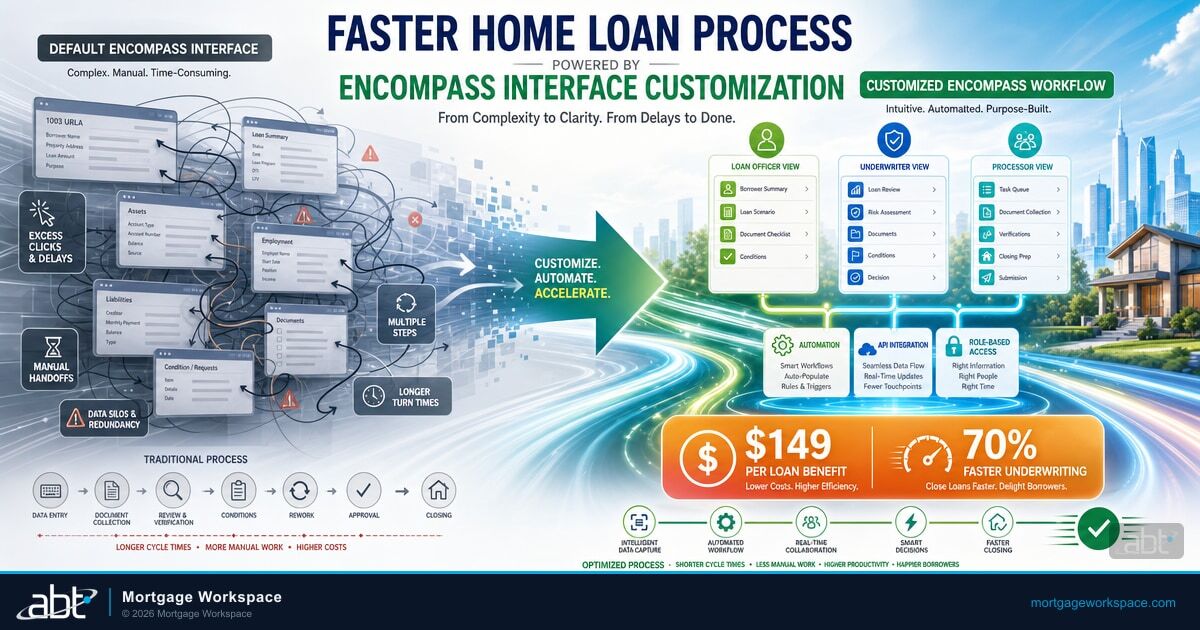
The default Encompass layout works, but it was designed to serve every lender generically. That means your team sees fields they never use, navigates menus that do not match their workflow, and follows a one-size-fits-all pipeline view that does not match how your operations team actually runs.
| Area | Default Interface | Customized Interface |
|---|---|---|
| Layout | Generic; can overwhelm users with too many fields. | Streamlined with only the relevant fields per role. |
| Speed | Slower due to generic navigation paths. | Faster because unnecessary steps are removed. |
| Role visibility | Everyone sees the same interface. | Loan officers, processors, underwriters, and closers each see only what they need. |
| Scalability | Difficult to adapt as volume or products grow. | Modular design adjusts to new products, channels, and team structures without a redeploy. |
The difference is not cosmetic. A customized Encompass interface removes friction at every stage of the loan cycle, and that friction reduction compounds into measurable time savings across your monthly volume. The point of the customization is not the cleaner screen. It is the cycle-time number on the next month's Mortgage BI dashboard.
Step-by-Step Encompass Interface Customization Guide
Step 1: Identify Your Bottlenecks
Before changing anything, audit your current workflows. Talk to loan officers, processors, and underwriters about where they lose time. Common answers include scrolling past irrelevant fields, re-entering data that should auto-populate, and waiting for manual handoffs between departments. Document these pain points so the customization targets real problems instead of theoretical ones.
Step 2: Configure Role-Based Access and Permissions
Not everyone needs access to everything. Set up role-based permissions so processors see processing-relevant fields, underwriters see underwriting conditions, and loan officers see pipeline and client communication tools. This reduces confusion and limits security exposure. Pair the Encompass role permissions with Microsoft Entra ID Conditional Access policies that scope who can sign in from where.
Step 3: Clean Up Forms and Fields
Use Encompass Admin Tools or the API framework to rename labels, hide unused fields, and add company-specific data points. If your team never uses a field, remove it from the view. Every unnecessary element on screen is a distraction that slows processing.
Step 4: Automate Repetitive Tasks
Use Encompass workflow rules to automate recurring actions: sending initial disclosures, updating loan statuses when milestones complete, triggering notifications when conditions are satisfied, and assigning users to roles based on loan attributes. Automation removes manual steps that can absorb fifteen to thirty minutes per file.
Step 5: Customize the Pipeline View
Configure the Encompass loan pipeline dashboard to show the columns, filters, and sorting that matter to each team. Lock desk staff need different views than processors. Branch managers need different views than closers. Customized pipeline views give everyone instant visibility into their workload without manual filtering.
Step 6: Integrate Third-Party Services Through the Right Layer
Connect Encompass to credit bureaus, income verification services, appraisal management companies, document imaging systems, and investor delivery platforms through API-based interfaces. For the integration points that touch the core banking system, the servicing platform, or the document repository, route the data through MortgageExchange rather than building one-off Encompass integrations. The point of the integration layer is to make the data movement reusable across loan stages instead of having each integration solve only one problem.
Step 7: Test, Train, and Iterate
Roll out customizations to a pilot group before the full team. Collect feedback on what works and what creates new friction. Train users on the actual loan scenarios they handle daily, not abstract feature demos. Schedule quarterly reviews to adjust the interface as your volume, products, and team composition change. Watch the Mortgage BI cycle-time dashboard to confirm the customization is actually moving the metric you set out to move.
The SDK-to-API Transition and What It Means for Your Customizations
ICE Mortgage Technology's December 31, 2026 deadline marks the end of SDK-based plugins and customizations in Encompass. Custom forms with custom code bases will continue to work in Smart Client after the sunset, but any SDK-dependent workflows must migrate to the API framework or native Encompass functionality.
What this means for your interface customizations:
- Catalog your SDK dependencies now. Identify every custom plugin, automation, and integration that relies on SDK calls. That catalog is your migration checklist.
- API calls outperform SDK calls in speed. ICE reports that API-based solutions reduce latency compared to legacy SDK connections, saving CPU resources and server maintenance costs. For a closer look at what the API model unlocks beyond the SDK sunset, see Exploring API Integrations for Encompass.
- Native Encompass features have expanded. The task framework, workflow engine, and Encompass Partner Connect now handle many functions that previously required SDK customization. Check native capabilities before building custom API solutions.
- Custom forms are not affected. Custom forms built for Smart Client will continue working. Only SDK-dependent logic and plugins require migration.
- MortgageExchange already operates on the API model. Integrations between Encompass and the core banking system, servicing platform, document repository, and investor delivery pipe that ABT operates through MortgageExchange are already API-based, so the SDK deadline does not require a re-architecture of the integration layer itself.
This transition is an investment, not just a deadline. Lenders who complete the migration early gain faster integrations, lower maintenance costs, and alignment with ICE's long-term platform direction.
Measuring Cycle-Time Impact With Mortgage BI Dashboards
The interface customization is the input. The cycle-time number is the output. The lenders that move the cycle-time number are the lenders who watch it weekly, attribute changes to specific operational decisions, and iterate on the customization based on what the data shows.
Mortgage BI is the dashboarding layer ABT operates that pulls cycle-time, pull-through, fallout, and stage-duration data out of Encompass and surfaces it in views the operations team can act on. The lender does not have to write the SQL. The dashboards are pre-built for the metrics that matter to mortgage operations, and they refresh on a schedule the operations team controls.
The operations director rolls out an Encompass interface change at the start of Q3. By end of Q3, average cycle time has drifted from 28 days to 31 days. Nobody is sure whether the interface change caused the drift, whether a different product mix moved the number, or whether a single difficult file is skewing the average. The next quarterly meeting opens with a discussion about the data, not about the operational fix.
The same interface change rolls out at the start of Q3. The Mortgage BI cycle-time dashboard refreshes weekly. By week three the operations director can see that conventional purchase loans dropped from 26 days to 23, but jumbo loans drifted from 32 to 38 because a new investor's delivery requirements added a manual step. The operational fix is scoped to the jumbo channel before the quarter closes.
Cycle-time visibility turns interface customization from a one-time project into a continuous tuning loop. That is what separates a brokerage that closed in 28 days last year and 28 days this year from one that closed in 28 days last year and 24 days this year.
M365 Guardian Governance for the Encompass Tenant
Encompass customization is one tenant decision. The Microsoft 365 governance posture that protects the borrower correspondence, the loan document repository, and the team's authentication path is another. The two have to land together, because a faster home loan process that leaks borrower NPI is not a faster home loan process examiners will accept.
M365 Guardian is ABT's operating model for the Microsoft 365 tenant a mortgage company runs alongside Encompass. The Guardian layer includes:
Microsoft Entra ID handles identity for everyone who touches the Encompass tenant, with Conditional Access policies that scope who can sign in from where, and multifactor authentication enforced on every account that touches borrower data. Microsoft Intune enrolls and posture-checks every device the loan team uses, including personal devices brought under mobile application management for Outlook and Teams. Microsoft Defender for Office 365 blocks the phishing and impersonation patterns that target loan officers during rate-lock windows. Microsoft Purview applies retention policies to the loan correspondence, audit logs to the tenant activity, and DLP rules tuned for borrower NPI. Microsoft Sentinel aggregates the signals from Entra ID, Defender, Purview, and Intune so the security team has a single incident timeline that satisfies GLBA, FTC Safeguards Rule, CFPB, and state privacy expectations. ABT manages the Microsoft 365 tenant under the Guardian operating model and operates MortgageExchange as the API-based integration layer that connects Encompass to the rest of the lending stack.
The point of Guardian is not to add another product surface for the operations team to manage. The point is to give the lender a single operating model for the Microsoft 365 tenant the loan workflow runs through, so a customized Encompass interface, a MortgageExchange-driven integration layer, and a Microsoft 365 footprint all sit under one accountable partner instead of three. For the audit and recordkeeping side of that posture, the companion article Always Audit-Ready: Using Encompass and Calyx to Keep Compliance Locked Down covers how the retention and audit-log layer holds up under examiner scrutiny.
High-Impact Interface Connections to Prioritize First
Not all integrations deliver equal value. Focus your customization effort on these high-volume connection points, and prefer the integration layer (MortgageExchange) over one-off Encompass plugins when the connection touches systems beyond the LOS.
- Credit bureau interfaces: Automatically pull and refresh credit reports throughout the loan process. Advanced interfaces trigger alerts when scores change.
- Income and employment verification: Connect with services like The Work Number to streamline verification without manual data entry.
- Property valuation systems: Interface with appraisal management companies and automated valuation models to receive property data directly in Encompass.
- Document management integration: Files uploaded in one system appear automatically in the other, eliminating manual document transfers.
- Investor delivery systems: Streamline loan delivery to Fannie Mae, Freddie Mac, and other investors with interfaces that format and transmit data according to each investor's specifications.
- Closing and settlement connections: Share loan details with title companies and settlement providers electronically, reducing closing delays.
- Core banking system integration: The single highest-impact connection for cycle-time reduction. Route this through MortgageExchange so the data movement is reusable across application, underwriting, closing, and post-close stages.
Start with the connections your team touches most frequently. A single well-built credit bureau interface can save more time per month than three lower-volume integrations combined. A well-built core banking integration through MortgageExchange typically saves more than the credit bureau interface and the document management integration combined, because it removes data re-keying at the stage of the loan that costs the most per minute.
Get an Encompass + MortgageExchange Cycle-Time Review
ABT runs the Encompass interface customization, MortgageExchange integration, Mortgage BI dashboarding, and M365 Guardian governance pattern described in this article for mortgage companies, mortgage brokers, banks, and credit unions originating loans through Encompass. A 30-minute conversation maps your current Encompass setup, surfaces the integration gaps that are slowing the loan, and outlines what an ABT-managed deployment would cover. No commitment, no quote, no obligation.
The ABT Tier-1 CSP Advantage for Encompass-Driven Lenders
Access Business Technologies is a Tier-1 Microsoft Cloud Solution Provider that manages Microsoft 365 tenants for more than 750 financial institutions. The firm's footprint covers mortgage companies, independent mortgage brokers, community banks, and credit unions, and Encompass-driven lenders make up a substantial part of that footprint.
For a lender originating loans through Encompass, the ABT engagement is not a single product. It is a layered operating model. MortgageExchange is the integration layer that connects Encompass to the core banking system, the servicing platform, the document repository, and the investor delivery pipe. Mortgage BI is the dashboarding layer that surfaces cycle-time, pull-through, fallout, and stage-duration data from Encompass so the operations team can tune the customization based on the metric, not based on opinion. M365 Guardian is the governance layer over the Microsoft 365 tenant that holds the loan correspondence and document repository. ABT applies all three under a single accountable partner relationship instead of asking the lender to assemble the same outcome from three separate vendors.
That layered model is why a 30-minute conversation with ABT about an Encompass customization usually starts with a tenant audit and a MortgageExchange integration review, not a feature demo. The interface customization is the most visible piece. The integration layer and the governance layer are what make the interface customization actually pay off in days of cycle time.
Key Takeaway
A customized Encompass interface makes each screen faster. MortgageExchange makes the loan faster by moving data cleanly between Encompass and the systems on the other side of the close. Mortgage BI proves the cycle-time impact in days, not opinions. M365 Guardian keeps the Microsoft 365 tenant that holds the loan correspondence and documents inside the governance posture examiners expect. A Tier-1 Direct-Bill CSP applies all four under a single accountable partner relationship so a faster home loan process is something the operations team can actually deliver, not just something the interface customization promised.
Frequently Asked Questions
Yes. Many Encompass interface changes can be made through admin settings, the Settings panel, and native workflow rules without writing code. Role-based permissions, pipeline views, and basic form customizations are all admin-level tasks. Complex configurations involving API integrations to the core banking system, the servicing platform, or the document repository typically require development expertise and are usually delivered through an integration layer like MortgageExchange rather than as one-off Encompass plugins.
ICE Mortgage Technology extended the SDK transition deadline to December 31, 2026. SDK-based plugins and automations must migrate to API-driven solutions or native Encompass functionality by that date. Custom forms built for Smart Client are not affected and will continue working. API calls run faster than SDK calls, so migration typically improves performance. Integrations between Encompass and the core banking system, servicing platform, document repository, and investor delivery pipe that ABT operates through MortgageExchange are already API-based, so the SDK deadline does not require a re-architecture of the integration layer itself.
Basic customizations like role-based views and pipeline configurations can be completed in one to two weeks. Single third-party interface integrations typically take two to six weeks from planning to go-live. Comprehensive customization projects involving multiple integrations and workflow automation often require eight to twelve weeks for full implementation. Engagements that include a MortgageExchange integration to the core banking system or servicing platform usually run longer on the integration side and shorter on the Encompass side, because the integration layer carries the reusable data movement instead of each Encompass screen having to solve the same problem.
Mortgage BI is the dashboarding layer ABT operates that pulls cycle-time, pull-through, fallout, and stage-duration data out of Encompass and surfaces it in views the operations team can act on weekly, not quarterly. The dashboards attribute cycle-time movement to specific operational decisions, so the operations director can see whether an interface change reduced cycle time on conventional purchase loans, whether a different product mix moved the average, or whether a single jumbo channel is skewing the data. Without that visibility, interface customization is a one-time project. With it, customization becomes a continuous tuning loop.
Prioritize high-volume connection points that your team uses on every loan: credit bureau interfaces, income and employment verification services, and document management integrations. The single highest-impact connection for cycle-time reduction is the core banking system integration, because it removes data re-keying at the stage of the loan that costs the most per minute. Route the core integration through MortgageExchange so the data movement is reusable across application, underwriting, closing, post-close, and investor delivery instead of having to solve the same problem on every Encompass screen.
M365 Guardian is ABT's operating model for the Microsoft 365 tenant a mortgage company runs alongside Encompass. The Guardian layer applies Microsoft Entra ID Conditional Access, Microsoft Intune device compliance, Microsoft Defender for Office 365 and Defender for Endpoint protection, Microsoft Purview retention and DLP for borrower NPI, and Microsoft Sentinel SIEM aggregation across the tenant that holds borrower correspondence and the document repository. A customized Encompass interface and a MortgageExchange-driven integration layer make the loan faster. Guardian makes sure the Microsoft 365 footprint behind the loan is examiner-ready under GLBA, FTC Safeguards Rule, CFPB expectations, and state privacy rules so the speed gain does not come with a compliance gap.