In This Article
- The Mortgage Cybersecurity Threat Landscape in 2026
- Why Securing Mortgage Data Is Getting Harder
- Microsoft 365 Security Features That Protect Mortgage Data
- The M365 Guardian Operating Layer for Mortgage Companies
- Built-In Compliance Tools for Mortgage Regulations
- Implementation Roadmap for Mortgage Companies
- Frequently Asked Questions
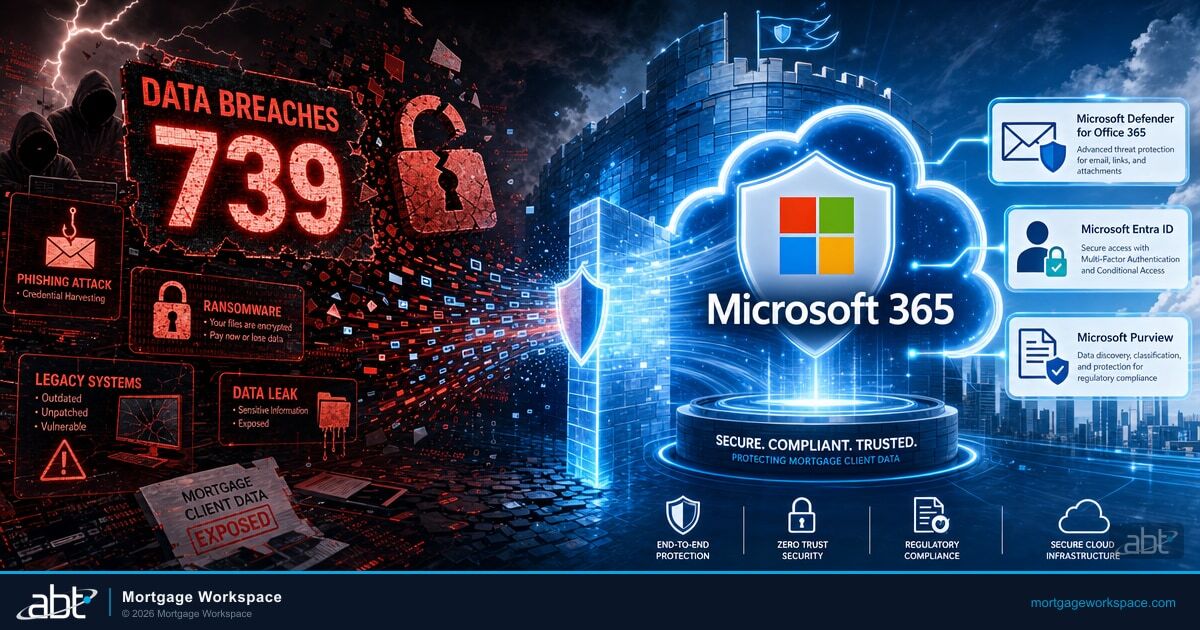
Financial services was the most breached industry in 2025 for the third consecutive year, with 739 reported data compromises according to the ITRC Annual Data Breach Report. Mortgage companies sit at the center of that target because they collect everything attackers want: Social Security numbers, credit reports, bank account details, and income records.
The Marquis Software Solutions breach in August 2025 proved how fast damage spreads. A single vendor compromise exposed sensitive data from over 700 financial institutions. That vendor paid a ransom, which triggered OFAC sanctions exposure and FinCEN SAR filing requirements for every affected lender.
Microsoft 365 is not just email and spreadsheets. Its security stack includes threat detection, encryption, access controls, and compliance tools built for regulated industries. The tools are already inside any reasonably licensed Microsoft 365 tenant. The question for a mortgage company is whether those tools are configured, monitored, and documented well enough to actually withstand the threat traffic, and whether the firm can produce evidence for the auditor who walks in next quarter. Access Business Technologies manages Microsoft 365 tenants for more than 750 financial institutions and operates the M365 Guardian model on top of Microsoft Purview and Microsoft Defender for credit unions, banks, and mortgage companies that need that configuration, monitoring, and evidence baked into one operating layer.
The Mortgage Cybersecurity Threat Landscape in 2026
Mortgage companies handle personally identifiable information at every stage of the loan lifecycle. From application through servicing, borrower data flows between loan officers, processors, underwriters, and third-party vendors. The volume of NPI a mid-size lender holds in a single quarter is what makes mortgage operations a high-yield target for the threat actors who built their business on financial-services data theft.
Three attack vectors dominate in 2026:
Phishing and business email compromise. Attackers impersonate title companies, real estate agents, or executives to redirect wire transfers. Ransomware targeting vendors. Supply chain attacks through third-party vendors are the fastest-growing vector in financial services. Remote work exposure. Loan officers accessing sensitive data from personal devices and unsecured networks.
The Marquis Software Solutions breach exposed data from 700+ financial institutions through a single vendor compromise. The Clop ransomware group targeted a Canadian mortgage firm in February 2026, threatening to expose borrower data. Every attack on a mortgage vendor cascades to its customers. Your security is only as strong as your weakest vendor connection, and the Microsoft 365 controls that defend the front door are also the controls that document the back door for the examiner.

Why Securing Mortgage Data Is Getting Harder
Legacy systems compound the problem. Many mortgage companies still run older on-premise servers and patchwork tools that were not designed for modern threats. The drift between what the license includes and what is actually configured is where examiners and adversaries both find their material.
- Outdated infrastructure. Legacy software lacks modern threat detection. Patches get applied weeks late because IT teams are stretched thin.
- Expanding compliance requirements. GLBA non-compliance carries penalties up to $100,000 per violation. The FTC Safeguards Rule now requires written information security programs and documented risk assessments. State-level privacy laws continue lowering their applicability thresholds.
- Small IT teams. Most mid-size mortgage companies have two to five IT staff handling everything from help desk tickets to security monitoring. Proactive security takes a back seat to daily firefighting.
The Managed Security Alternative
When your IT team has two people handling everything from password resets to compliance audits, something always falls through the cracks. A mortgage-focused managed service provider handles the security configuration, monitoring, and incident response that internal teams cannot staff for, using the same Microsoft 365 tools you already license. ABT manages your Microsoft 365 tenant under delegated admin while Microsoft hosts the underlying infrastructure, so the security work happens on a Microsoft-supported control plane rather than a separate vendor stack.
Microsoft 365 Security Features That Protect Mortgage Data
Microsoft 365 Business Premium and E5 licenses include security tools that replace or exceed what most mortgage companies get from separate vendors:
| Tool | What It Does | Mortgage-Specific Impact |
|---|---|---|
| Microsoft Defender for Office 365 | AI-driven detection of phishing, malware, and impersonation | Stops wire fraud emails targeting mortgage closings before they reach inboxes |
| Microsoft Purview Information Protection | Encrypts and labels sensitive data at rest and in transit | Borrower loan files stay encrypted and classified even when downloaded to local devices |
| Microsoft Entra ID Multi-Factor Authentication | Second verification step beyond passwords | Blocks 99%+ of credential attacks even if a loan officer's password is phished |
| Microsoft Entra ID Conditional Access | Rules-based access by location, device, and risk | Blocks sign-ins from unmanaged devices, untrusted locations, or foreign countries |
| Microsoft Purview DLP | Detects and blocks sensitive data from leaving the org | Catches SSNs and credit reports in emails, Teams, and now images via OCR |
| OneDrive and SharePoint Online | Encrypted cloud storage with granular permissions | Replaces local file servers with access-controlled, ransomware-recoverable storage |
These tools work as layers. Microsoft Defender catches external threats. Multi-factor authentication prevents stolen credentials from being useful. Microsoft Entra ID Conditional Access limits where data can travel. Microsoft Purview DLP catches accidental exposure. OneDrive and SharePoint Online replace vulnerable local file servers with encrypted, permission-controlled storage. One license, layered defense, and a single Microsoft-supported audit surface when the regulator asks how you configured each control.
The M365 Guardian Operating Layer for Mortgage Companies
The features inside a Microsoft 365 license are the raw material. Whether they actually protect borrower data depends on how they are configured, who monitors the alerts, and whether the firm can produce evidence of the configuration on demand. That is the gap M365 Guardian closes. Guardian is the ABT operating model that sits on top of Microsoft Defender, Microsoft Purview, and Microsoft Entra ID and turns a generic Microsoft 365 license into a mortgage-tuned security and compliance posture. Microsoft owns the cloud service. ABT manages how the service is configured, monitored, and documented inside your tenant under a delegated-admin partner relationship.
For a mortgage company specifically, the Guardian layer pairs Microsoft Defender for Office 365 with anti-phishing and impersonation policies tuned to wire-fraud patterns that target title companies and closing wire transfers, not vendor-default SMB rules. Microsoft Purview Audit and Purview Data Loss Prevention are configured with mortgage-specific sensitive-information types covering SSNs, credit-report fields, loan numbers, and Form 1003 NPI rather than generic finance templates. Microsoft Entra ID Conditional Access policies are scoped to loan-officer mobility patterns and managed-device requirements. Microsoft Sentinel aggregates the signals from Defender, Purview, Entra ID, and Intune into a single incident timeline that doubles as the evidence trail when a regulator asks who accessed a borrower file. The 24x7 security operations center watches that timeline so a phishing alert at 2 a.m. on a Saturday gets triaged before the wire-fraud window opens on Monday morning. Your two-person IT team keeps doing what your two-person IT team can actually do. The configuration, monitoring, and evidence production happens on the Guardian side.
Built-In Compliance Tools for Mortgage Regulations
Mortgage companies subject to GLBA, the FTC Safeguards Rule, and state regulations benefit from compliance tools already included in their Microsoft 365 license:
Without M365 Compliance Tools
- Manual spreadsheets to track regulatory posture
- Hours spent assembling documents for audit requests
- Inconsistent retention, some files kept too long, others deleted too soon
- No answer when auditors ask who accessed a borrower file
With Microsoft Purview Compliance Tools
- Microsoft Purview Compliance Manager scores your posture against GLBA and NIST
- Microsoft Purview eDiscovery searches and exports records in seconds with chain of custody
- Microsoft Purview retention policies enforce TRID's 3-year requirement automatically
- Microsoft Purview Audit answers "who, what, when" for every file access in seconds
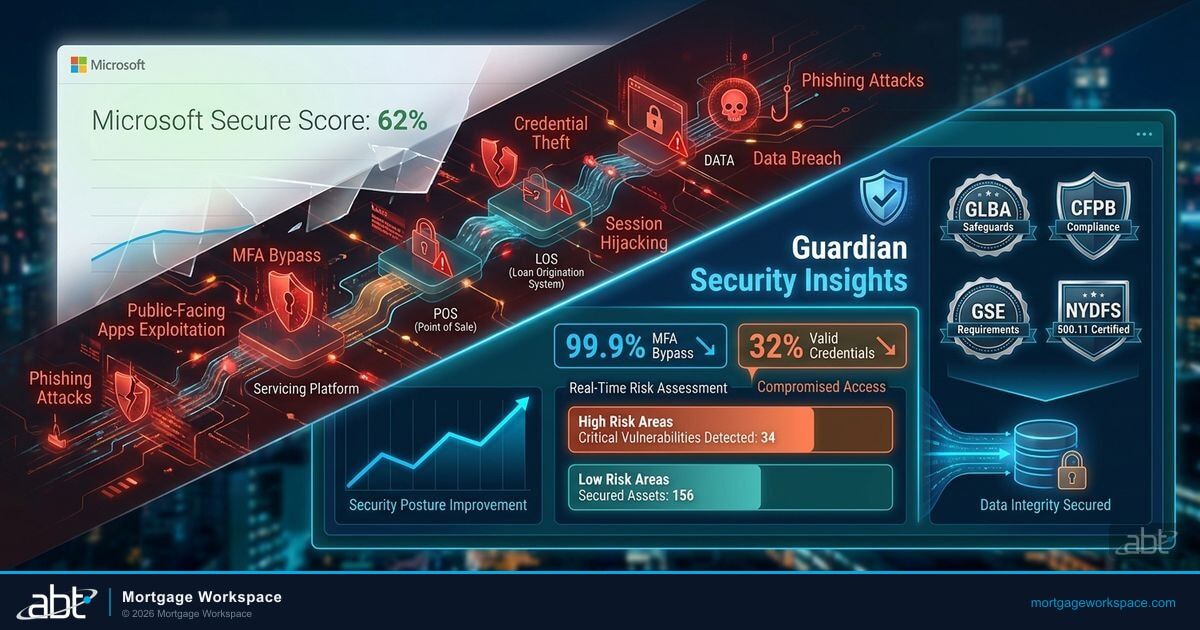
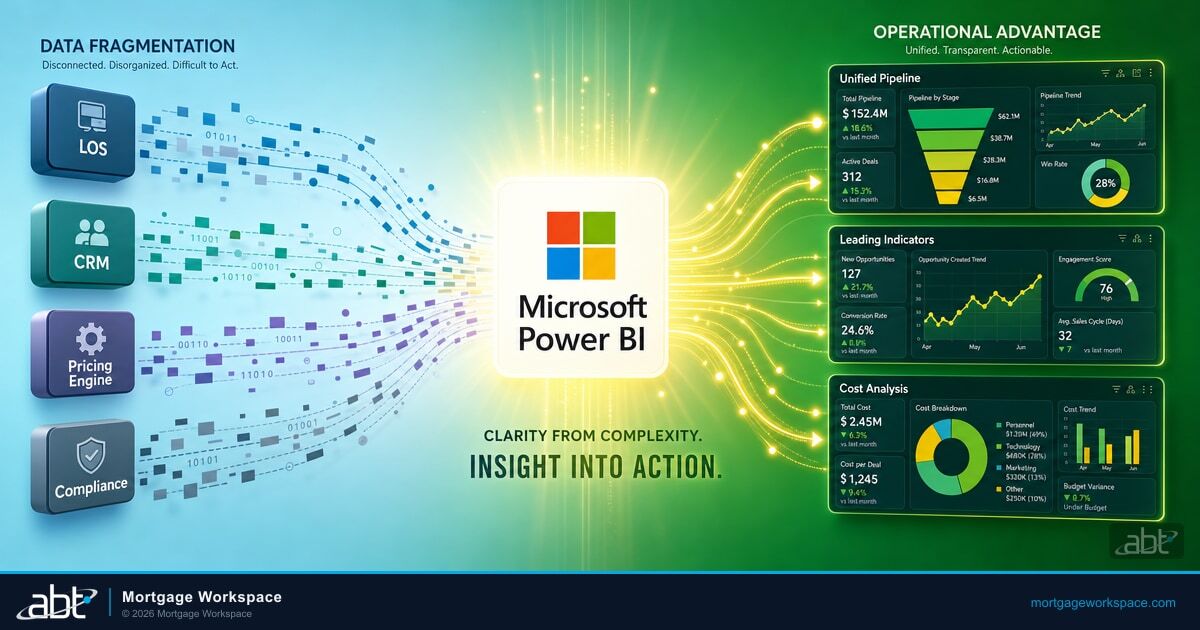
For a deeper look at how Microsoft 365's full suite maps to mortgage workflows, see our complete M365 guide. For compliance-specific dashboards, see how Power BI templates turn compliance requirements into real-time monitoring. For the operational model that runs all of this for ABT's 750+ FI customers, see how Guardian goes beyond Microsoft Secure Score.
Implementation Roadmap for Mortgage Companies
Deploying Microsoft 365 security is not a single project. It is a sequence of steps, each building on the one before:
8-Week Security Deployment Roadmap
- Week 1-2: Enable Microsoft Entra ID multi-factor authentication for all users. No exceptions for executives or part-time staff.
- Week 2-3: Configure Microsoft Entra ID Conditional Access. Block legacy authentication. Require managed devices for borrower data.
- Week 3-4: Deploy Microsoft Purview DLP policies for SSNs, account numbers, and credit report data. Start in audit mode, then enforce.
- Week 4-6: Activate Microsoft Defender for Office 365. Enable Safe Links, Safe Attachments, and anti-phishing policies. Run a phishing simulation baseline.
- Week 6-8: Set up Microsoft Purview Compliance Manager and retention policies. Map regulatory requirements to M365 controls.
- Ongoing: Review Microsoft Secure Score weekly. Monthly access reviews. Update DLP policies as regulations change. Run a Guardian-managed 24x7 monitoring posture so alerts are triaged, not queued.

Your Microsoft 365 license already includes the security tools you need. The question is not whether you can afford to deploy them. The question is whether you can afford to leave them at vendor defaults with 739 financial services breaches in a single year.
A Tier-1 Direct-Bill Microsoft Cloud Solution Provider audits your current environment, configures the controls under delegated admin, and runs the ongoing monitoring so your two-person IT team does not have to become full-time security specialists. That is the operating shape M365 Guardian is built for.
750+ Financial Institutions Trust Their M365 Security to ABT
Access Business Technologies configures and manages Microsoft 365 security for credit unions, banks, and mortgage companies nationwide under the M365 Guardian operating model. We handle the Microsoft Purview, Microsoft Defender, and Microsoft Entra ID setup, the 24x7 monitoring, and the incident response so your team stays focused on lending, not chasing security alerts.
Frequently Asked Questions
Microsoft 365 Business Premium and E5 include controls that map directly to GLBA and FTC Safeguards Rule requirements. These include data encryption at rest and in transit, multi-factor authentication, data loss prevention policies, audit logging, and Compliance Manager for tracking regulatory posture. A qualified managed service provider configures these controls to meet mortgage-specific compliance needs.
Microsoft Defender for Office 365 uses AI-driven analysis to detect phishing emails, malicious attachments, and impersonation attempts before they reach inboxes. Safe Links rewrites URLs to check them at click time. Safe Attachments detonates files in a sandbox before delivery. Anti-phishing policies detect domain spoofing and display name impersonation targeting mortgage wire transfers and closing documents.
Microsoft Purview Data Loss Prevention automatically detects sensitive information like Social Security numbers and bank account details in emails, documents, and Teams messages. It blocks or flags content before it leaves your organization. Purview now includes OCR scanning that catches sensitive data in images and PDFs. Mortgage companies need DLP to prevent accidental data exposure and meet GLBA requirements for safeguarding borrower information.
A complete Microsoft 365 security deployment for a mid-size mortgage company takes 6 to 8 weeks following a phased approach. MFA and Conditional Access deploy in the first two weeks. DLP policies and Defender configuration follow in weeks three through four. Compliance Manager setup and retention policies complete the deployment. Ongoing monitoring and tuning continue beyond the initial implementation.